
The workforce platform that shows how work really happens
Track time and attendance, see productivity across office, remote and hybrid teams, and get AI insights on performance and risk, all without micromanaging.
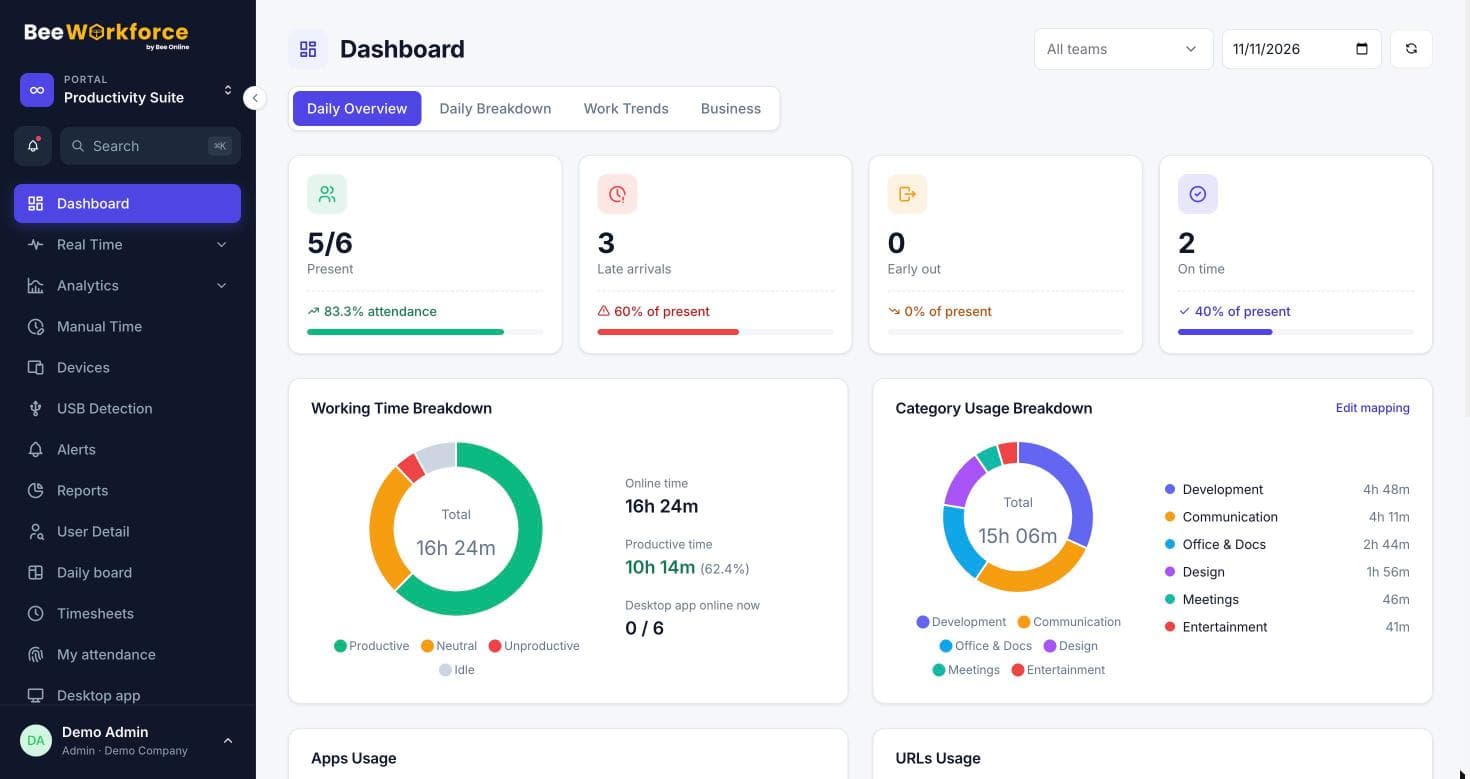
Everything your team's working day needs
One product, one login and one source of truth, from the first punch-in to the monthly report.
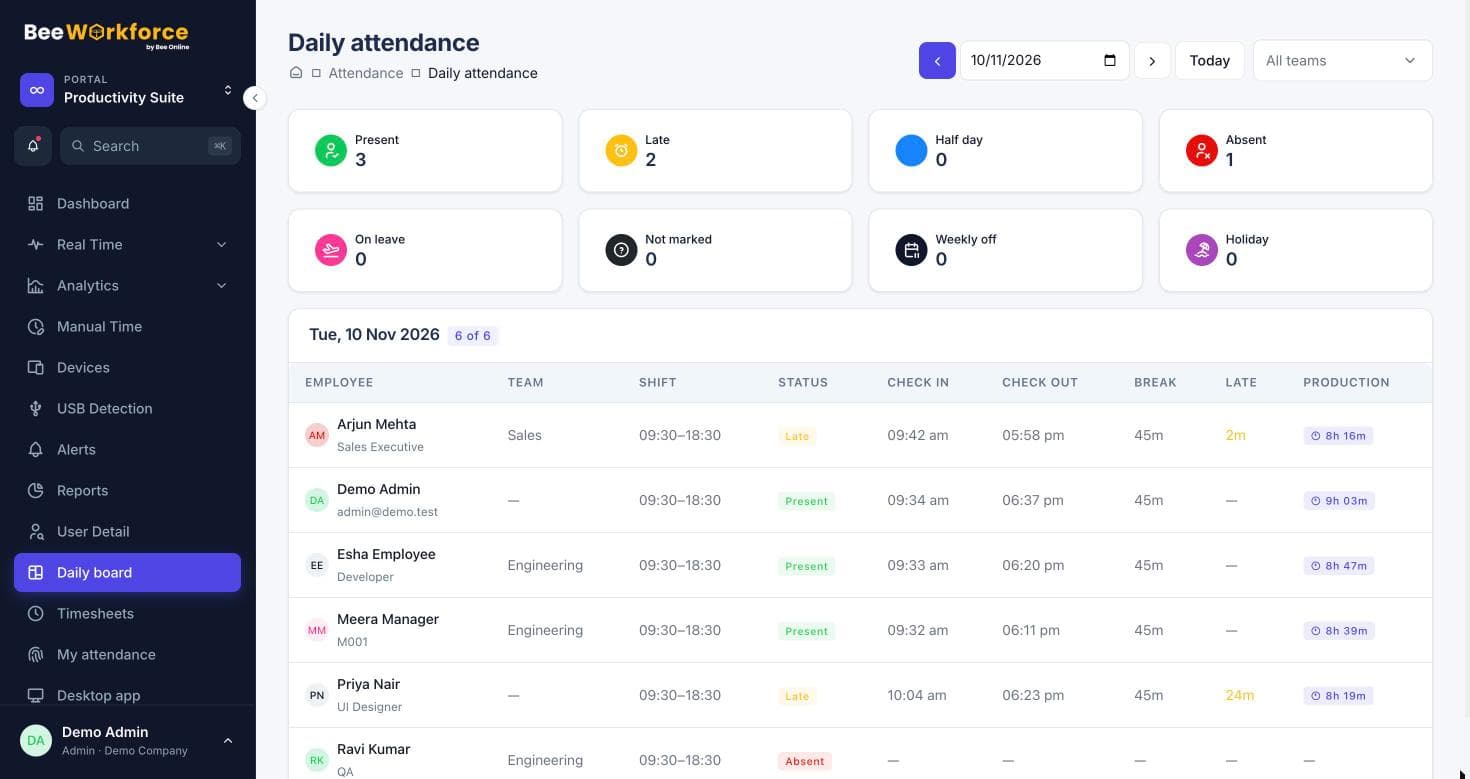
Time tracking that runs itself
People punch in from the desktop app or the browser. Shifts, breaks, late marks, half days and holidays are applied automatically, and timesheets fill themselves in.
- Desktop, web and Chrome punch-in, with office geofencing
- Shift rules, overtime and leave already accounted for
- Timesheets, manual time requests and approvals
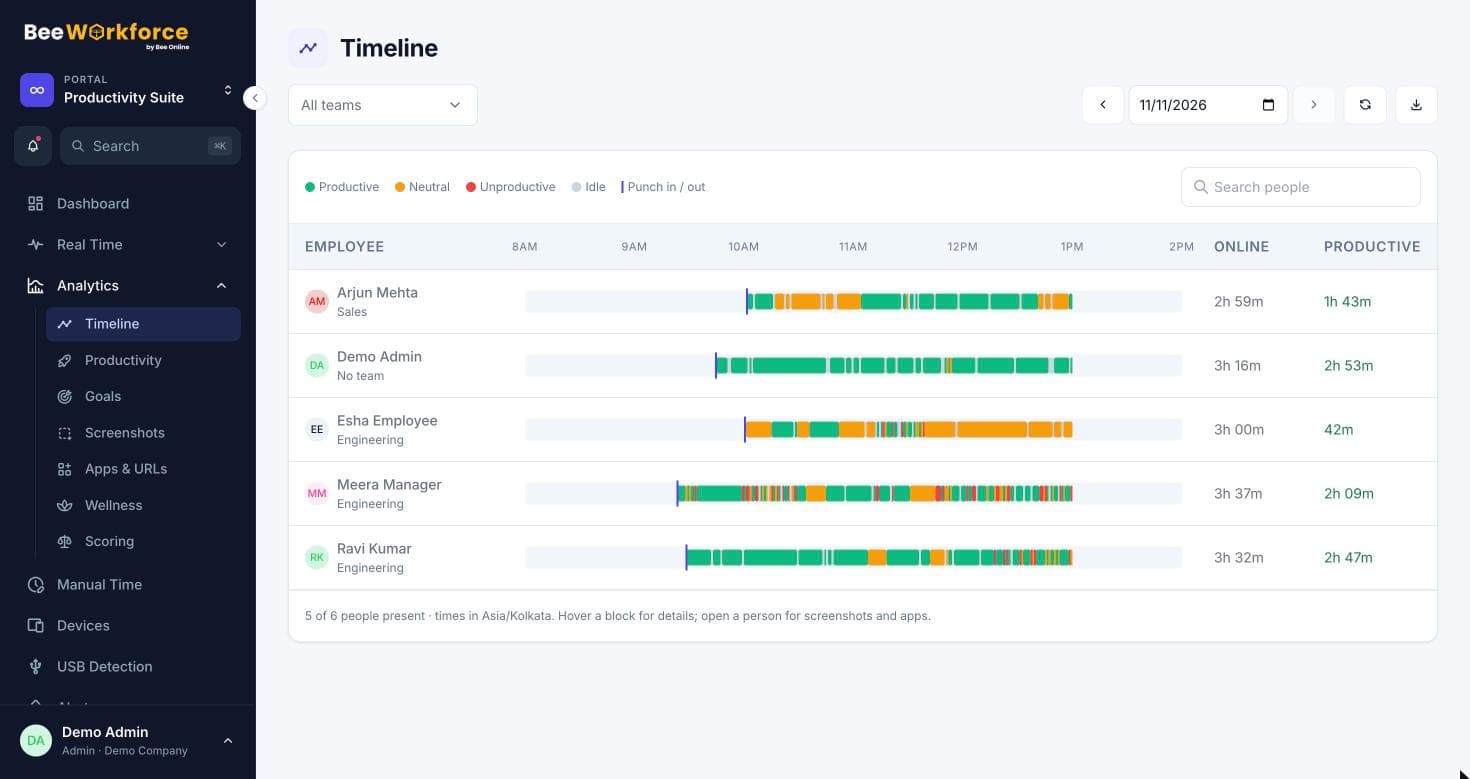
See where the time goes
Active and idle time, the apps and websites in use, screenshots and a live view of any screen, classified by your own productivity rules for each team.
- Apps and URLs with productivity categories
- Screenshots (optionally blurred) and live screen view
- Day timelines, USB detection and system log
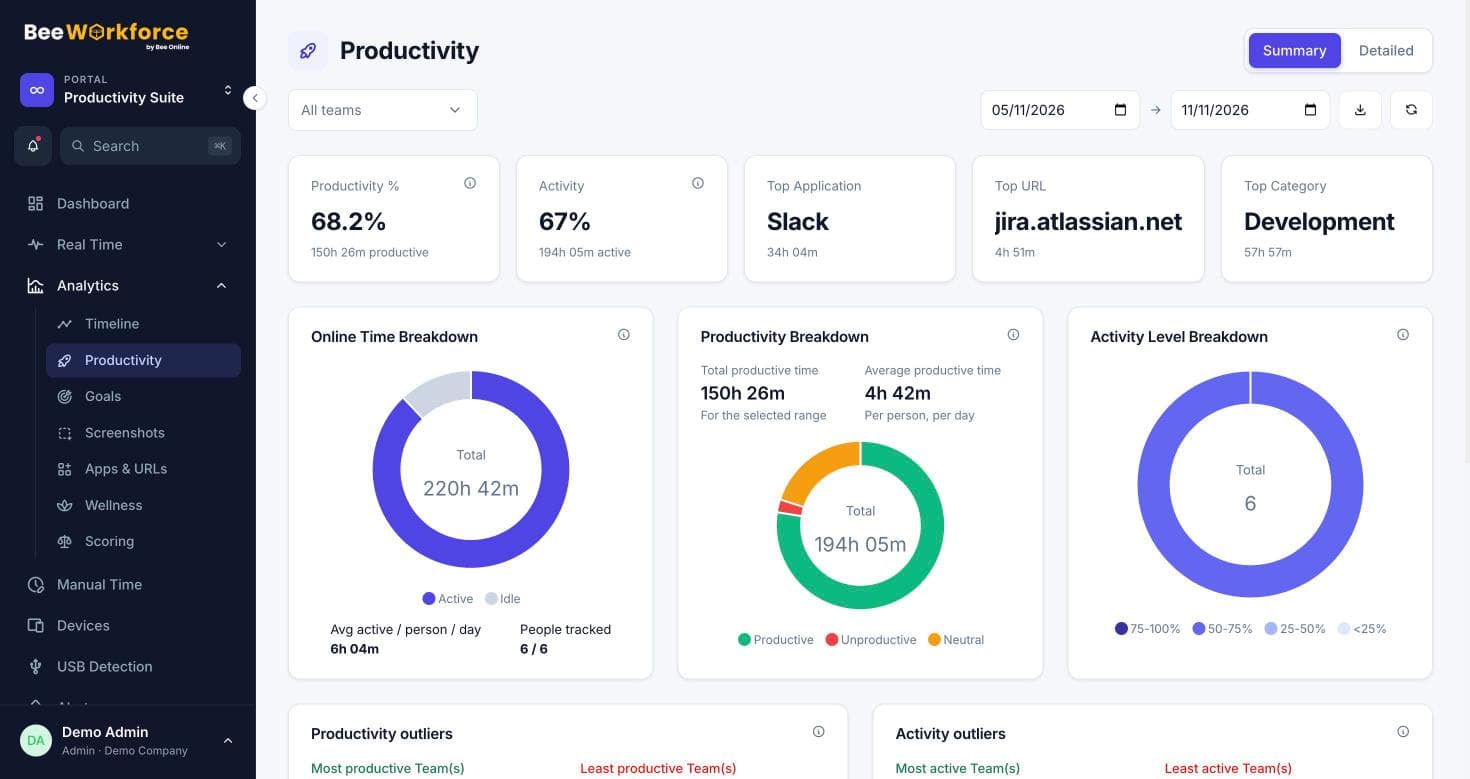
Answers, not just dashboards
An AI summary of every period, a workplace assessment across seven dimensions, employee benchmarking and risk scoring that flags burnout and disengagement early.
- AI summary with trends, forecast and recommendations
- Workplace assessment and team comparison
- Benchmarking and risk scores with the reasons behind them
Leave, projects and reports in the same place
Leave policies and balances, projects and tasks, alerts, a report builder with scheduled emails, and integrations with the tools you already use.
- Leave, holidays, projects, tasks and timesheets
- Alerts for idle time, long breaks and absences
- Report builder, Excel import/export and integrations
See BeeWorkforce with your own team
Start a free trial in a minute, or let us walk you through it around how your team works.
Built for the way teams work now
Boost productivity
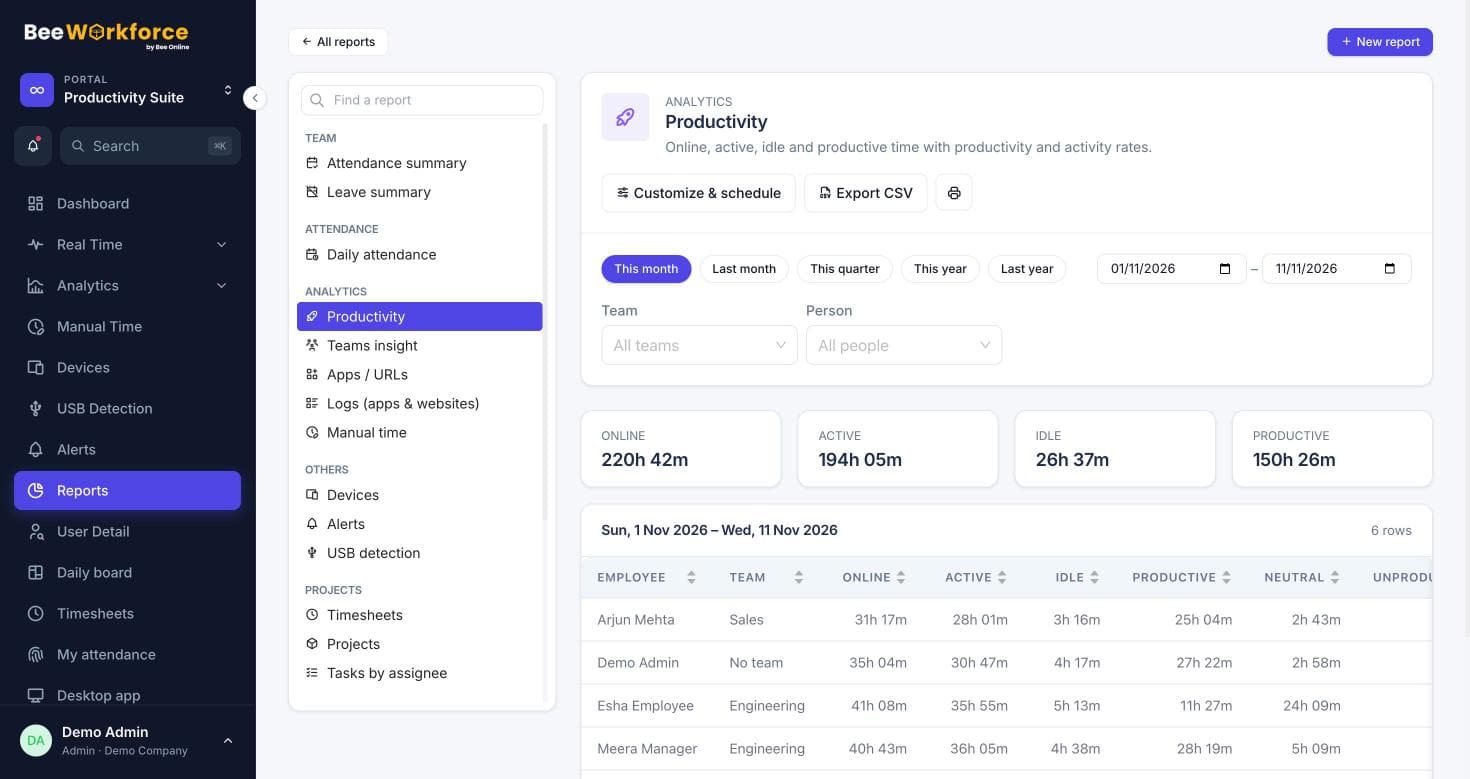
- Productive, neutral and unproductive time per person
- Goals, rankings and best performers
- Focus and idle trends by team
Pay for real hours
- Worked hours straight from punches and activity
- Late marks, overtime and breaks applied automatically
- Payroll-ready exports and timesheets
Look after people
- Wellness view of overworked and underused people
- Risk scores that suggest a check-in, not a judgment
- Consent notice, privacy rules and audit log
Monitoring people can feel comfortable with
Transparent by design
Tracking only while punched in, activity counts never keystrokes, and a consent notice before tracking starts.
Secure and compliant
Role-based access, data retention rules, an audit log, encrypted secrets and blurred screenshots.
Connects to your stack
Microsoft Teams, Jira, Keka, greytHR, Zoho and signed webhooks, plus Excel import and export.
Teams of every kind
BPO & call centres
Shift adherence, breaks and floor activity for large, fast-moving teams.
Digital marketing agencies
Know where client hours go and keep creative teams from burning out.
EdTech
Attendance and work insights for tutors, content teams and support staff.
Healthcare
For billing, coding and back-office teams handling sensitive work.
HR & staffing
Attendance, timesheets and payroll-ready exports for placed staff.
IT services
Focus time, project hours and secure devices for engineering teams.
Your whole team on one screen
- Who's in, late or on leave, live
- Productive time, top apps and best performers today
- Trends, wellness and alerts a click away
Frequently asked questions
What is BeeWorkforce?
One place for attendance, time and activity tracking, productivity analytics, timesheets, leave and the rest of day-to-day people work. Employees punch in from the web or the desktop app; managers see who's working, on what, and how the day went.
How does the free trial work?
Create an account and use every feature free for 7 days with up to 10 users, no card needed. When you're ready, pick a plan from Billing and pay with UPI, cards or netbanking.
Does it work for remote and hybrid teams?
Yes. The desktop app for Windows, macOS and Linux records attendance and activity wherever people work, and web punch-in can be limited to office locations with geofencing.
What does the desktop app record?
While someone is punched in: active and idle time, the apps and websites in use, keyboard and mouse activity counts (never what's typed), and screenshots if your company turns them on. Nothing is recorded after punch-out.
Who can see the monitoring data?
Admins see the whole company and managers see their teams. Employees see their own attendance, leave and timesheets. A consent notice can be required before tracking starts.
How long does it take to set up?
Most teams are running the same day: add people (one by one or from Excel), choose your tracking and privacy settings, and share the download link.
Start your 7-day free trial
Every feature for up to 10 users, no card needed. Or book a walkthrough and we'll set it up with you.