
Track attendance and activity in one place
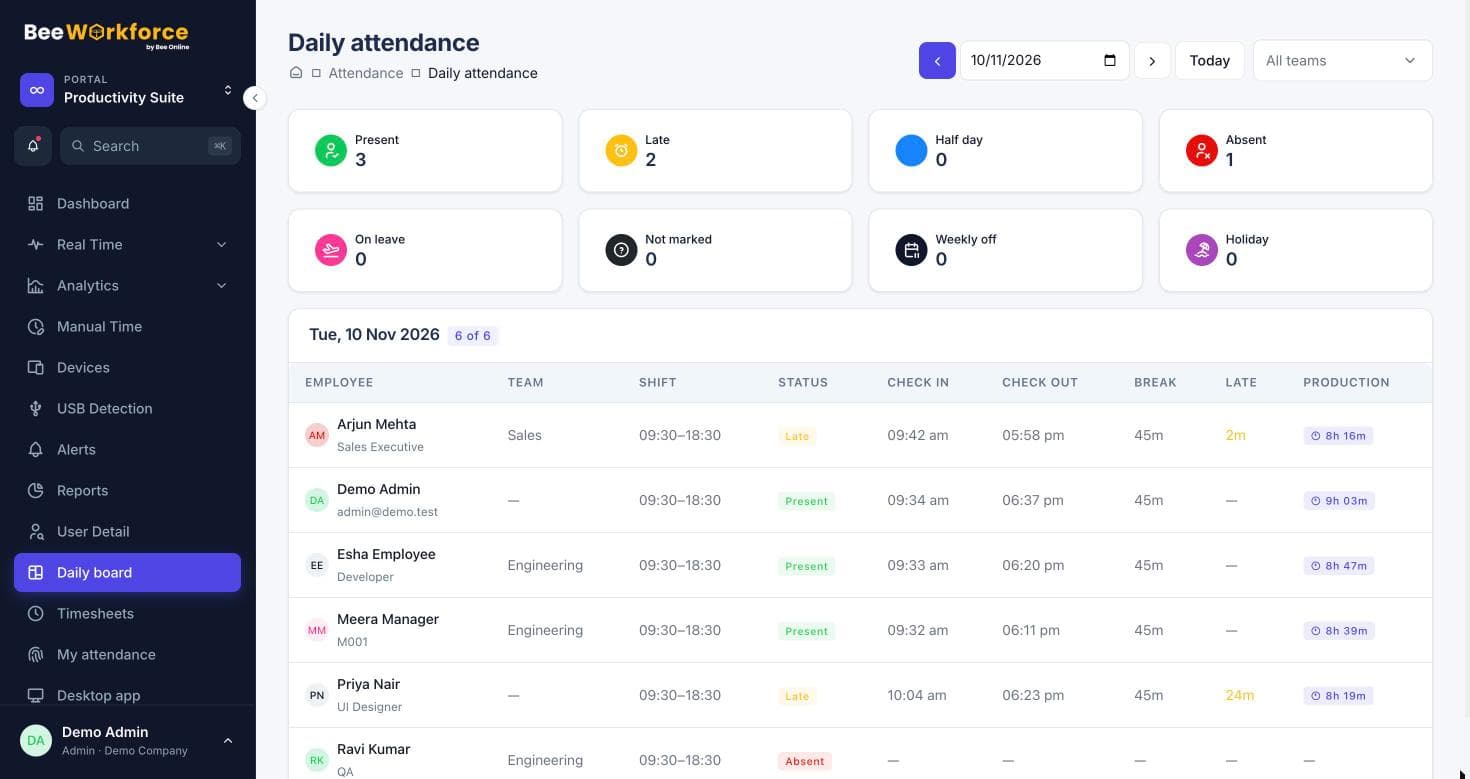
Punch-ins, breaks, worked hours and work activity for every employee, from the desktop app or the browser, on one daily board.
What gets in the way
Unreliable attendance
Paper registers and spreadsheets are late, incomplete and easy to dispute.
Office and remote mixed
Different rules for different locations make one consistent record hard.
Slow answers
Finding out who was in, who was late and who's working now takes too long.
Leave and holidays missed
Absences get marked wrong when leave and holidays aren't considered.
Punch-in that fits how people work
People punch in from the desktop app or the browser. You decide whether web punch-in is allowed, and can limit it to office locations with geofencing.
- Desktop and web punch-in
- Geofencing for office locations
- Breaks with types like lunch or tea
What people are working on
While punched in, the desktop app records active and idle time and the apps and websites in use, so tracked hours reflect real work.
- Active vs idle minutes
- Apps and websites per person
- Live status for managers
Features that help
Attendance insights
Punches, breaks, late marks and worked hours, calculated from your shift rules.
Activity tracking
Active and idle time, apps and websites, recorded only while people are punched in.
Livestream
A live wall of who's working, on what app, with their latest screenshot.
Timeline
Every person's day as coloured blocks of productive, neutral, unproductive and idle time.
Leave management
Leave requests, approvals, balances and policies with accrual and carry-forward.
Alerts
Rules that notify managers about distractions, long breaks, idling and absence.
Frequently asked questions
Do employees need the desktop app?
For activity tracking, yes. For attendance only, people can punch in from the browser unless you require the desktop app.
Can we track people who work on site?
Yes. Web punch-in can be limited to office locations with geofencing, and desktop users are tracked wherever they work.
Are late marks calculated automatically?
Yes. Shifts, grace periods and half-day rules are applied to each punch.
See BeeWorkforce with your own team
Book a 30-minute walkthrough. We'll set it up around how your team works and answer your questions.