
Transparency starts with people's own data
Every employee gets a dashboard with their attendance, worked hours, breaks and productivity, so the numbers managers see are never a surprise.
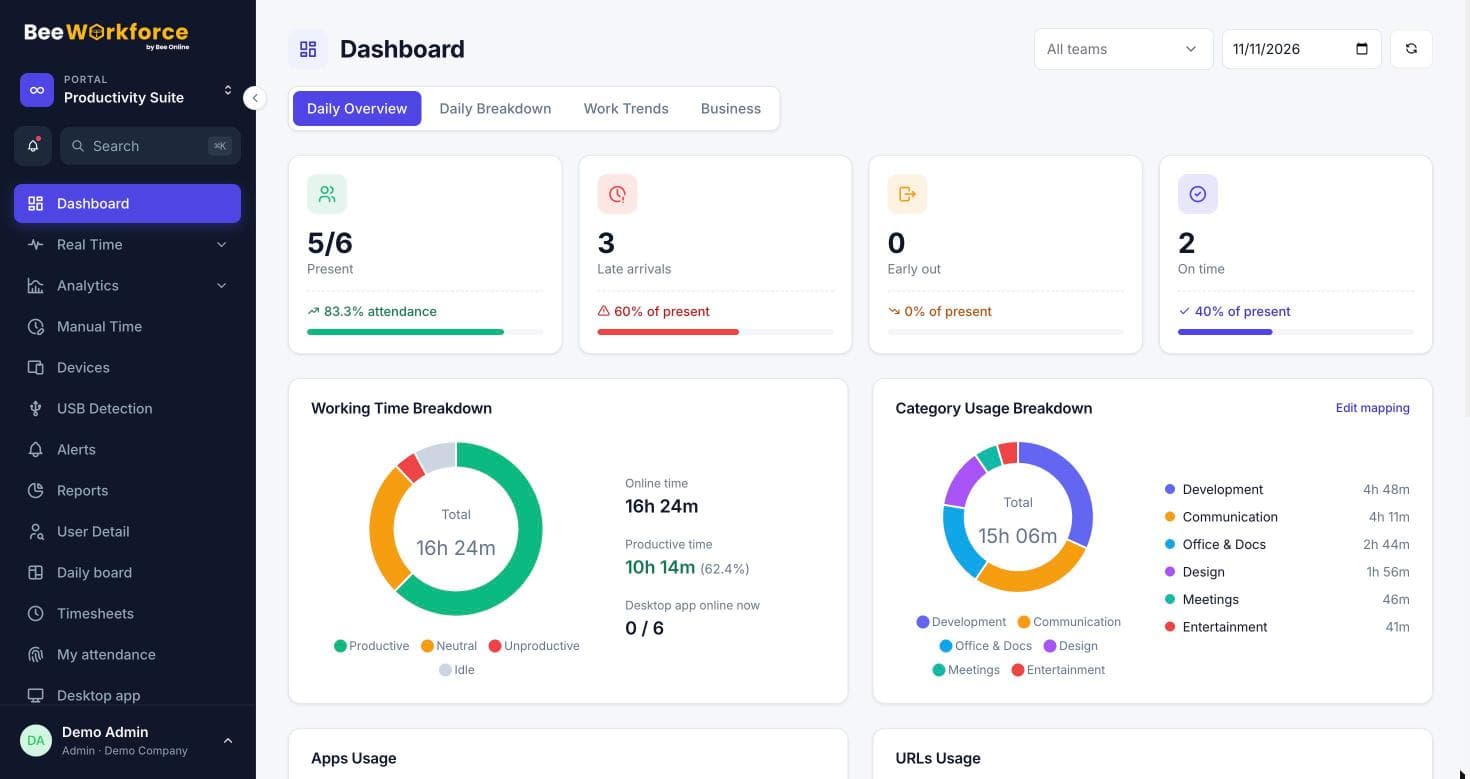
Today at a glance
Punch in and out, take breaks and see worked time counting up.
Monthly attendance
Present, late, leave and absent days for the month.
Own productivity
Productive time, top apps and activity for each day.
Everything personal in one place
Attendance, leave balances, timesheets and productivity are on the same page. Managers get team dashboards built from the same data.
- Punch and break buttons
- Attendance calendar from joining date
- Leave balances and requests
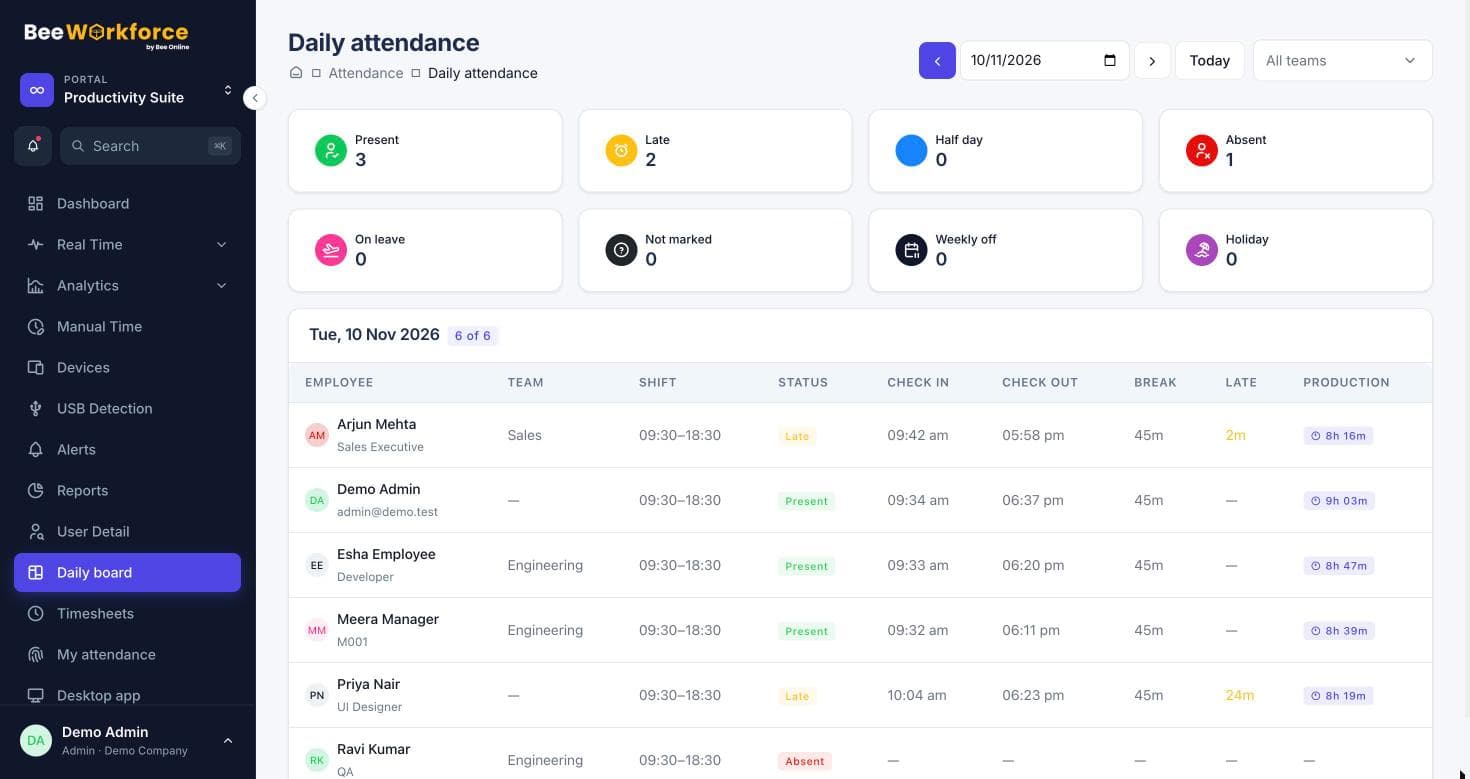
Dashboards for every role
Admins see the whole company, managers their teams, employees themselves. Daily overview, breakdown and work trends are available to managers.
- Role-based views
- Daily overview and work trends
- Same numbers everywhere
How teams use employee dashboard
- Let employees check their own hours
- Reduce attendance disputes
- Support self-managed remote work
- Give managers a team view from the same data
Frequently asked questions
Can employees edit their attendance?
No. They can request leave or add manual time for approval; punches come from the app or web.
Do employees see screenshots of themselves?
Their dashboard focuses on attendance, hours and productivity. Screenshot access follows your role settings.
Is there a mobile view?
The web app works on phones, including punch-in.
Works well with
See BeeWorkforce with your own team
Book a 30-minute walkthrough. We'll set it up around how your team works and answer your questions.