
Attendance for teams that don't sit at a desk
Let field and site staff punch in from their phone's browser, checked against the locations you set. A dedicated mobile app with route tracking is in development.
What gets in the way
Unverified punch-ins
Without location checks, it's hard to know people really started on site.
Missed reporting
Field staff fill attendance in late or not at all.
No view of the day
Managers can't see when field work started and ended.
Geofenced punch-in from any phone
People open BeeWorkforce in their phone's browser and punch in. With geofencing on, the punch is checked against your office or site locations. You choose to warn or to block when someone is outside.
- Locations with a radius you set
- Warn or block outside the area
- No app install needed
A mobile app with route tracking
A dedicated mobile app for field teams, with location and route tracking during working hours, is in development. Laptops used in the field can run the desktop app today.
- Mobile app: coming soon
- Route tracking: coming soon
- Desktop app on laptops: available now
Features that help
Attendance insights
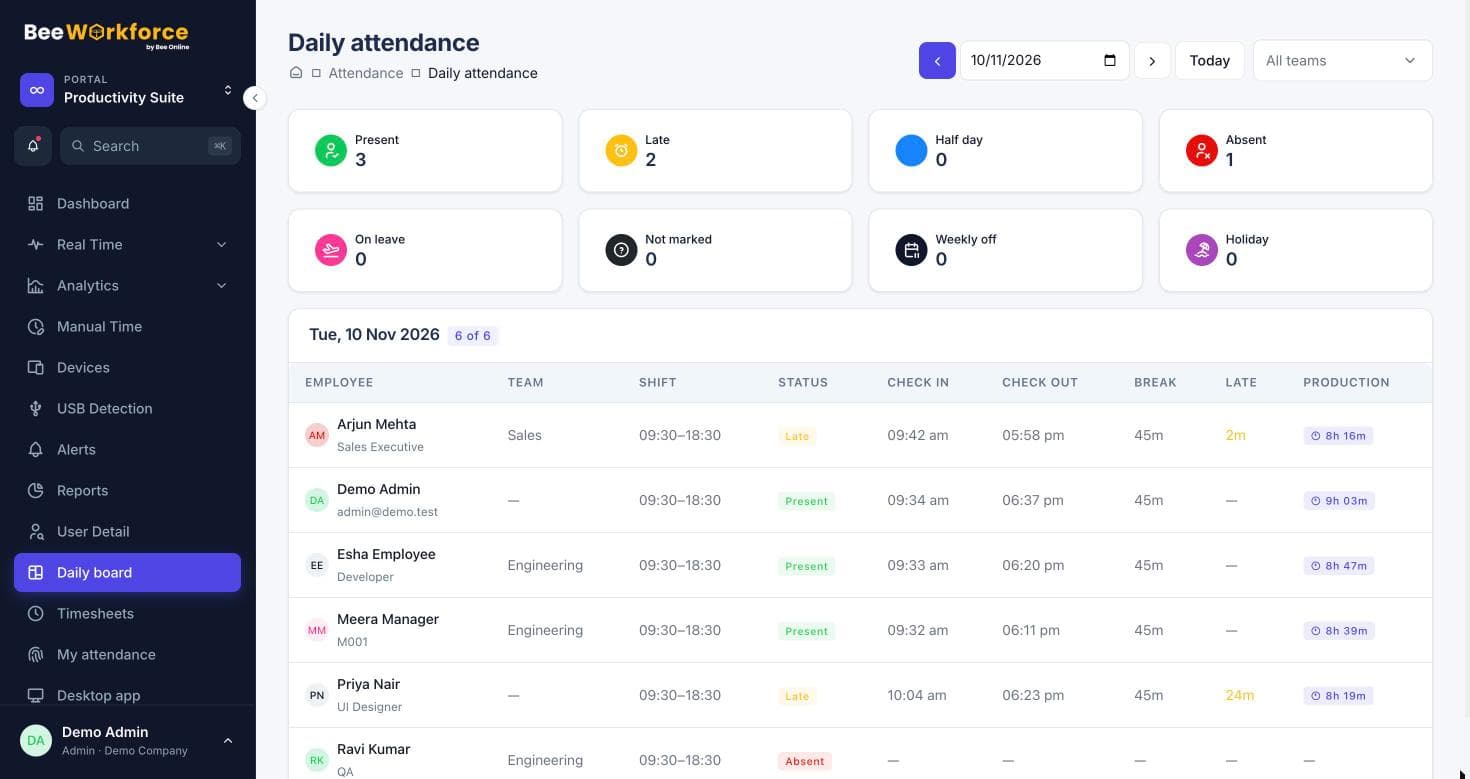
Punches, breaks, late marks and worked hours, calculated from your shift rules.
Location performance
Compare offices and remote work side by side. In development.
Alerts
Rules that notify managers about distractions, long breaks, idling and absence.
Leave management
Leave requests, approvals, balances and policies with accrual and carry-forward.
Frequently asked questions
Is there a mobile app?
Not yet. Field staff punch in from their phone's browser today; a mobile app with route tracking is coming soon.
How does geofencing work?
You add locations with a radius. When someone punches in from the web, their browser location is checked, and you choose whether to warn or block outside the area.
Is location tracked all day?
No. Today only the punch location is checked. Continuous route tracking will come with the mobile app.
See BeeWorkforce with your own team
Book a 30-minute walkthrough. We'll set it up around how your team works and answer your questions.