
Attendance that keeps itself up to date
Employees punch in from the desktop app or the browser. BeeWorkforce applies your shifts, grace periods, breaks, leave and holidays, so the daily board is right without manual fixes.
Web and desktop punch-in
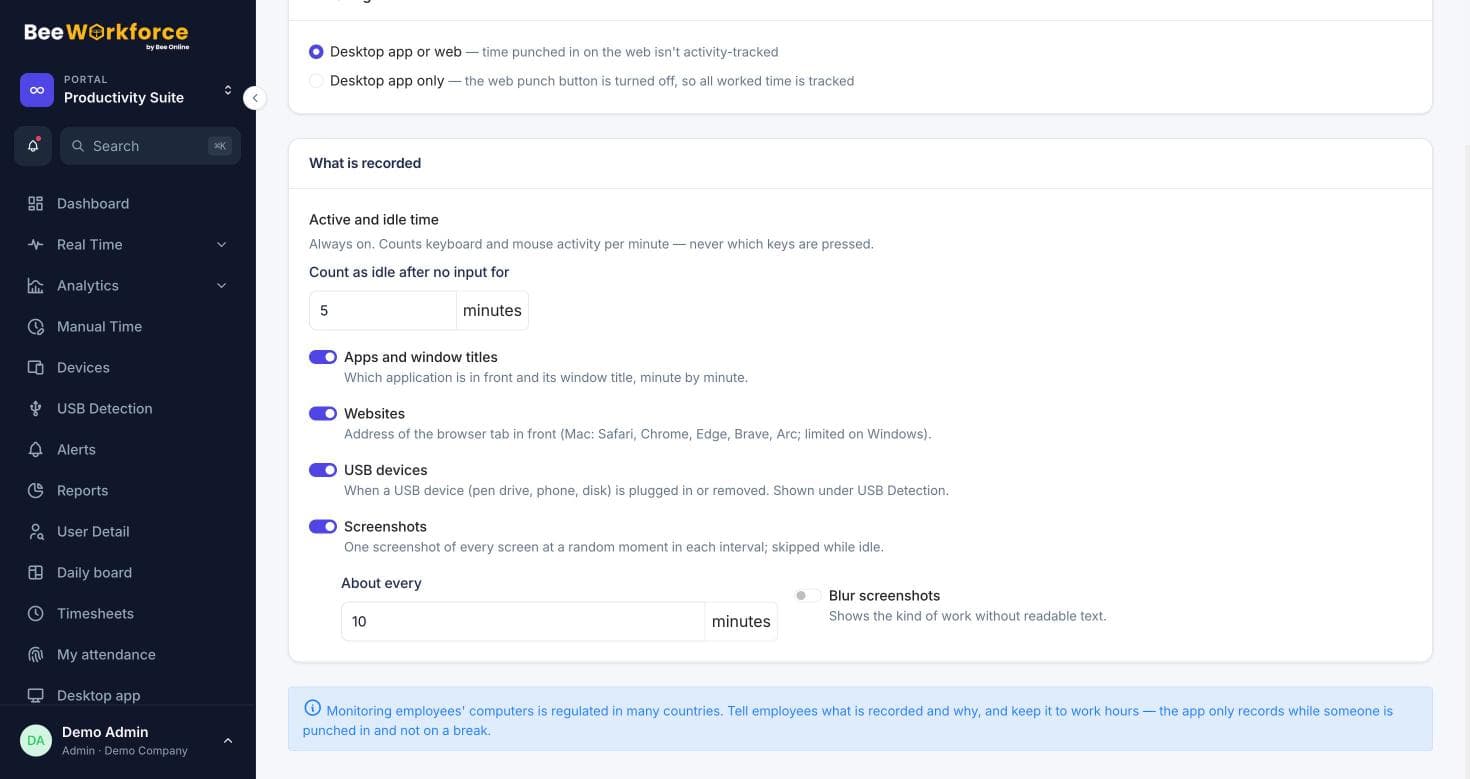
Choose desktop-only or desktop and web, with optional office geofencing for web punches.
Shift rules applied
Late marks, half days and full days come from each person's shift and grace period.
Leave and holidays included
Approved leave, holidays and weekly offs are counted, so absences are real absences.
One daily board for the whole company
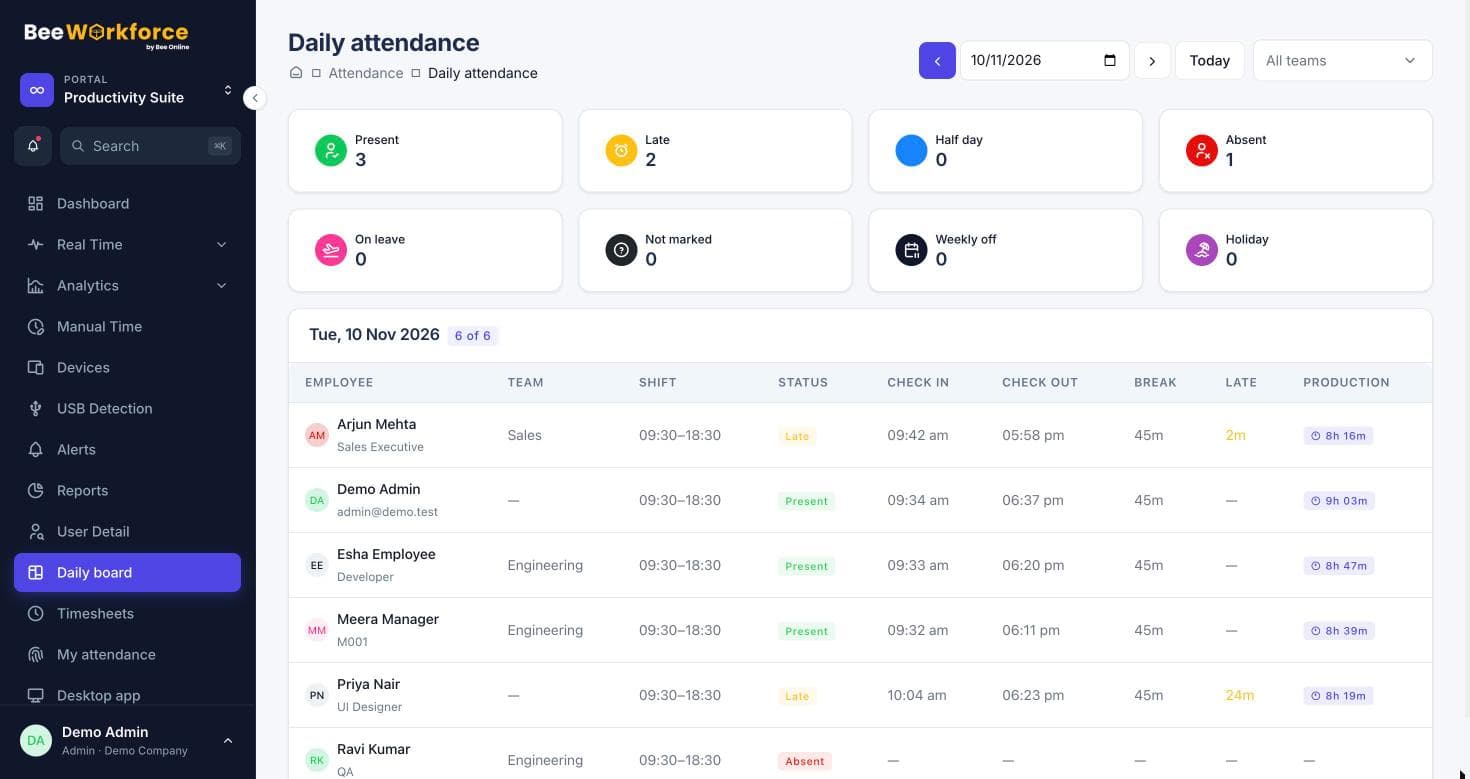
See who is present, late, on leave or not yet in, team by team. Each row shows punch times, breaks and worked hours, and people who hadn't joined yet aren't counted.
- Present, late, half day, absent and on leave at a glance
- Filter by team
- Worked hours with breaks subtracted
- Monthly calendar per person
Breaks and locations, handled
Set up break types such as lunch or tea, paid or unpaid, with daily limits. For web punch-in, add office locations with a radius and choose to warn or block people outside it.
- Paid and unpaid break types
- Geofenced web punch-in: off, warn or block
- Attendance recalculation when rules change
How teams use attendance insights
- Run payroll from accurate worked hours
- Track late arrivals against the grace period
- Manage hybrid teams punching in from home and office
- Export attendance for HR and payroll systems
Frequently asked questions
Can people punch in from their phone?
Web punch-in works in any browser, including on a phone. You can limit it to office locations with geofencing.
What counts as late?
Each shift has a start time and grace period. Punching in after that marks the day late.
Can attendance start from a joining date?
Yes. Days before an employee's joining date aren't shown or counted as absent.
See BeeWorkforce with your own team
Book a 30-minute walkthrough. We'll set it up around how your team works and answer your questions.