
Plan the work, track the time, in one place
Projects, tasks, milestones and timesheets sit next to attendance and activity, so effort and delivery are measured the same way.
What gets in the way
Work and time apart
Tasks live in one tool and hours in another, so effort per project is a guess.
Missed deadlines
Without workload visibility, overdue tasks pile up quietly.
Unclear project cost
Hours aren't tied to projects, so budgets drift.
Projects and tasks your team will actually update
Create projects with members and managers, break work into tasks with statuses, priorities and due dates, and track progress.
- Task statuses and priorities
- Due dates and overdue tracking
- Import projects and issues from Jira
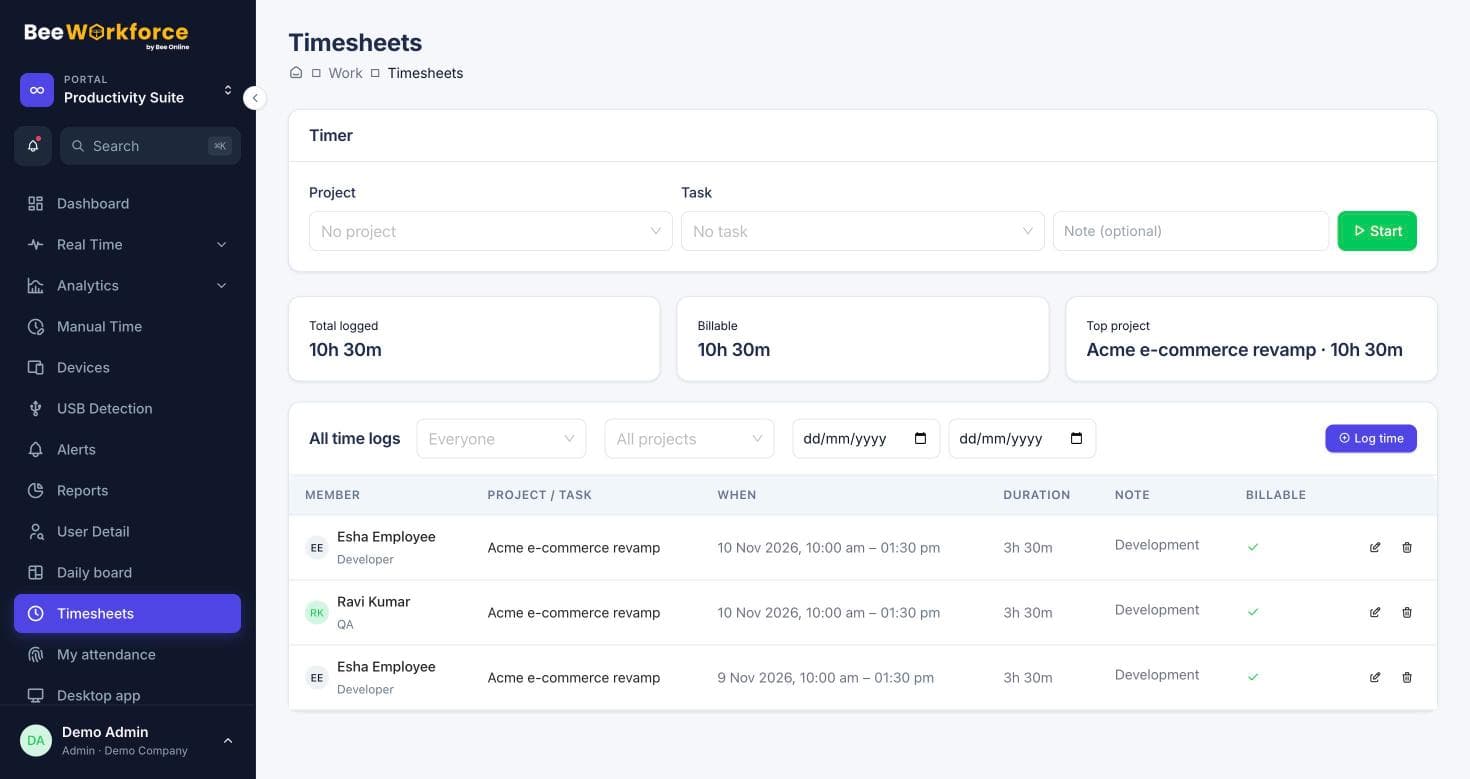
Hours tied to the work
Log time against tasks with a timer or manual entries. Project reports show hours, billable time and progress together.
- Timer and manual time
- Billable and non-billable
- Worklogs pushed back to Jira
Features that help
Projects and tasks
Projects, tasks, milestones and time logs, with Jira import.
Timesheets
Log time on projects and tasks with a timer or manual entries, and send it to Jira.
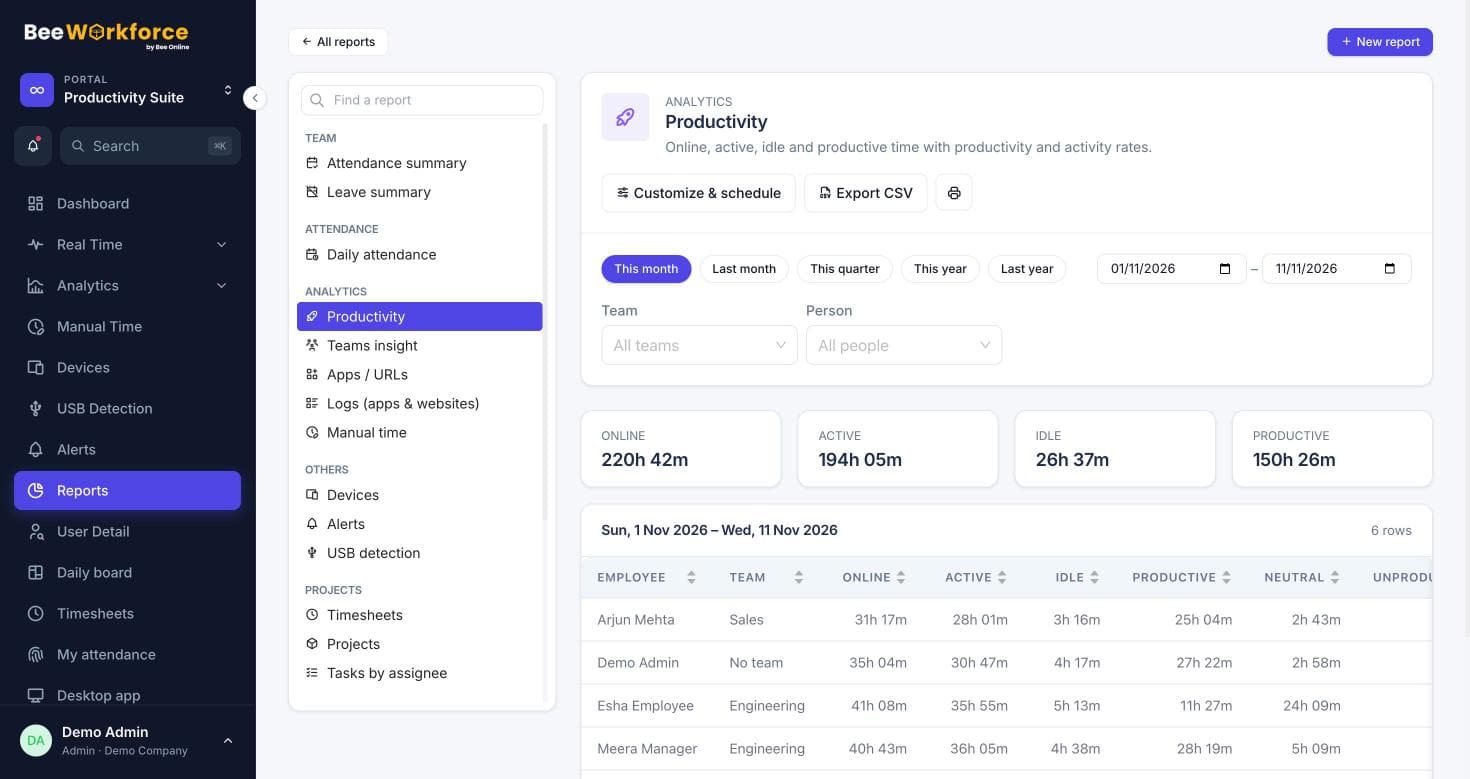
Reports
Ready-made reports, your own report builder, and scheduled CSV emails.
Goals
Daily targets for online, active and productive time, with who met them.
Frequently asked questions
Can we keep using Jira?
Yes. Import Jira projects and issues, log time in BeeWorkforce and send it back to Jira as worklogs.
Can clients see their projects?
BeeWorkforce has a client portal for client contacts, with access limited to what you share.
Is project management included?
Projects and tasks are part of BeeWorkforce; your plan determines which modules are switched on.
See BeeWorkforce with your own team
Book a 30-minute walkthrough. We'll set it up around how your team works and answer your questions.