
Where the time actually goes
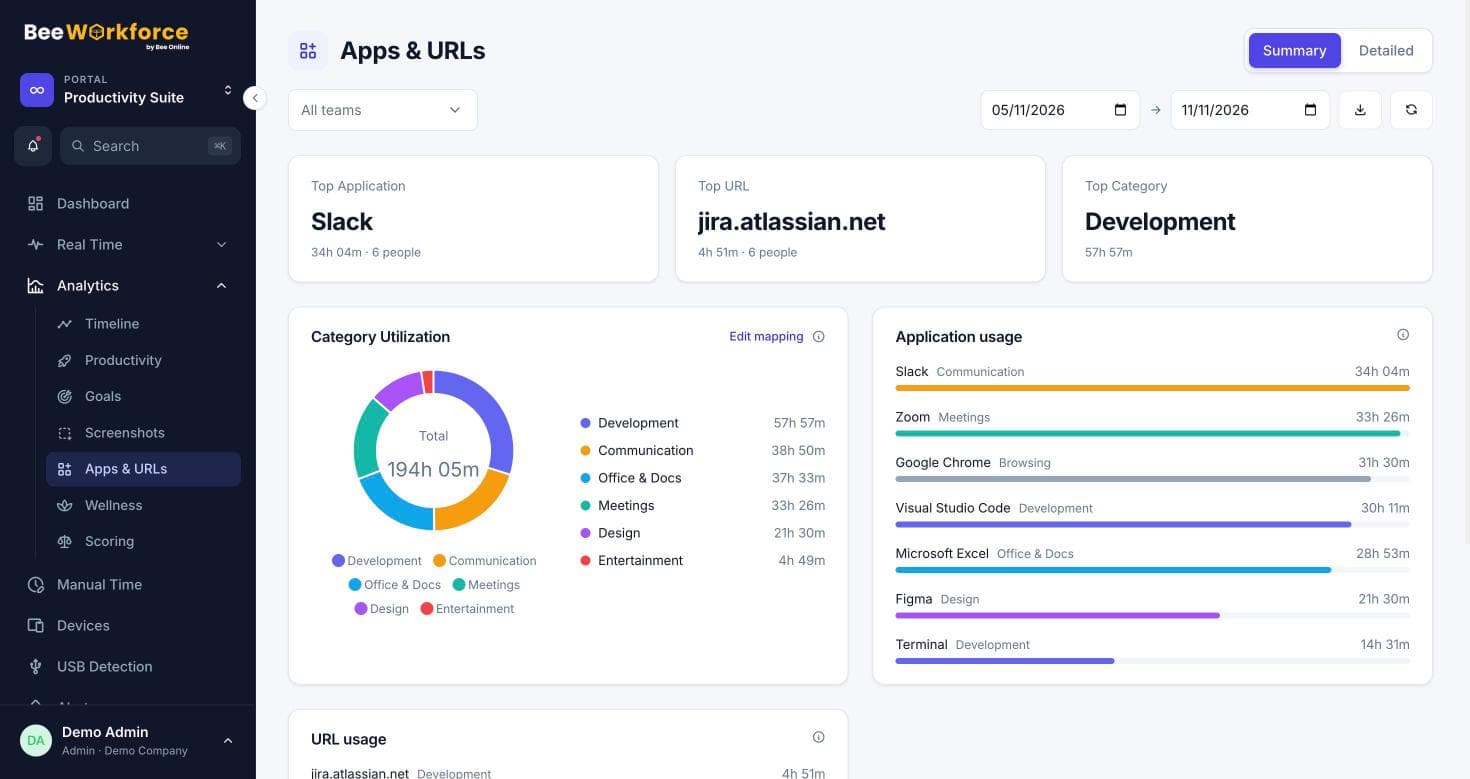
BeeWorkforce lists every app and website used during work, how long, by how many people, and whether it counts as productive for that team.
Your categories
Group apps and sites into categories and mark each productive, neutral or unproductive.
Team rules
A site can be productive for Marketing and unproductive for everyone else.
URL matching
Match specific pages or paths, not just whole domains.
Summary and detail views
The summary shows the top apps, websites and categories. The detailed view lists usage per person and per day, ready to export.
- Top apps, websites and categories
- People count per app
- CSV export
Rules that match how teams work
Set company-wide rules once, then override them for teams that use tools differently. Every report and dashboard follows the same rules.
- Category mapping for apps and domains
- Custom URL matches
- Per-team application policy
How teams use apps and websites
- Find which tools teams rely on
- Spot time lost to distracting sites
- Check software licences against real usage
- Set fair productivity rules per team
Frequently asked questions
Are website addresses tracked in every browser?
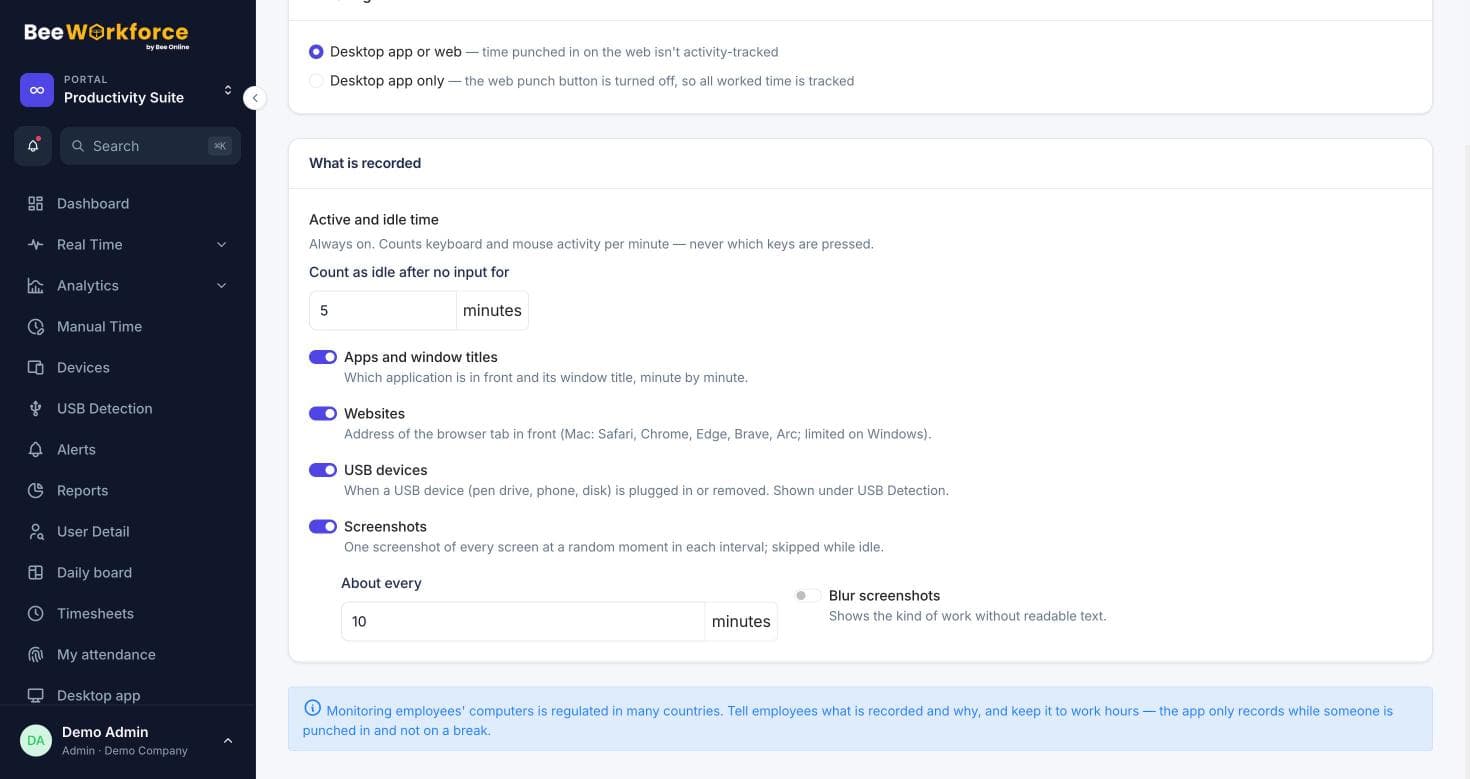
The desktop app reads the active tab's address in common browsers while someone is punched in. You can switch website tracking off.
Can different teams have different rules?
Yes. Team rules override the company-wide classification for that team only.
Can I export usage?
Yes. Usage can be exported to CSV and is available in the Apps / URLs report.
See BeeWorkforce with your own team
Book a 30-minute walkthrough. We'll set it up around how your team works and answer your questions.