
Monitoring on your terms
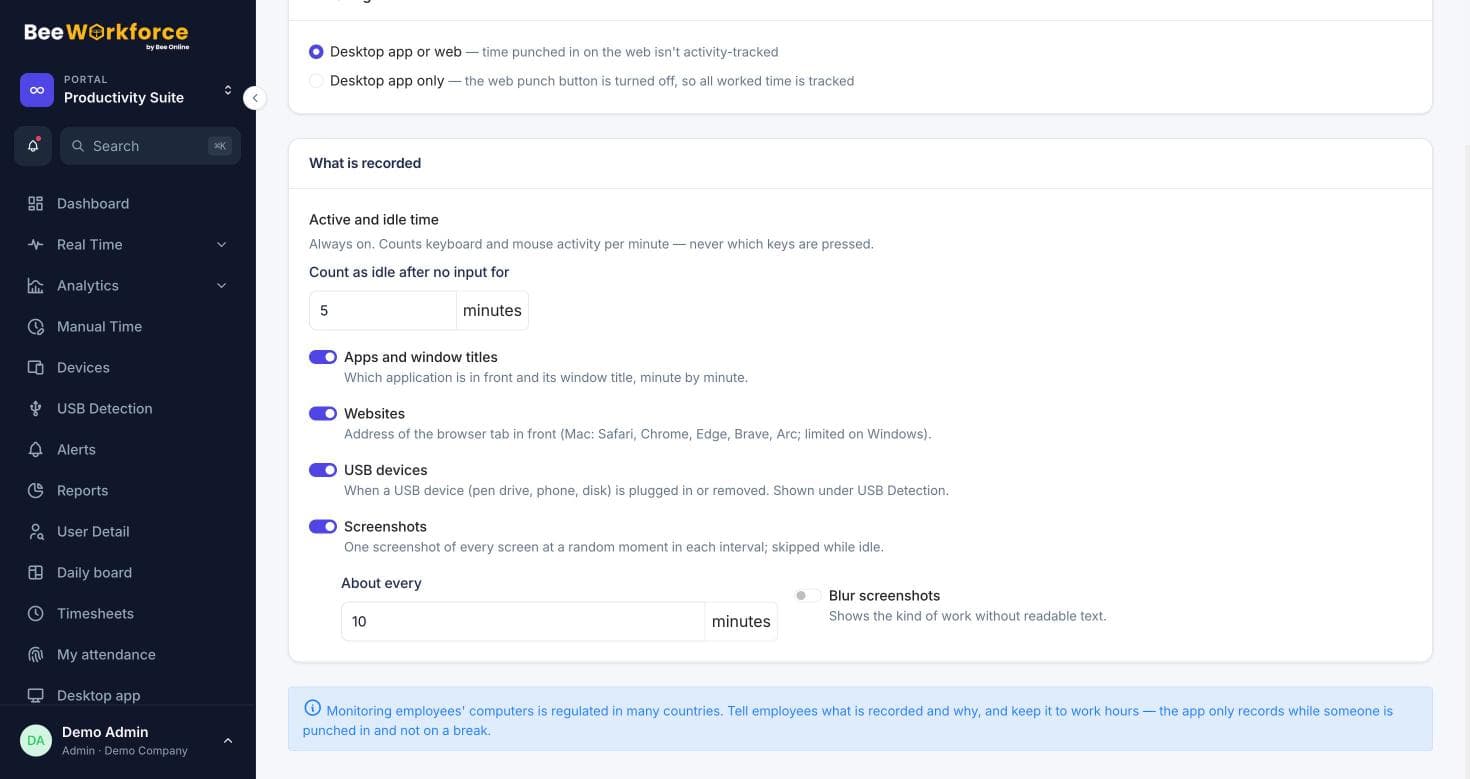
Every part of tracking is a setting: screenshots, website addresses, window titles, consent, stealth mode, retention and who can see what.
Consent notice
Require employees to accept a monitoring notice first.
Retention
Delete old activity and screenshots automatically.
Audit log
Every change in the web app, exportable to CSV.
Tracking settings
Choose punch rules, screenshot interval and blur, website tracking and whether window titles are saved. Stealth mode can hide the desktop app where your policies allow it.
- Desktop-only or desktop and web punch-in
- Screenshot interval and blur
- Stealth mode and start at login
Access and accountability
Roles and custom permissions decide who sees what. The audit log records changes, and maintenance tools handle exports and clean-up.
- Admin, manager and employee roles
- Custom roles
- Audit log and data export per person
How teams use controls and privacy settings
- Meet internal privacy policies
- Prepare for data-protection audits
- Roll out tracking with employee consent
- Keep data only as long as needed
Frequently asked questions
Can employees quit the desktop app?
That's a company setting.
Is stealth mode required?
No. It's optional and off by default; check local law and your policies before using it.
Can we export one person's data?
Yes, from the maintenance tools.
See BeeWorkforce with your own team
Book a 30-minute walkthrough. We'll set it up around how your team works and answer your questions.