
Keep every shift on track, on every floor
BeeWorkforce records punches, breaks and desktop activity for each agent, applies your shift rules automatically, and shows supervisors who's available right now.
What gets in the way
Late logins add up
A few minutes late across hundreds of agents quietly eats into service levels and billable hours.
Breaks run over
Without a clear record, long and extra breaks are hard to spot and harder to discuss fairly.
No live view of the floor
Supervisors juggling many agents can't tell who is working, idle or away at a glance.
Client reporting takes hours
Pulling attendance and productive hours per process for client reviews means manual spreadsheets.
Shift rules applied for you
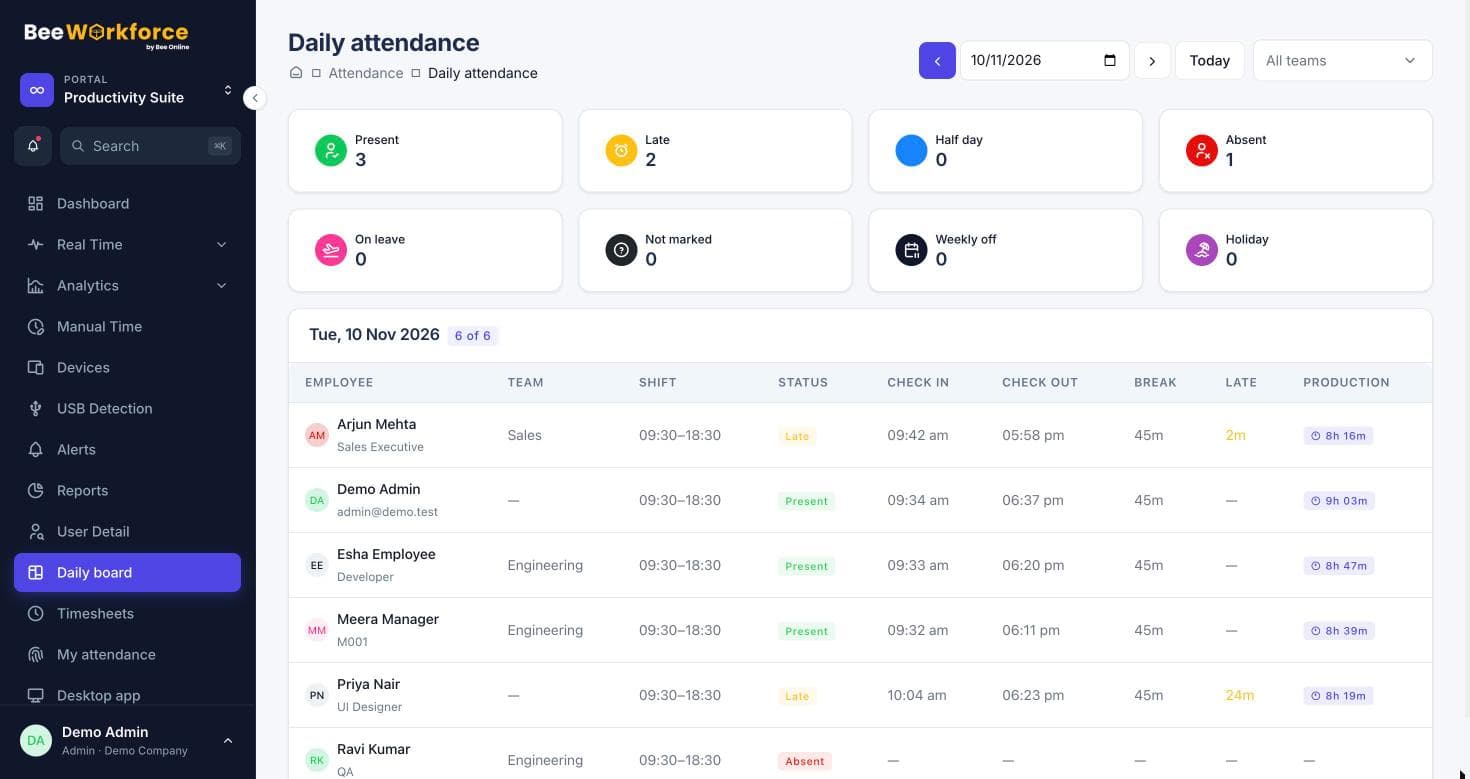
Set up shifts with start times, grace periods and full-day hours. Late marks, half days and break time are worked out automatically from each agent's punches.
- Multiple shifts with grace periods
- Break types with daily limits, paid or unpaid
- Desktop-only punching when you need it
See the floor from one screen
The livestream wall shows every agent's status, current application and latest screenshot, refreshed every few seconds, so supervisors can act before queues build up.
- Online, idle and on-break status per agent
- Alerts for idle runs, long breaks and missed punch-ins
- Team filters for each process or client
Client-ready reports on a schedule
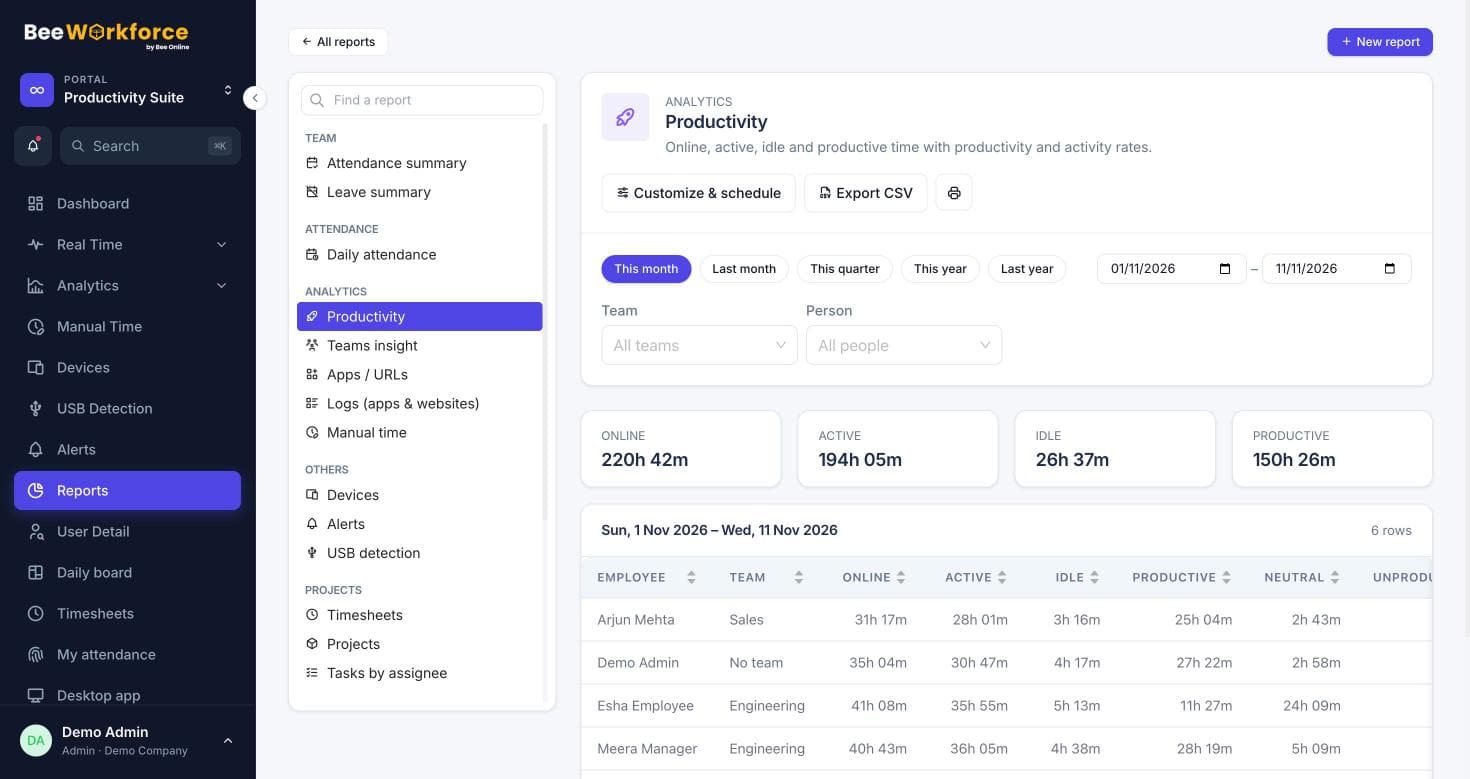
Build a report with the columns your client wants, filter it to their team and have it emailed as a CSV every morning or week.
- Daily attendance and productivity per team
- Saved reports shared with team leads
- Scheduled CSV emails
Features that help
Attendance insights
Punches, breaks, late marks and worked hours, calculated from your shift rules.
Livestream
A live wall of who's working, on what app, with their latest screenshot.
Alerts
Rules that notify managers about distractions, long breaks, idling and absence.
Activity tracking
Active and idle time, apps and websites, recorded only while people are punched in.
Reports
Ready-made reports, your own report builder, and scheduled CSV emails.
Timeline
Every person's day as coloured blocks of productive, neutral, unproductive and idle time.
Frequently asked questions
Can agents only punch in from their work computer?
Yes. You can restrict punching to the desktop app, so attendance is only recorded from the machines you manage.
How are breaks tracked?
Agents start and end breaks from the desktop app or the web. You can define break types such as lunch or tea, each paid or unpaid with a daily limit, and alerts can flag long breaks.
Can each process have its own productivity rules?
Yes. Apps and websites are classified company-wide, and you can override the classification for a specific team, so a tool that's productive for one process can be neutral for another.
Do supervisors see only their own agents?
Managers see the teams they manage; admins see everyone.
See BeeWorkforce with your own team
Book a 30-minute walkthrough. We'll set it up around how your team works and answer your questions.