
Know how the working day was spent
The BeeWorkforce desktop app for Windows and Mac records activity only while someone is punched in, so you get an honest picture of work without watching people after hours.
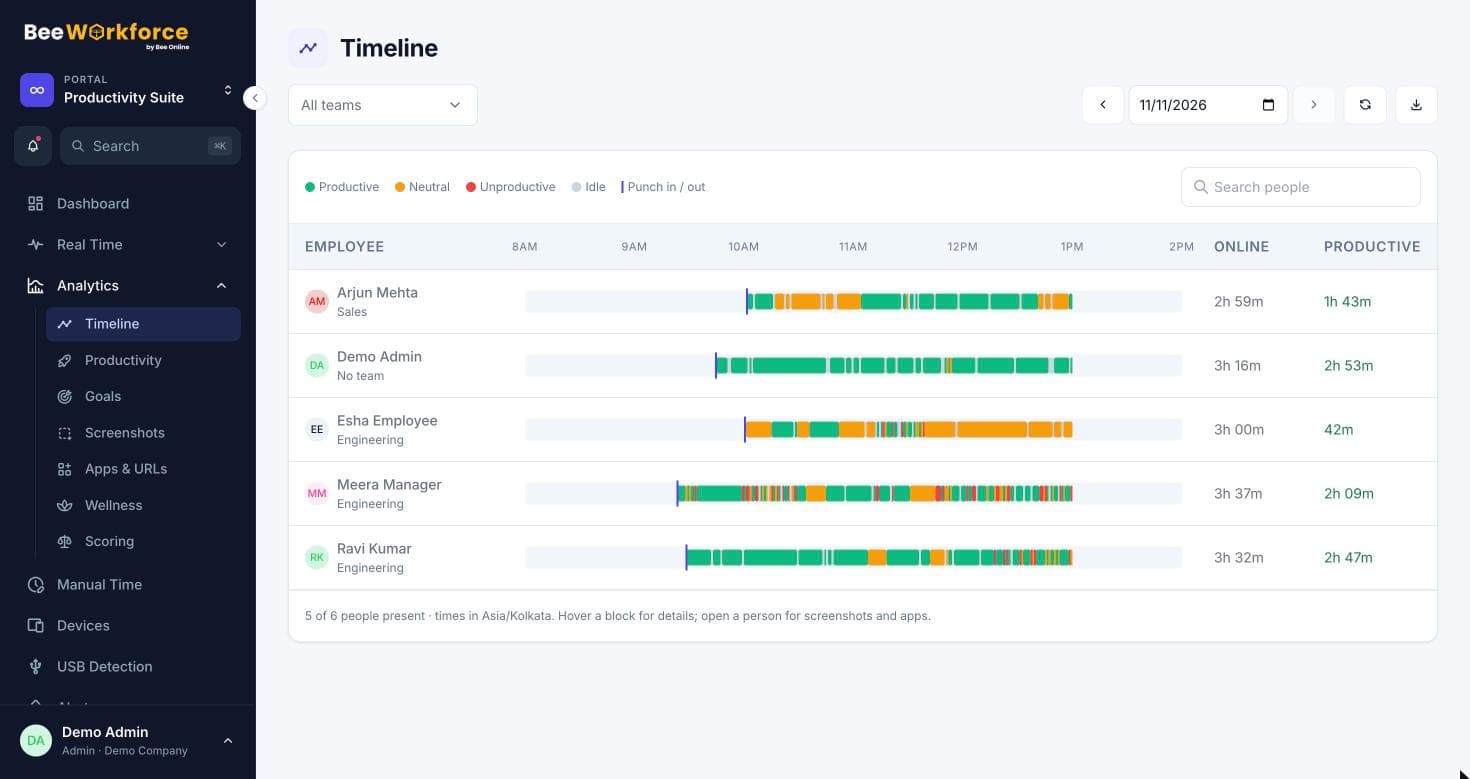
Starts with punch-in
Tracking begins when someone punches in and stops the moment they punch out or go on a break.
Counts, not keystrokes
Keyboard and mouse activity is counted per minute. What people type is never recorded.
Active vs idle
Minutes without input are marked idle, so worked time reflects real activity.
Minute-by-minute activity, summarised for you
Each minute records whether the person was active, which app was in front and which website was open. BeeWorkforce rolls that up into online, active, idle and productive time per person, team and day.
- Active, idle and online time per person
- The app and website in use each minute
- Activity rate from keyboard and mouse counts
- Works offline and uploads when the connection returns
Respectful by default
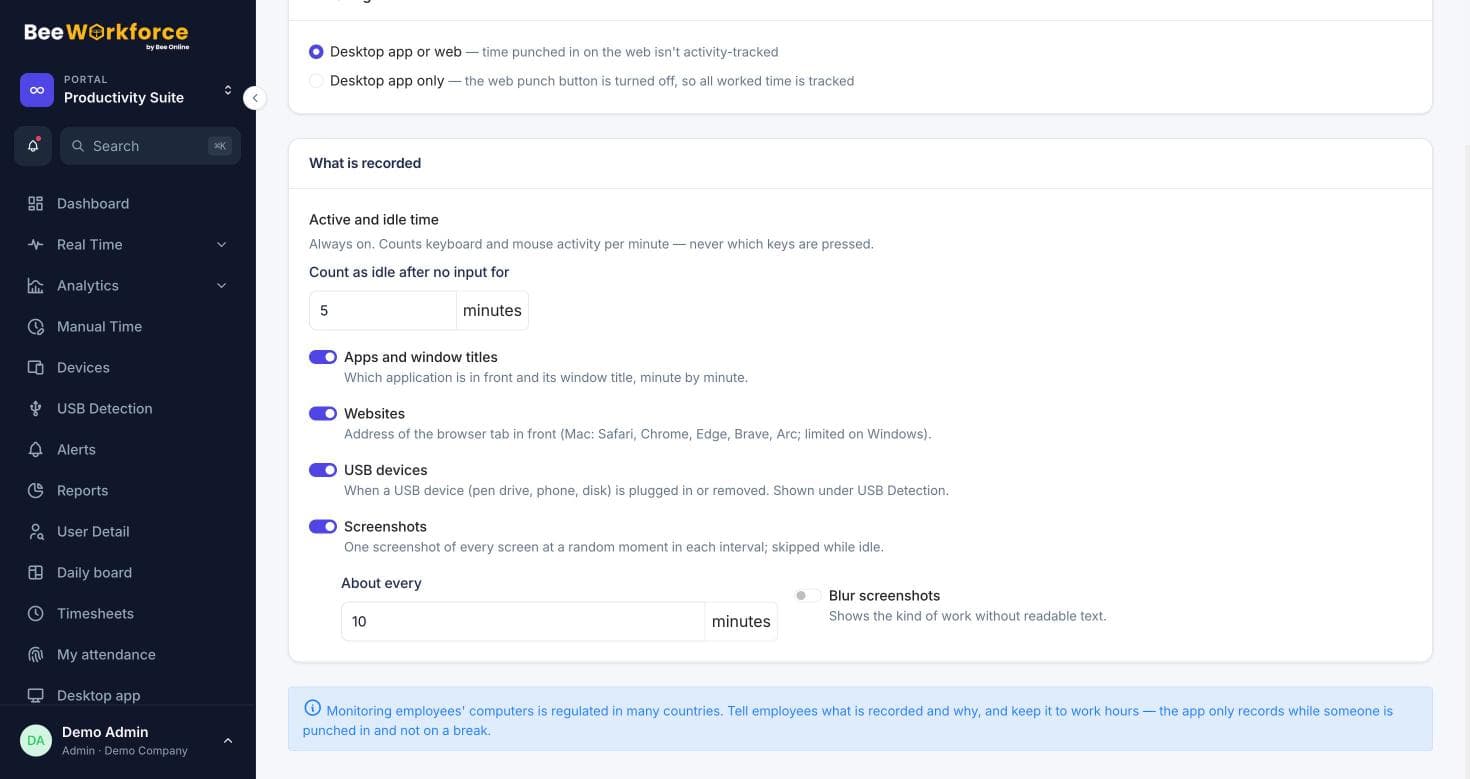
Admins choose what is collected. You can require employees to accept a monitoring notice, stop saving window titles, and set how long activity data is kept.
- Nothing recorded outside punched-in time
- Optional consent notice before tracking starts
- Data retention rules you control
How teams use activity tracking
- Confirm remote employees are working the hours they report
- Spot people who are overloaded or regularly idle
- Give clients evidence of time spent on their work
- Replace manual status check-ins with real data
Frequently asked questions
Does BeeWorkforce record what people type?
No. It counts keyboard and mouse events per minute to measure activity. The keys themselves are never captured.
What happens when someone is offline?
The desktop app keeps activity on the computer and uploads it when the connection comes back, so nothing is lost.
Can employees see their own activity?
Yes. Everyone has a personal dashboard showing the same activity and productivity numbers their manager sees.
Works well with
See BeeWorkforce with your own team
Book a 30-minute walkthrough. We'll set it up around how your team works and answer your questions.