
Deliver projects on time without guessing where hours go
BeeWorkforce connects attendance, desktop activity and project timesheets, sends hours to Jira, and gives engineering leads a clear view of focus and workload.
What gets in the way
Hours logged after the fact
Timesheets filled in at the end of the week rarely match reality.
Two systems for one job
Work lives in Jira while hours and attendance live somewhere else.
Laptops everywhere
Remote engineers work on company devices that still need sensible controls.
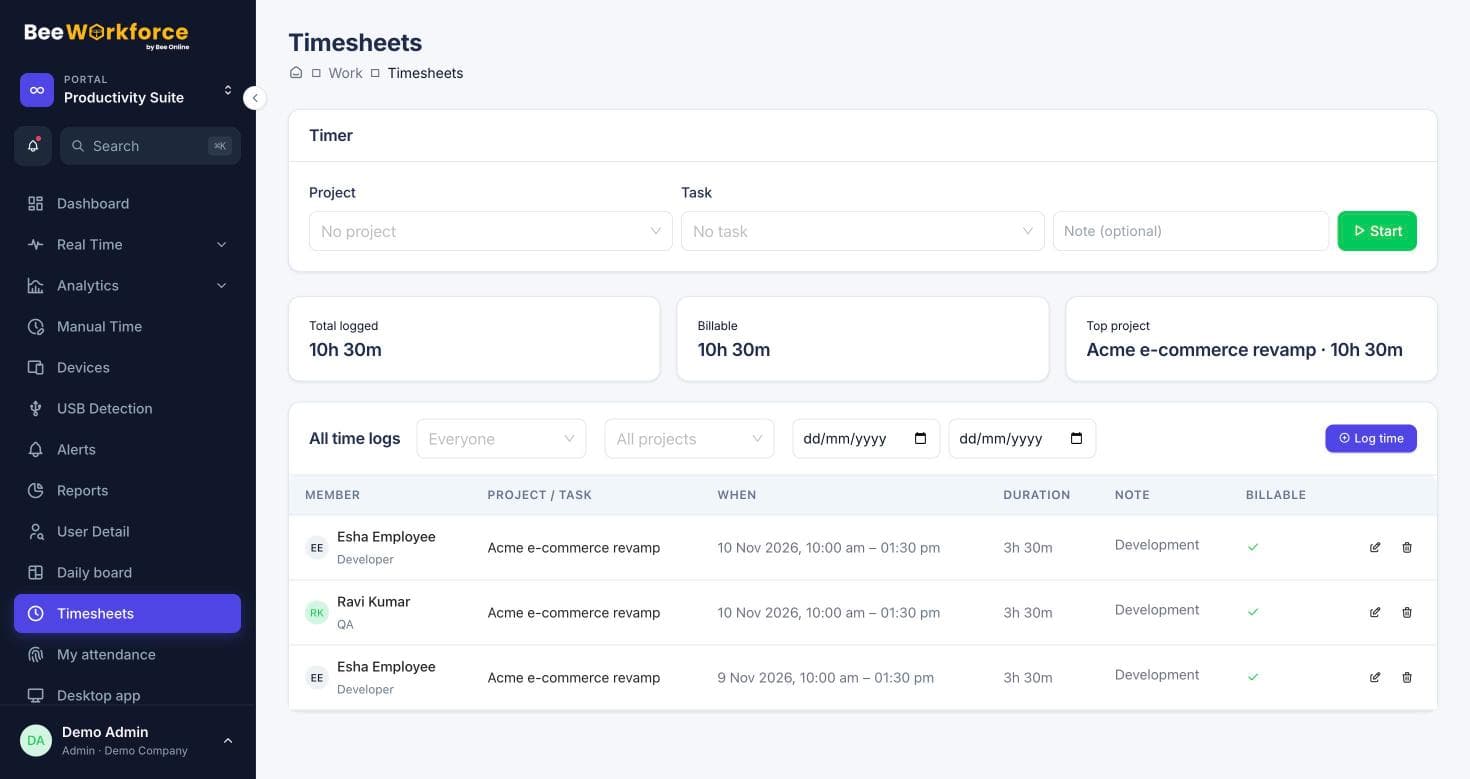
Timesheets that sync to Jira
Import Jira projects and issues as tasks, track time against them, and BeeWorkforce sends the hours back to the matching Jira issue as worklogs.
- Jira project and issue import
- Automatic worklog push with edits and deletions mirrored
- Timesheet reports per project
See focus time, not just hours
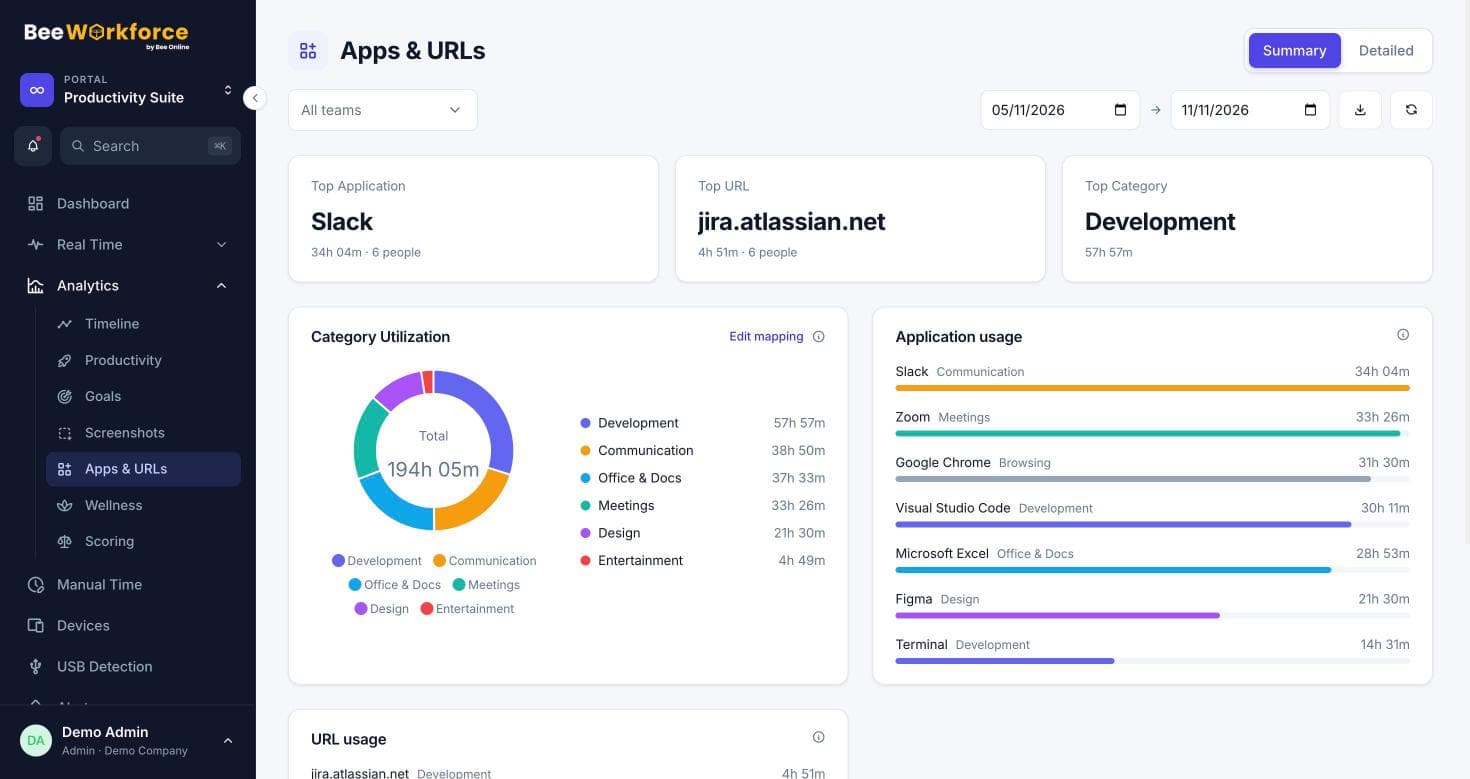
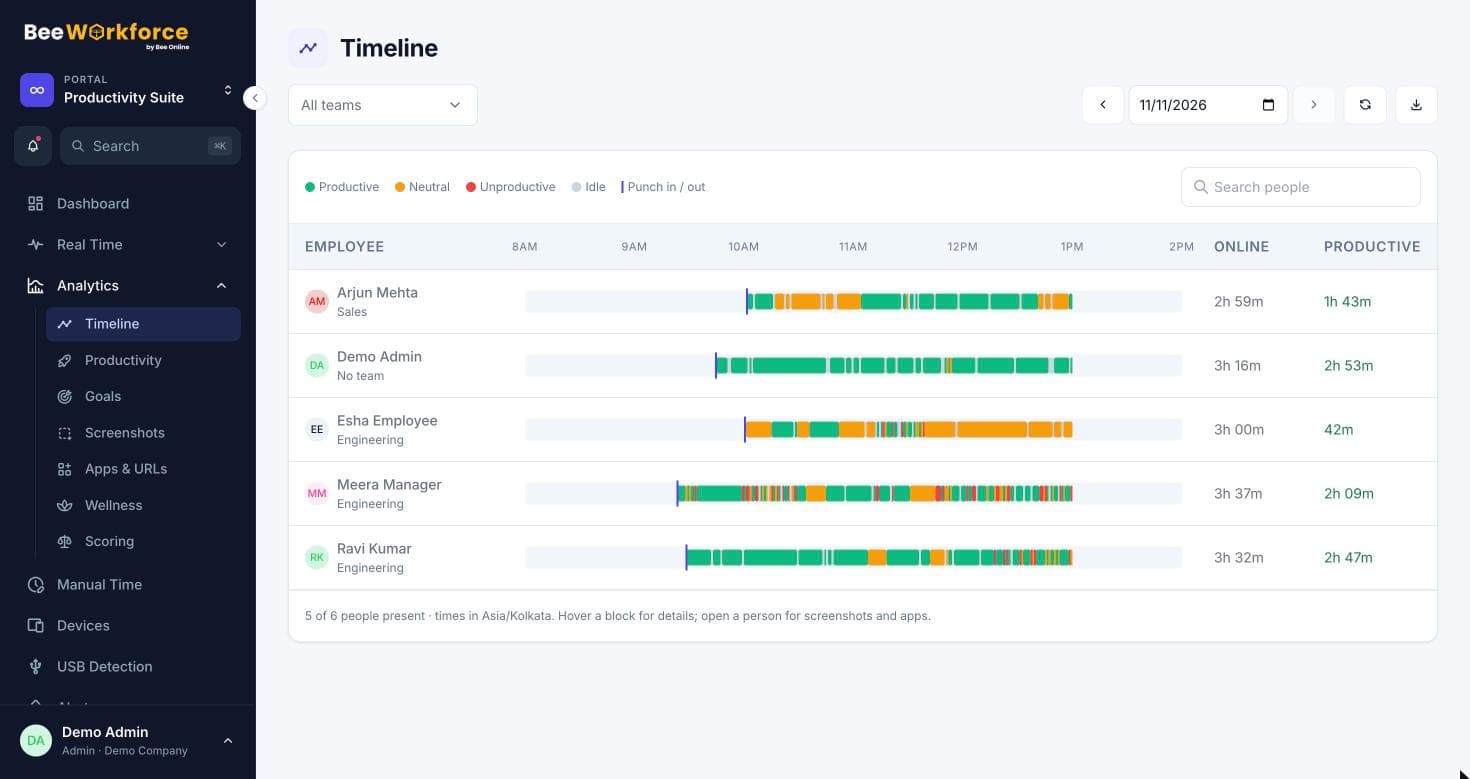
Classify IDEs, terminals and docs as productive, chat as neutral, and anything else your way. The timeline shows when focus happens and what interrupts it.
- Per-team productivity rules
- Timeline of productive and idle time
- Goals for productive hours
Sensible device controls
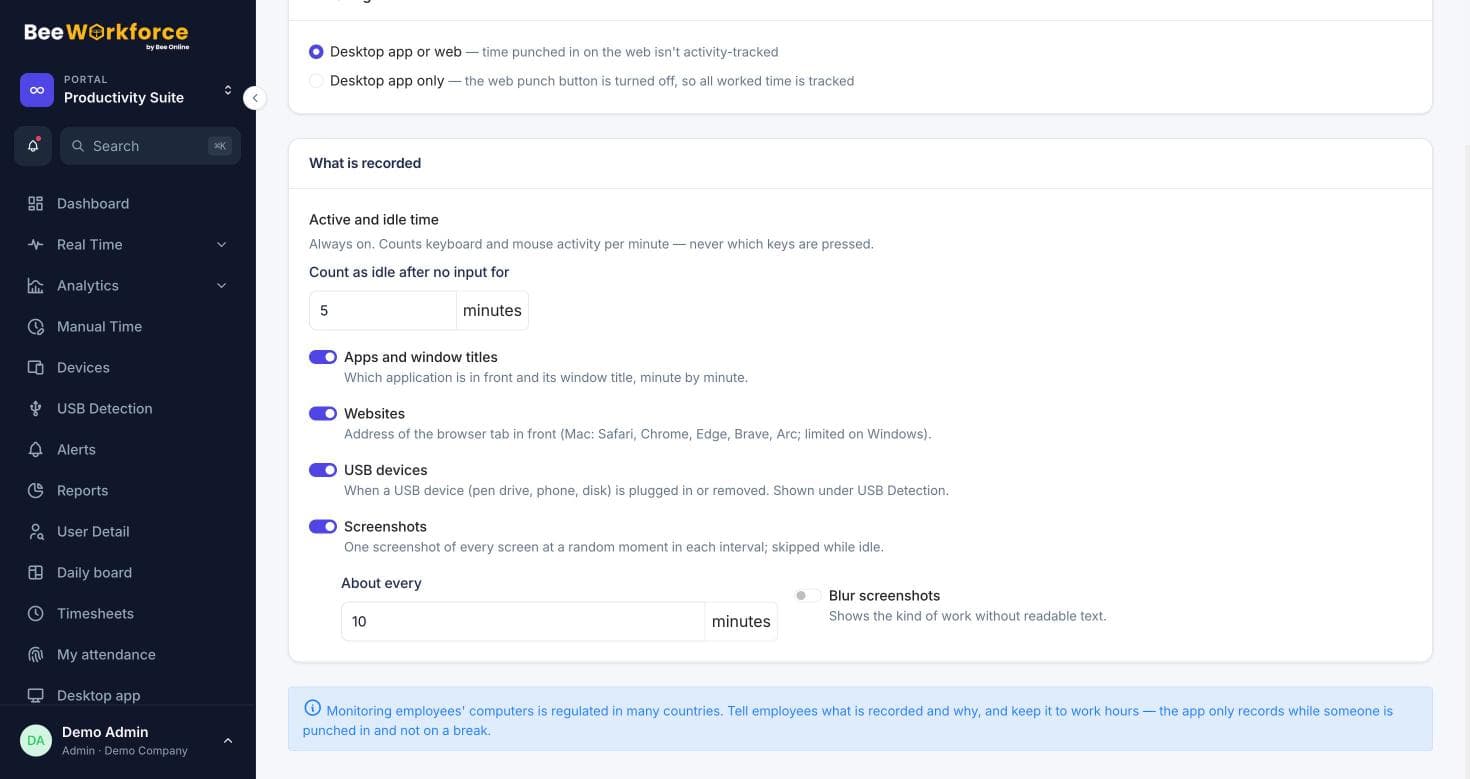
See which computers run the desktop app and which version, get alerts on USB devices, and block distracting or risky websites.
- Devices list with app versions
- USB detection
- Domain blocking
Features that help
Projects and tasks
Projects, tasks, milestones and time logs, with Jira import.
Timesheets
Log time on projects and tasks with a timer or manual entries, and send it to Jira.
Productivity tracking
Productive, neutral and unproductive time, with productivity and activity rates.
Timeline
Every person's day as coloured blocks of productive, neutral, unproductive and idle time.
Devices
Every computer running the desktop app, its version, and remote sign-out.
USB detection
A record of USB devices connected to and removed from work computers.
Frequently asked questions
Whose name appears on Jira worklogs?
Jira records worklogs under the connected Jira account, because an API token acts as one account. Each worklog's comment names the person who logged the time.
Do you record keystrokes or code?
No. The desktop app counts keyboard and mouse activity to measure active time; it never records what is typed.
What do engineers see?
Everyone has a personal dashboard with their attendance, leave and hours. Monitoring data such as screenshots and app usage is for admins and managers.
See BeeWorkforce with your own team
Book a 30-minute walkthrough. We'll set it up around how your team works and answer your questions.