
One record of attendance and hours for every placement
Track attendance and working hours for staff across clients and locations, run leave policies, and export payroll-ready attendance in a few clicks.
What gets in the way
Staff spread across clients
People work at different client sites and remotely, each with their own hours.
Timesheet disputes
Billing clients for hours worked is hard without a record both sides trust.
Payroll prep is manual
Collecting attendance from many sources before payroll takes days.
Leave rules vary
Different policies for different groups are easy to get wrong by hand.
Location-aware punch-in
Web punch-in can be checked against office locations with geofencing, set to warn or block. The desktop app records punches on managed computers.
- Geofenced web punch-in
- Shifts and grace periods per team
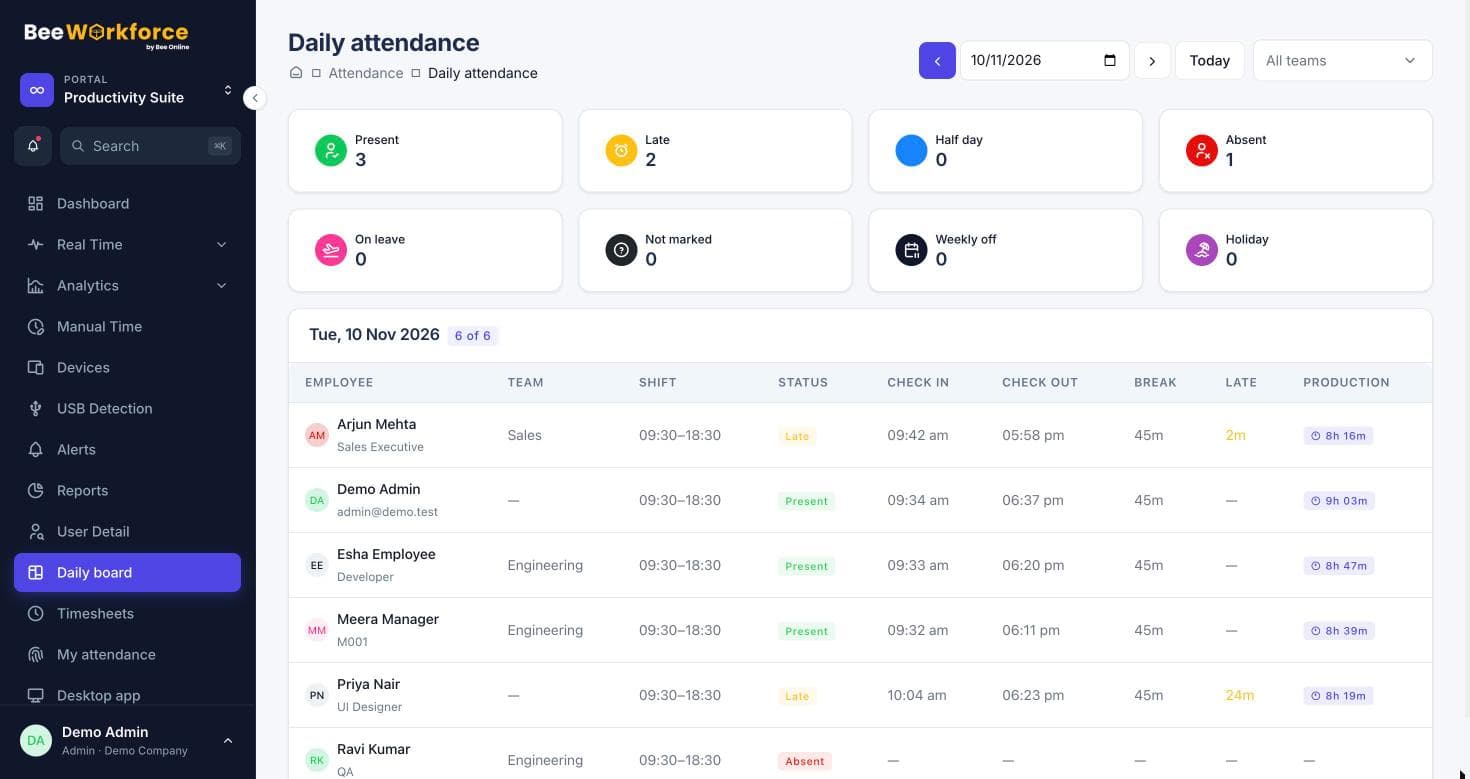
- Daily board for every client team
Leave policies and payroll exports
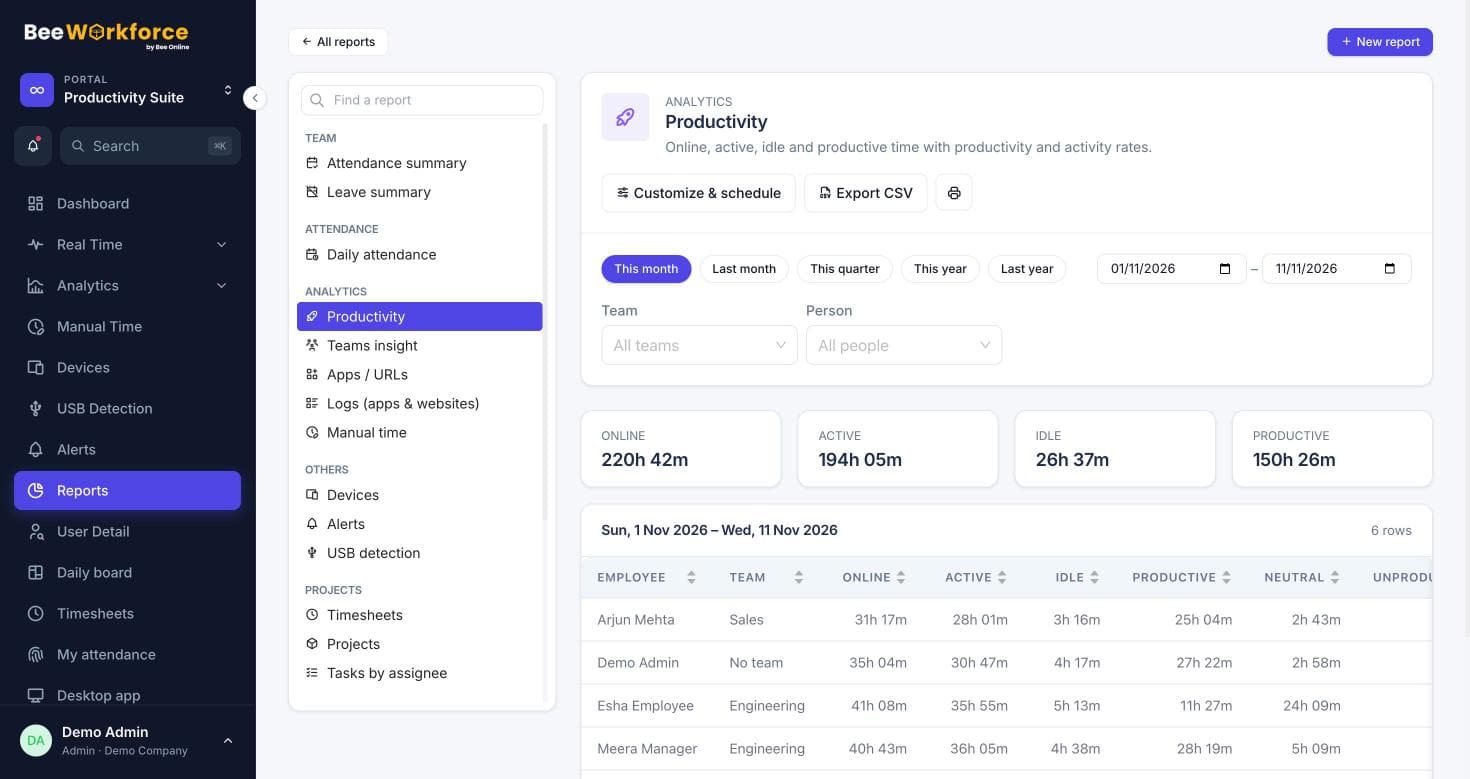
Configure accrual, carry-forward, notice periods and eligibility. Export attendance as CSV in layouts for Keka, greytHR or Zoho People.
- Leave policies with team eligibility
- HRMS CSV exports
- Scheduled attendance reports
Features that help
Attendance insights
Punches, breaks, late marks and worked hours, calculated from your shift rules.
Leave management
Leave requests, approvals, balances and policies with accrual and carry-forward.
Timesheets
Log time on projects and tasks with a timer or manual entries, and send it to Jira.
Reports
Ready-made reports, your own report builder, and scheduled CSV emails.
Employee dashboard
Everyone sees their own attendance, hours and productivity.
Frequently asked questions
Can we group staff by client?
Yes. Teams can represent clients or sites, each with its own manager, shift and productivity rules.
Which payroll systems do you export to?
BeeWorkforce exports attendance as CSV, with layouts intended for Keka, greytHR and Zoho People. Check each file against your system's import template before the first upload.
Can clients receive reports automatically?
Yes. Save a report filtered to their team and schedule it to be emailed as a CSV daily, weekly or monthly.
See BeeWorkforce with your own team
Book a 30-minute walkthrough. We'll set it up around how your team works and answer your questions.