
Employee monitoring that's transparent by design
Understand how the working day is spent: active and idle time, the apps and websites in use, and optional screenshots. Only while people are punched in, and with their own view of the same data.
What gets in the way
No view of remote work
When people work from different places, managers only see output, not where time goes or where people get stuck.
Monitoring that erodes trust
Hidden tools and unclear rules make people feel watched rather than supported.
Scattered tools
Attendance in one place, timesheets in another and screenshots somewhere else means no single picture of the day.
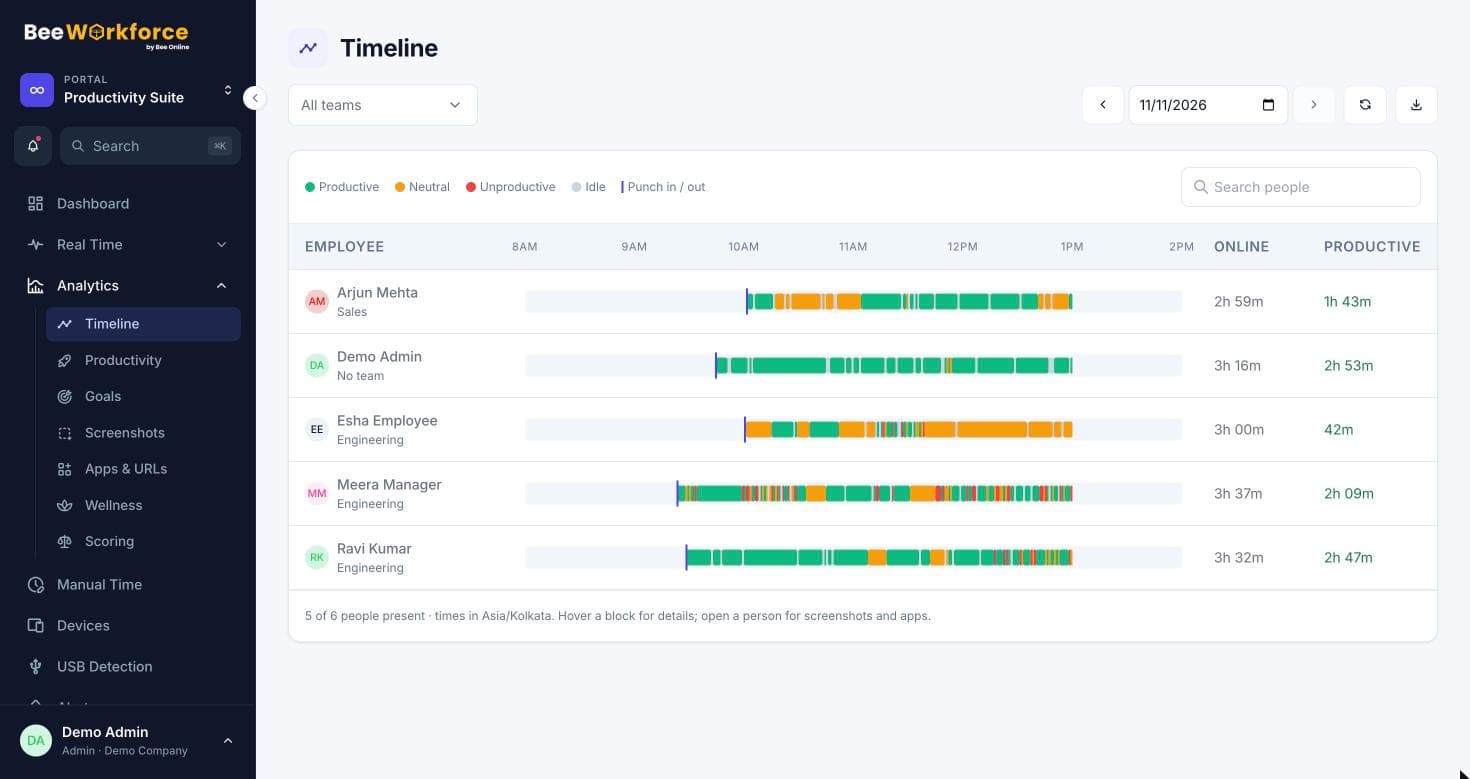
Every working day, in one timeline
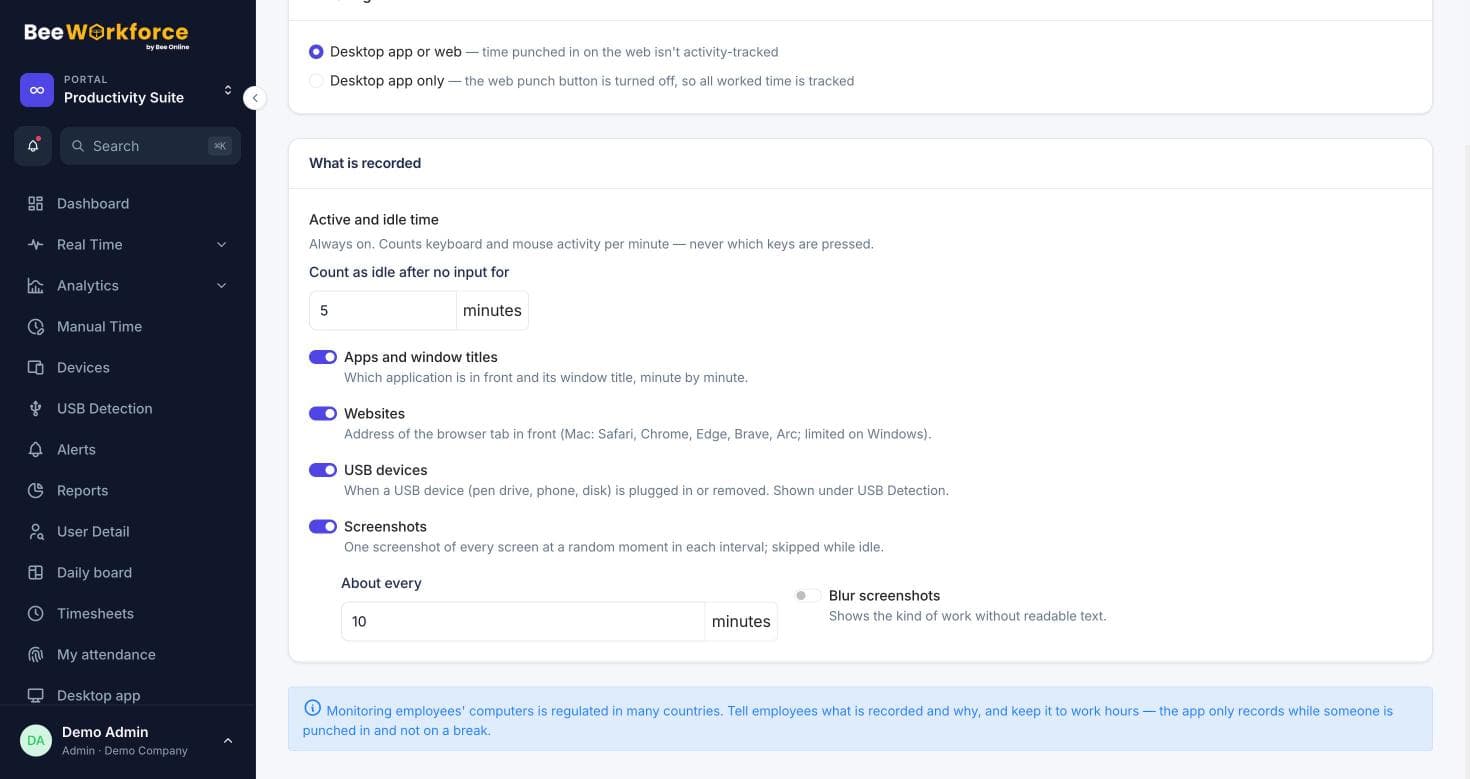
The desktop app records active and idle minutes, the apps and websites in use, and keyboard and mouse activity counts. Never what's typed. The timeline turns that into productive, neutral, unproductive and idle blocks per person.
- Apps and websites classified by your own rules
- Team-specific rules when tools mean different things
- Tracking stops the moment someone punches out
Screenshots and live views, if you want them
Turn on periodic screenshots, with blurring if you prefer, and a live view of who's working on what right now. Flag a screenshot to come back to it later.
- Screenshot interval set by your company
- Optional blurring for privacy
- Livestream wall for managers
Rules everyone can see
Require employees to accept a monitoring notice before tracking starts, keep data only as long as you decide, and log every change admins make. Employees see their own dashboard, so nothing is hidden.
- Consent notice before tracking
- Data retention rules
- Audit log of admin changes
Features that help
Activity tracking
Active and idle time, apps and websites, recorded only while people are punched in.
Timeline
Every person's day as coloured blocks of productive, neutral, unproductive and idle time.
Screenshots
Periodic screenshots while punched in, at your interval, blurred if you prefer.
Livestream
A live wall of who's working, on what app, with their latest screenshot.
Apps and websites
Time spent in every app and website, classified by your own productivity rules.
Employee dashboard
Everyone sees their own attendance, hours and productivity.
Frequently asked questions
Does BeeWorkforce record keystrokes?
No. It counts keyboard and mouse activity to tell active from idle time, but never records what is typed.
Is anything recorded outside working hours?
No. Tracking runs only while someone is punched in. Punching out stops it.
Can we monitor without screenshots?
Yes. Screenshots are optional. Many teams rely on activity, apps and websites alone.
Can employees see their own data?
Yes. Everyone has their own dashboard with the same attendance and productivity data their manager sees about them.
See BeeWorkforce with your own team
Book a 30-minute walkthrough. We'll set it up around how your team works and answer your questions.