
Looking for a Harvest alternative?
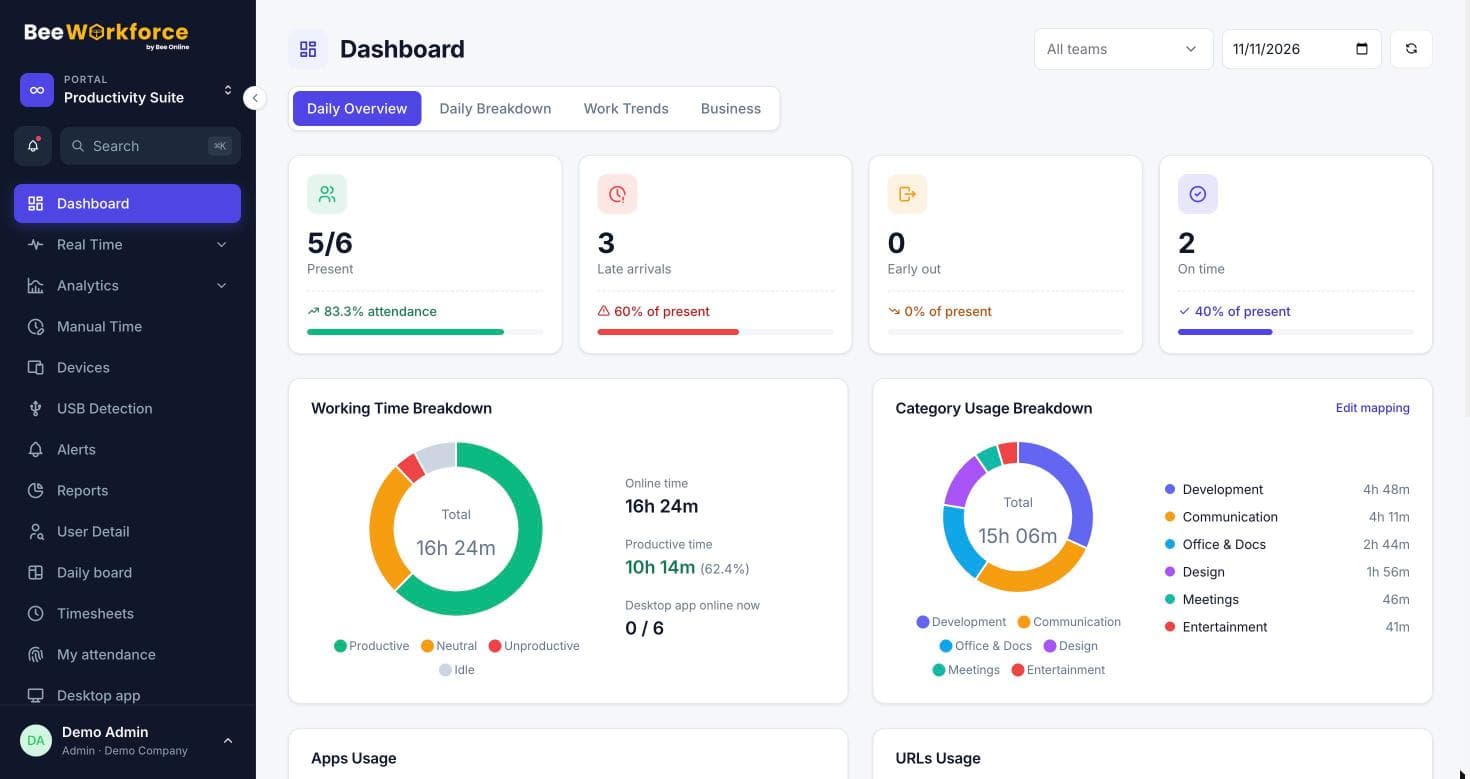
BeeWorkforce adds attendance, shifts and automatic activity tracking to project time, so managers see worked hours and productive time together.
Why teams choose BeeWorkforce
Attendance and activity together
Punches, shifts, leave and desktop activity in one product, so worked hours and productive time come from the same record.
Privacy controls built in
A consent notice, blurred screenshots, data retention rules and an audit log help you monitor transparently.
Rules that fit each team
Productivity classifications can be overridden per team, and alerts, goals and wellness thresholds are yours to set.
Reports your way
Pick columns, filters and conditions, save the report and have it emailed as a CSV on a schedule.
Connects to your stack
Microsoft Teams notifications, Jira worklogs, HRMS attendance exports and signed webhooks.
Support from real people
Talk to the team that builds the product when you need help setting it up.
Everything in one place
One subscription covers attendance, tracking, analytics and HR, so you don't stitch several tools together.
- Web and desktop punch-in with shifts, breaks and geofencing
- Desktop app for Windows and Mac that updates itself
- Active, idle and productive time per person and team
- App and website tracking with per-team productivity rules
- Screenshots with an optional blur
- Live screen view and a status wall, with day timelines
- Rankings of best performers and an AI-written period summary
- System log of sleep, wake, lock and app quits, and USB detection
- Quit and sign-out password for the desktop app
- Goals, wellness and an optional scoring leaderboard
- Alerts for idle time, long breaks, missed punch-ins and more
- Leave policies, projects, tasks and timesheets
- Employee import and export with Excel
- Report builder with scheduled CSV emails
- Microsoft Teams, Jira, HRMS exports and webhooks
- Consent notice, data retention and an audit log
Switching from Harvest
- Export the people, teams and any history you want to keep from Harvest as CSV.
- Create your BeeWorkforce company, invite people and set up teams, shifts and leave policies.
- Set your tracking and privacy settings: screenshots, blur, consent notice and data retention.
- Classify the apps and websites your teams use, adding team-specific rules where needed.
- Roll out the BeeWorkforce desktop app and run it alongside Harvest for a week to compare.
- Switch reports and alerts over, then retire Harvest when you're comfortable.
Harvest is a trademark of its owner. This page describes BeeWorkforce only; check the other product's own website for its current features and prices.
Frequently asked questions
Can we import data from Harvest?
There's no automatic import. Most teams export the people list as CSV and start fresh tracking in BeeWorkforce; keep your old exports for historical reporting.
Can we run both tools during the switch?
Yes. Many teams run BeeWorkforce in parallel for a week or two before switching over fully.
How long does setup take?
Most teams are running the same day: invite people, choose your rules and share the desktop app.
Is there help with migration?
Yes. Book a demo and we'll help you map your current setup to BeeWorkforce.
See BeeWorkforce with your own team
Book a 30-minute walkthrough. We'll set it up around how your team works and answer your questions.