
Attendance that's right the first time
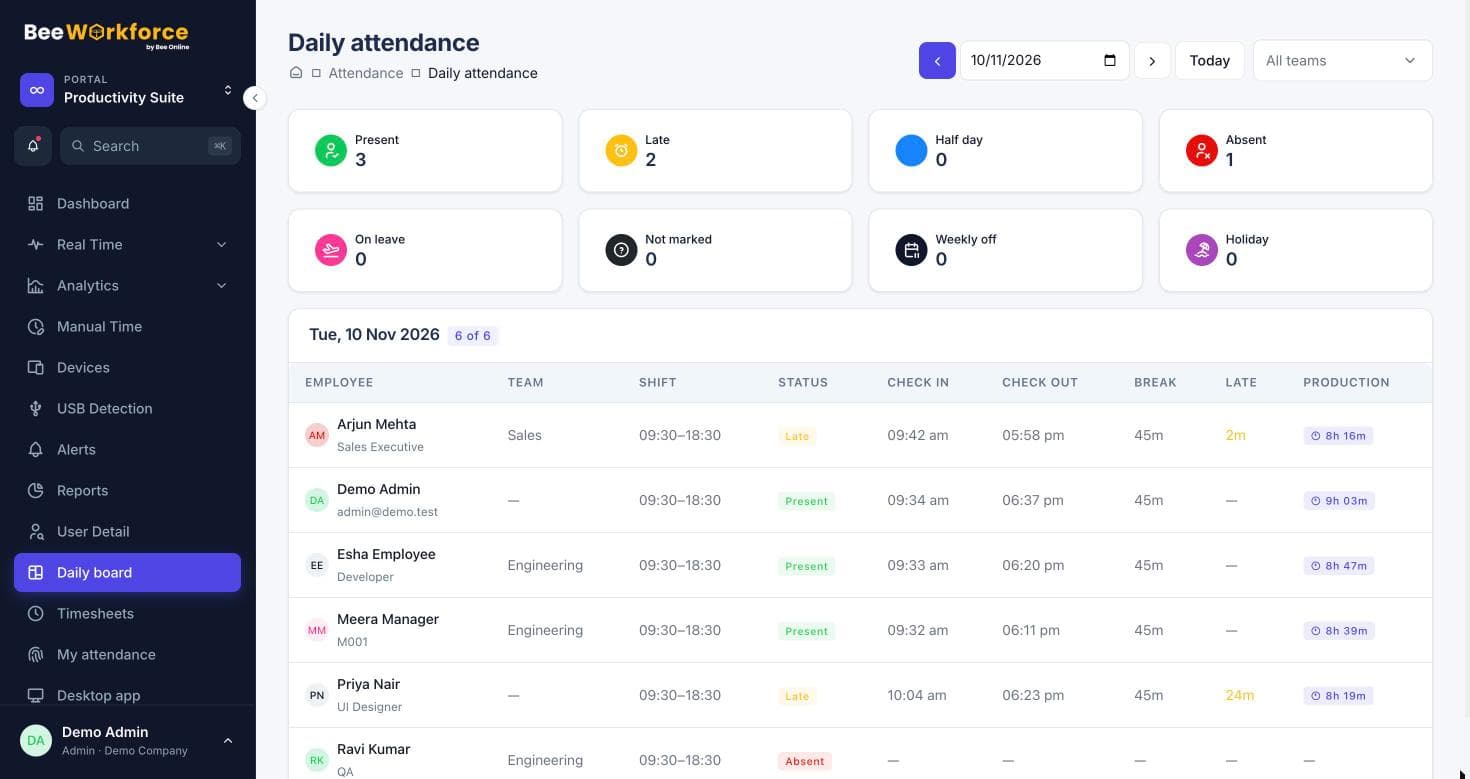
People punch in from the browser or the desktop app. BeeWorkforce applies your shifts, breaks, leave and holidays automatically, so the daily board and monthly reports need no fixing.
What gets in the way
Spreadsheets and registers
Manual attendance is slow to compile and easy to dispute.
Late marks and half days by hand
Applying shift rules person by person invites mistakes.
Proxy punching
Without location checks, anyone can punch in from anywhere.
Payroll delays
Attendance has to be collected and cleaned before every payroll run.
Web and desktop punch-in
Choose whether people can punch in from the web, the desktop app or both. Web punch-in can be checked against office locations and set to warn or block.
- Desktop app for Windows and Mac
- Geofenced web punch-in
- Breaks with types and daily limits
Shifts, leave and holidays applied automatically
Shifts define start times, grace periods and full-day hours. Approved leave, holidays and weekly offs are accounted for, and attendance counts from each person's joining date.
- Late, half-day and full-day from shift rules
- Leave policies with accrual and carry-forward
- Holiday calendar
Payroll-ready reports
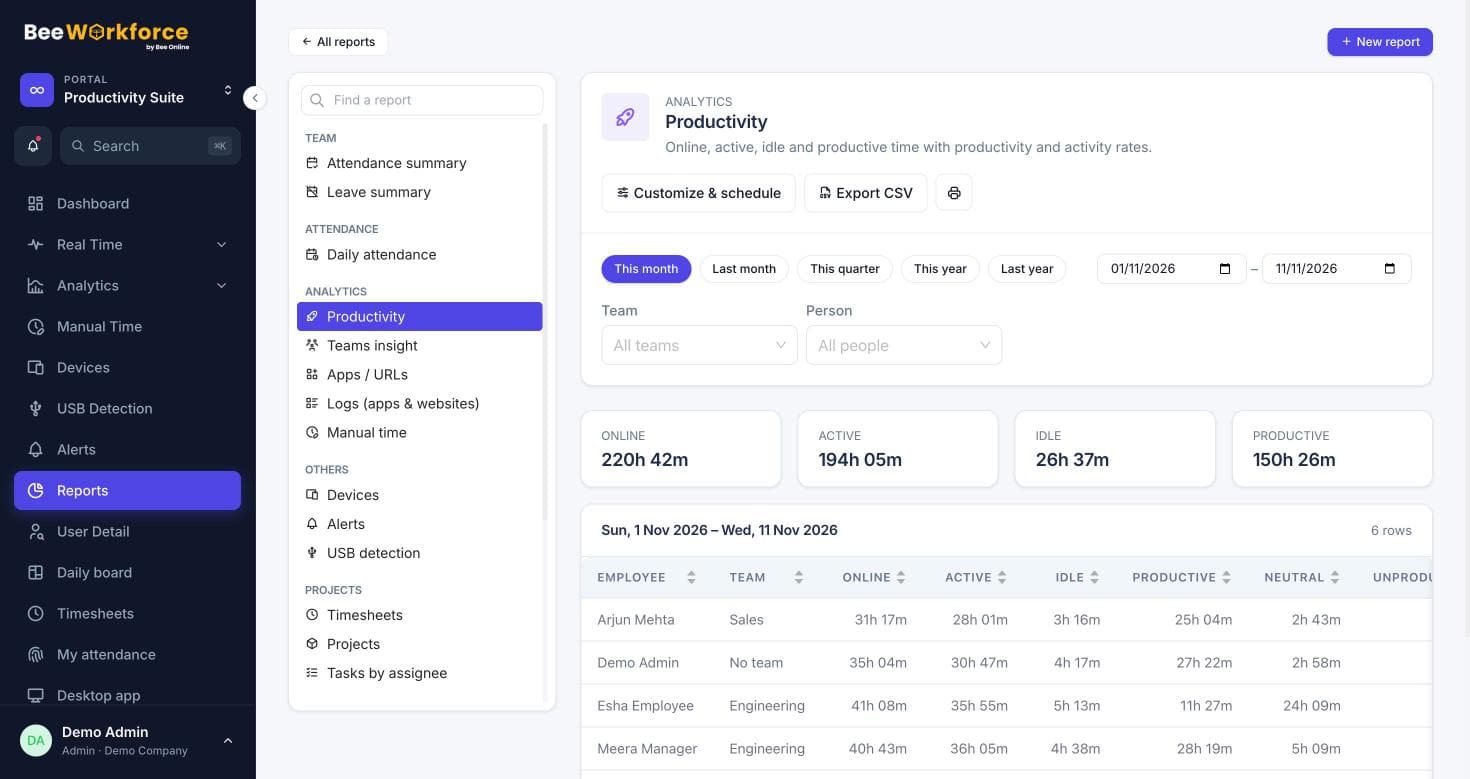
Attendance summaries, daily attendance and leave reports export to CSV, including layouts for Keka, greytHR and Zoho People, and can be emailed on a schedule.
- Attendance summary per person
- HRMS CSV exports
- Scheduled report emails
Features that help
Attendance insights
Punches, breaks, late marks and worked hours, calculated from your shift rules.
Leave management
Leave requests, approvals, balances and policies with accrual and carry-forward.
Reports
Ready-made reports, your own report builder, and scheduled CSV emails.
Employee dashboard
Everyone sees their own attendance, hours and productivity.
Alerts
Rules that notify managers about distractions, long breaks, idling and absence.
Frequently asked questions
Can employees punch in from their phone?
They can use the web app in a mobile browser, with optional geofencing. There's no separate mobile app yet.
How are late marks calculated?
From each person's shift: start time plus the grace period. Anything after that is marked late, and worked hours decide full or half day.
Can managers correct attendance?
Admins can recalculate attendance for a date range after changing shift rules, and manual time entries go through approval.
See BeeWorkforce with your own team
Book a 30-minute walkthrough. We'll set it up around how your team works and answer your questions.