
Manage your whole workforce from one place
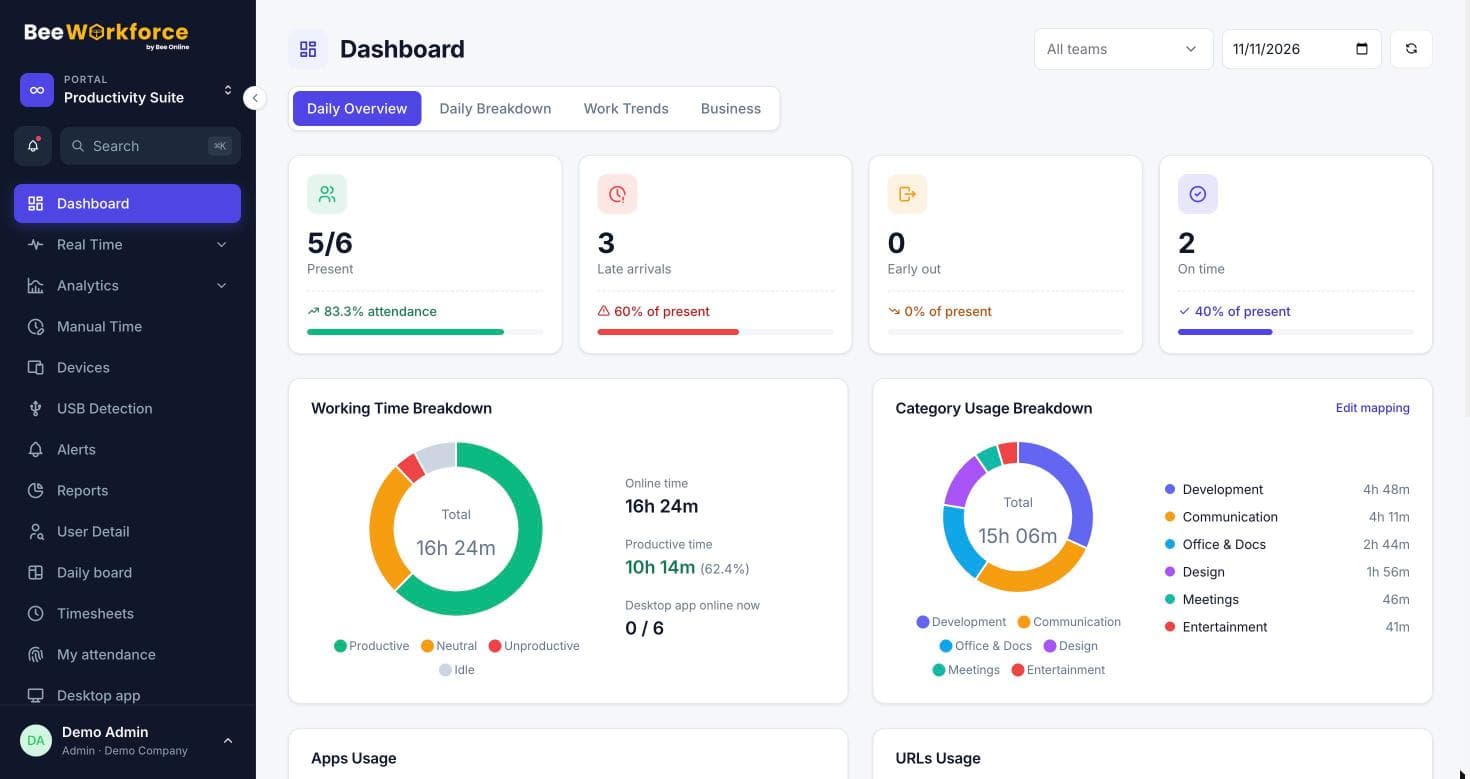
Attendance, desktop activity, leave, timesheets, projects and analytics share the same people, teams and rules, so you stop reconciling separate tools.
What gets in the way
Too many tools
Attendance, leave, time tracking and reports each live in a different system.
Data that doesn't match
Numbers disagree between tools and nobody trusts the report.
Managers without a view
Team leads can't see their team's day without asking HR.
Every part of the working day
From punch-in to timesheets to month-end reports, BeeWorkforce covers attendance, activity, leave, projects and analytics with one login.
- Attendance and leave
- Activity and productivity
- Projects, tasks and timesheets
The right view for everyone
Admins see the company and managers see their teams; employees see their own attendance and leave, not monitoring data. Custom roles let you fine-tune who can open what.
- Role-based access
- Manager team views
- Employee self-service
Fits your existing stack
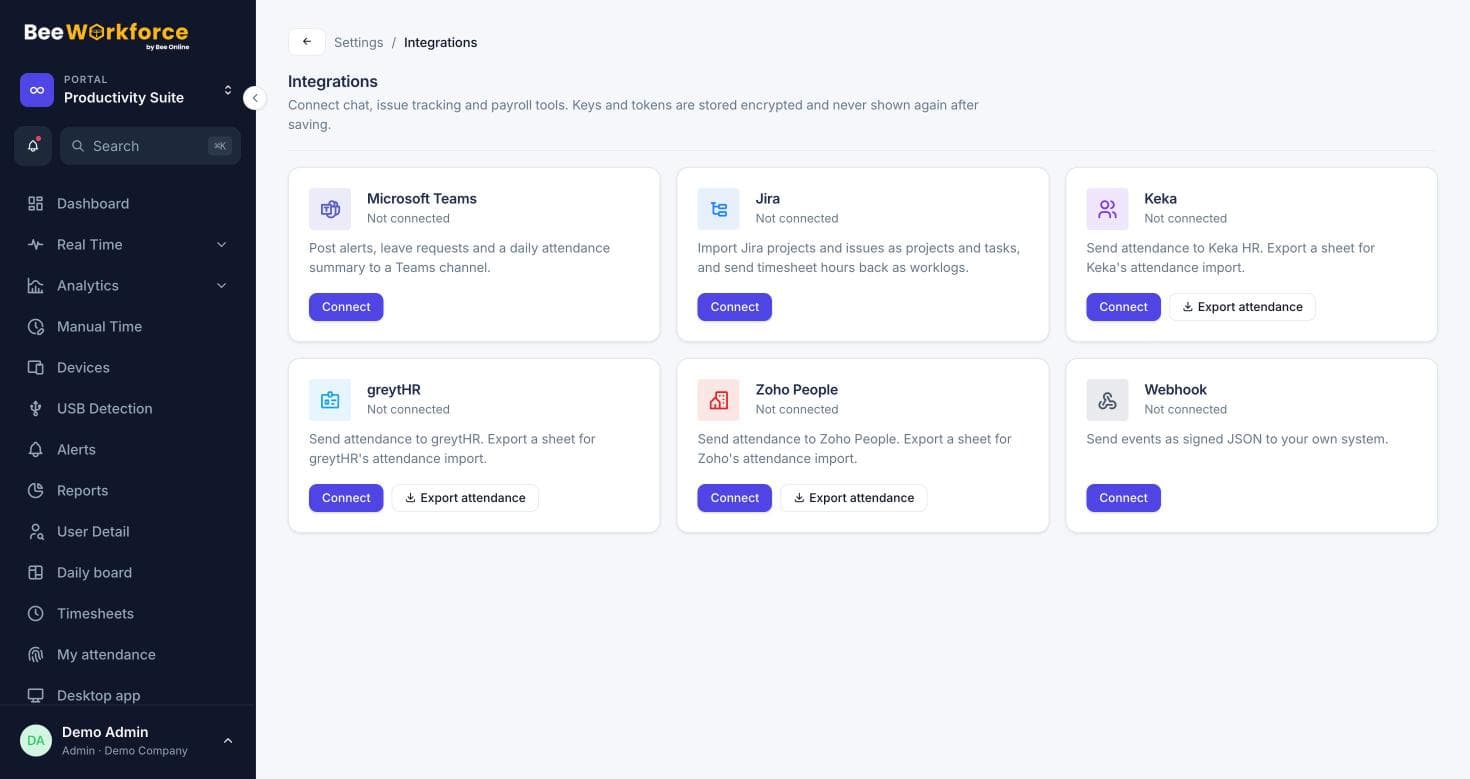
Send alerts and daily summaries to Microsoft Teams, sync hours with Jira, export attendance to your HRMS, and push events to your own systems with webhooks.
- Microsoft Teams and Jira
- Keka, greytHR and Zoho People exports
- Signed webhooks
Features that help
Attendance insights
Punches, breaks, late marks and worked hours, calculated from your shift rules.
Activity tracking
Active and idle time, apps and websites, recorded only while people are punched in.
Leave management
Leave requests, approvals, balances and policies with accrual and carry-forward.
Timesheets
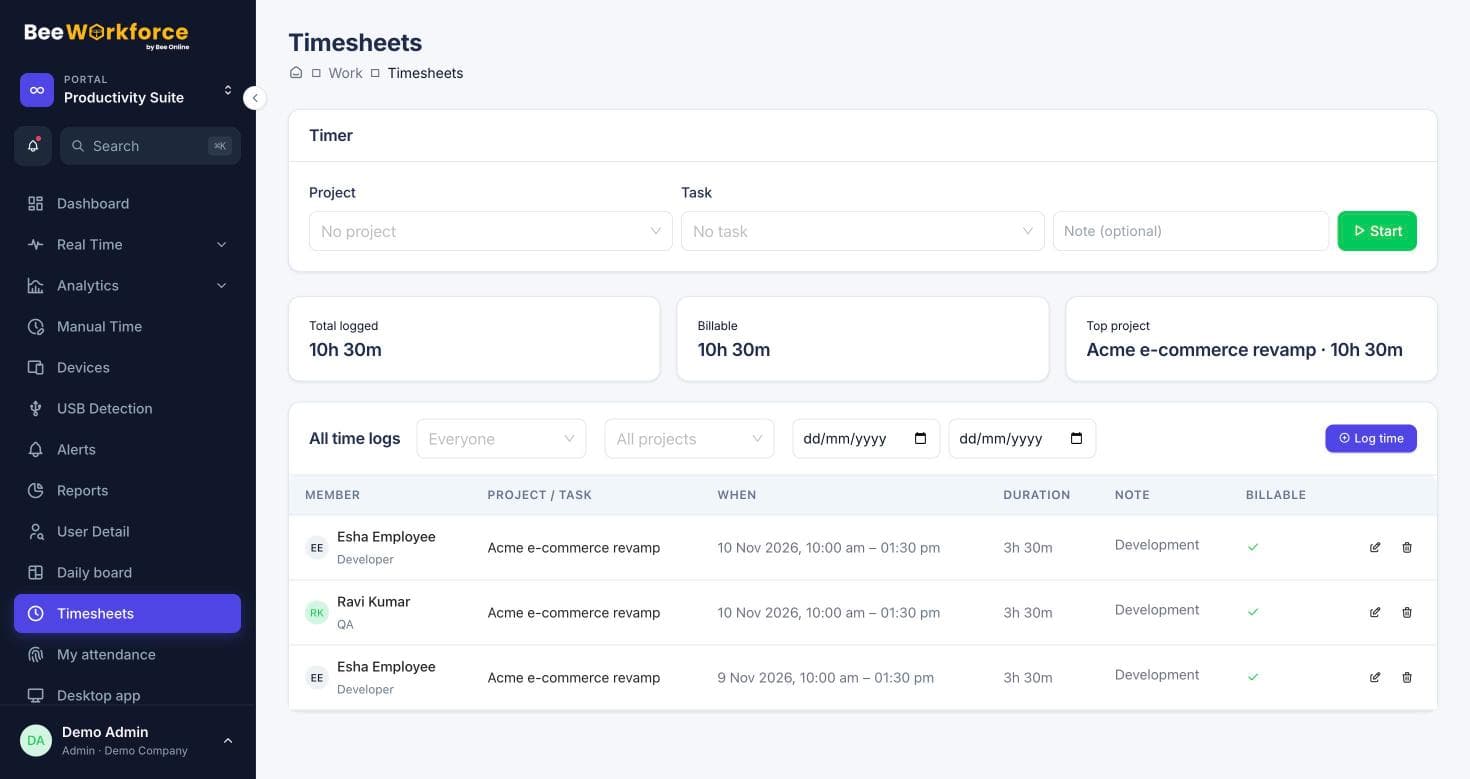
Log time on projects and tasks with a timer or manual entries, and send it to Jira.
Business intelligence
Built-in dashboards, work trends and exports for workforce decisions.
Reports
Ready-made reports, your own report builder, and scheduled CSV emails.
Frequently asked questions
Is BeeWorkforce a full HRMS?
It covers attendance, leave, employee records and timesheets, and exports to HRMS tools like Keka, greytHR and Zoho People for payroll.
Can we start with attendance only?
Yes. Turn on the parts you need and add tracking or projects later.
How long does rollout take?
Most teams are running the same day: invite people, set your rules and share the desktop app.
See BeeWorkforce with your own team
Book a 30-minute walkthrough. We'll set it up around how your team works and answer your questions.