
Understand productivity, not just hours
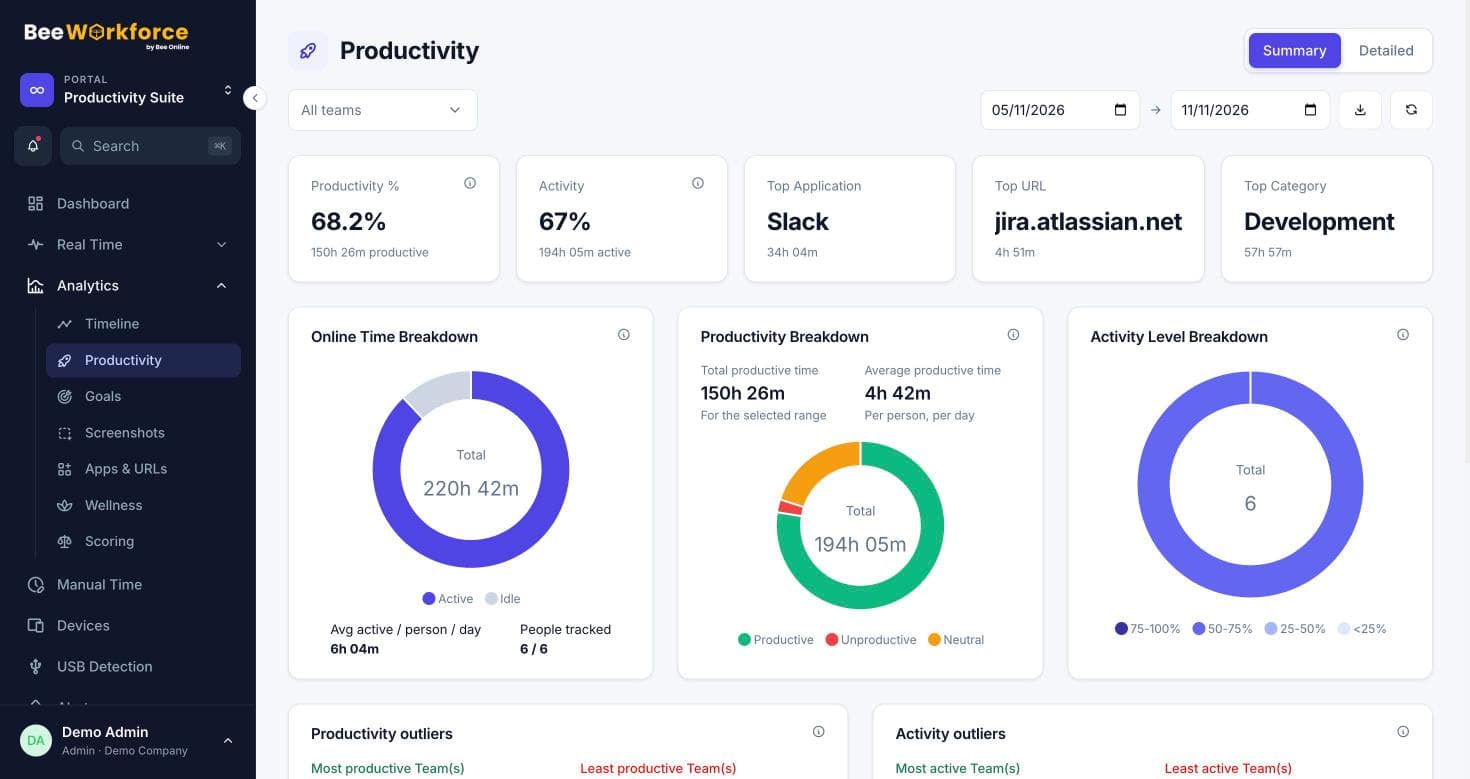
BeeWorkforce classifies the apps and websites people use as productive, neutral or unproductive, using rules you set, and turns it into clear trends for people and teams.
What gets in the way
Hours aren't output
Being online all day says little about focused work.
One rule doesn't fit all
A sales team's essential tool can be a developer's distraction.
No shared targets
Without clear goals, productivity conversations turn subjective.
Your categories, your rules
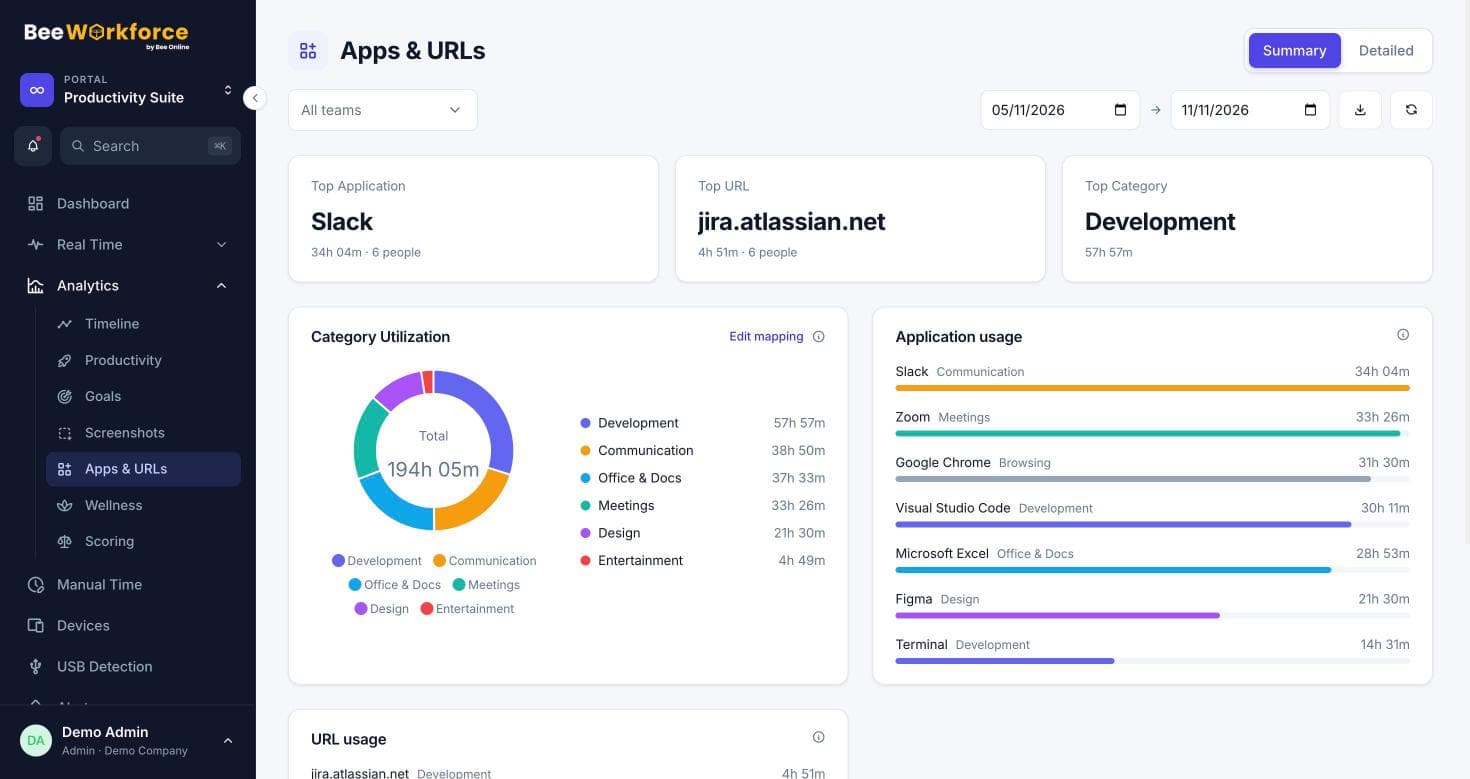
Group apps and websites into categories and mark each productive, neutral or unproductive. Override a rule for a specific team when their work needs it.
- Categories and URL rules
- Per-team overrides
- Applied to all past and future data
Trends, goals and scores
Productivity and activity rates per day, week and month. Daily goals for online, active and productive time, and a weighted score per person if you want one.
- Productivity summary and detailed views
- Daily goals
- Optional scoring leaderboard
Features that help
Productivity tracking
Productive, neutral and unproductive time, with productivity and activity rates.
Apps and websites
Time spent in every app and website, classified by your own productivity rules.
Goals
Daily targets for online, active and productive time, with who met them.
ROI and productivity trends
See how productivity and working time change week by week.
Timeline
Every person's day as coloured blocks of productive, neutral, unproductive and idle time.
Reports
Ready-made reports, your own report builder, and scheduled CSV emails.
Frequently asked questions
How is productivity calculated?
Productive minutes divided by online minutes, where productive minutes are time in apps and websites you've classified as productive.
Can we change a classification later?
Yes. Classifications are applied when reports are read, so changes show up across past data too.
Is idle time counted as productive?
No. Minutes with no keyboard or mouse activity are idle and counted separately.
See BeeWorkforce with your own team
Book a 30-minute walkthrough. We'll set it up around how your team works and answer your questions.