
Employee tracking software for office, remote and hybrid teams
Know who's working, when and on what. BeeWorkforce tracks attendance, working hours and work activity from the desktop app or the browser, only while people are punched in, on one dashboard for managers.
What is employee tracking software?
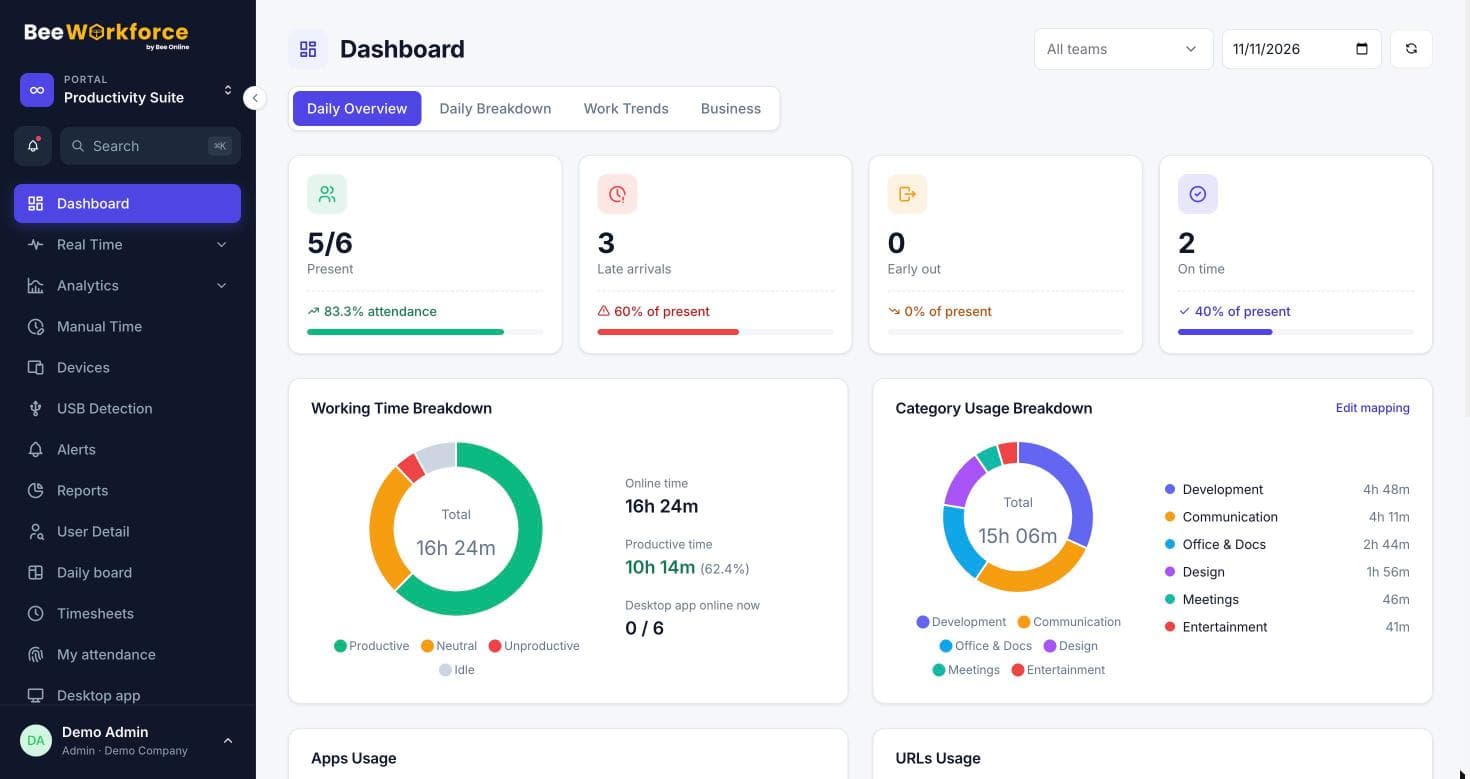
Employee tracking software records when employees work and what they work on. It covers attendance, working hours, breaks and work activity. BeeWorkforce does this for office, remote and hybrid teams on one dashboard. Employees punch in and out from the desktop app or the browser. Shifts, late marks, half days, leave and holidays are applied automatically. While someone is punched in, the desktop app records active and idle time minute by minute. It also logs the apps and websites in use. Keyboard and mouse activity is counted, but what people type is never recorded. Screenshots, live view, USB devices and location can be turned on if you need them. Tracking stops during breaks and after punch-out. The desktop app runs on Windows, macOS and Linux. Reports export to CSV or arrive by email on a schedule. Every feature is free for 7 days for up to 10 users, with no card needed.
What gets in the way
Attendance you can't trust
Registers, spreadsheets and chat check-ins are late, incomplete and easy to dispute.
Remote work out of sight
When people work from home or on the road, managers lose sight of how the day actually goes.
Hours that aren't work
Being logged in all day says little about time spent on real work.
Data in five tools
Attendance, time tracking, leave and reports live in separate systems that never agree.
Punch in from the desktop app or the browser
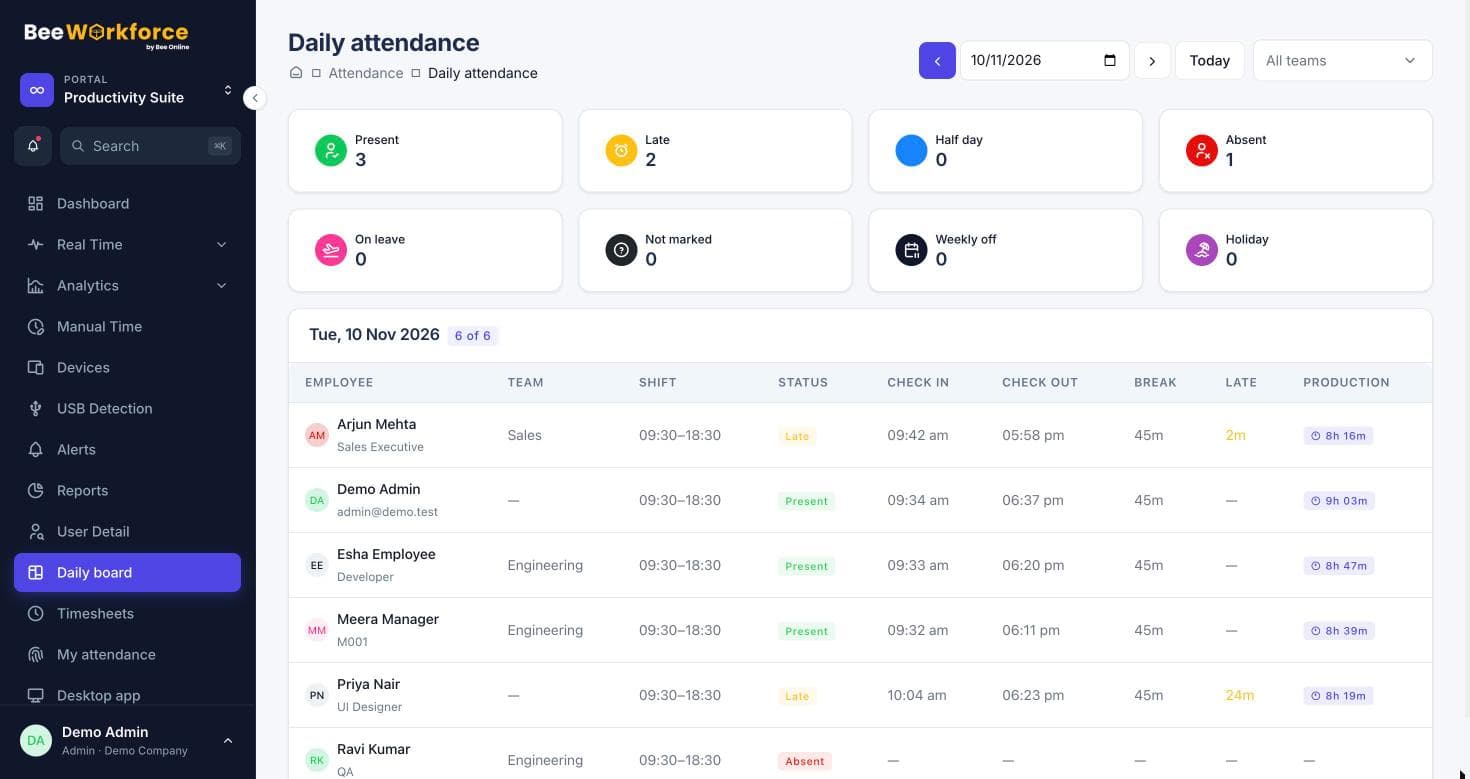
Employees punch in and out, and take breaks, from the desktop app or the web. Shifts, grace periods, late marks, half days, leave and holidays are applied automatically, so the daily board and monthly reports need no fixing.
- Desktop and web punch-in
- Geofencing to limit web punch-in to office locations
- Late marks, half days and overtime by shift rules
See how working hours are really spent
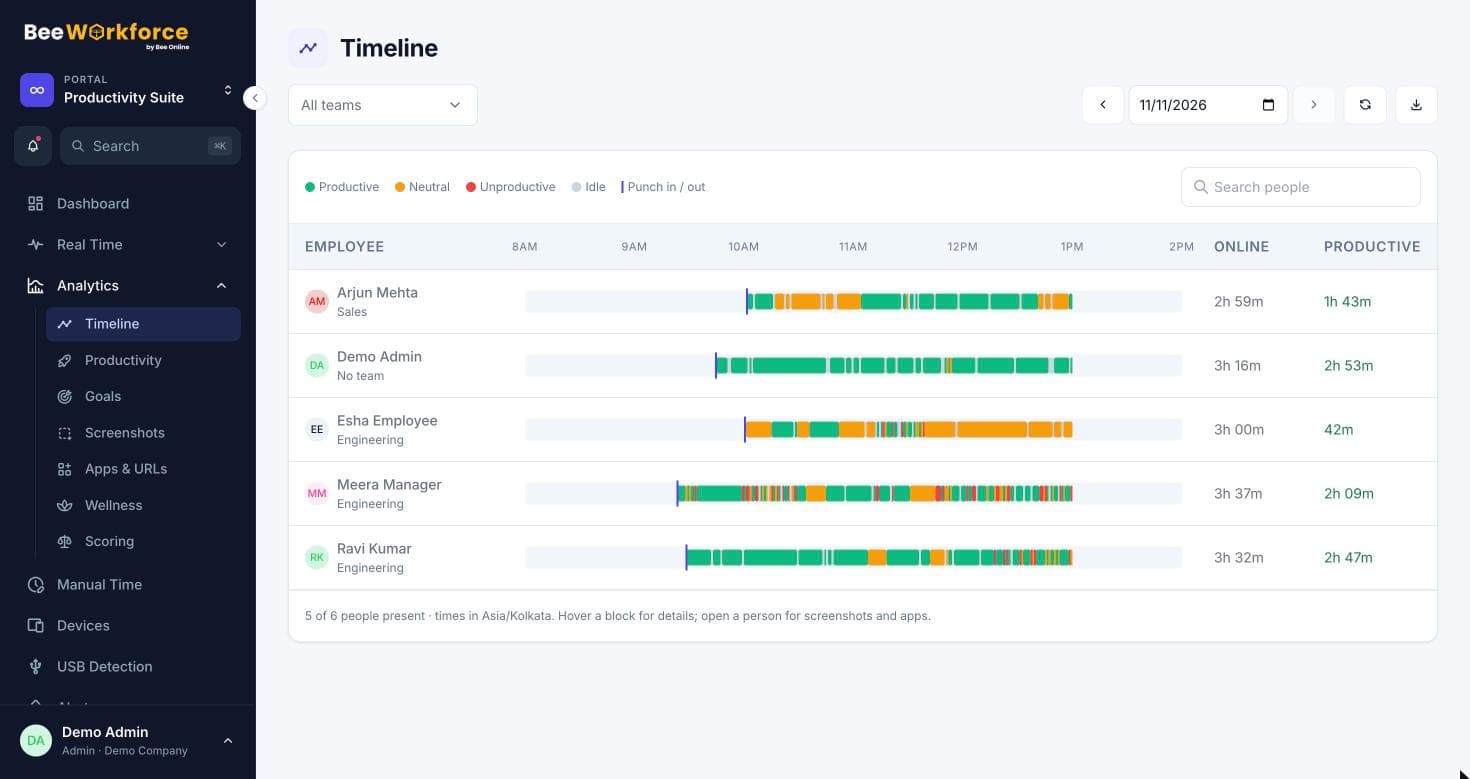
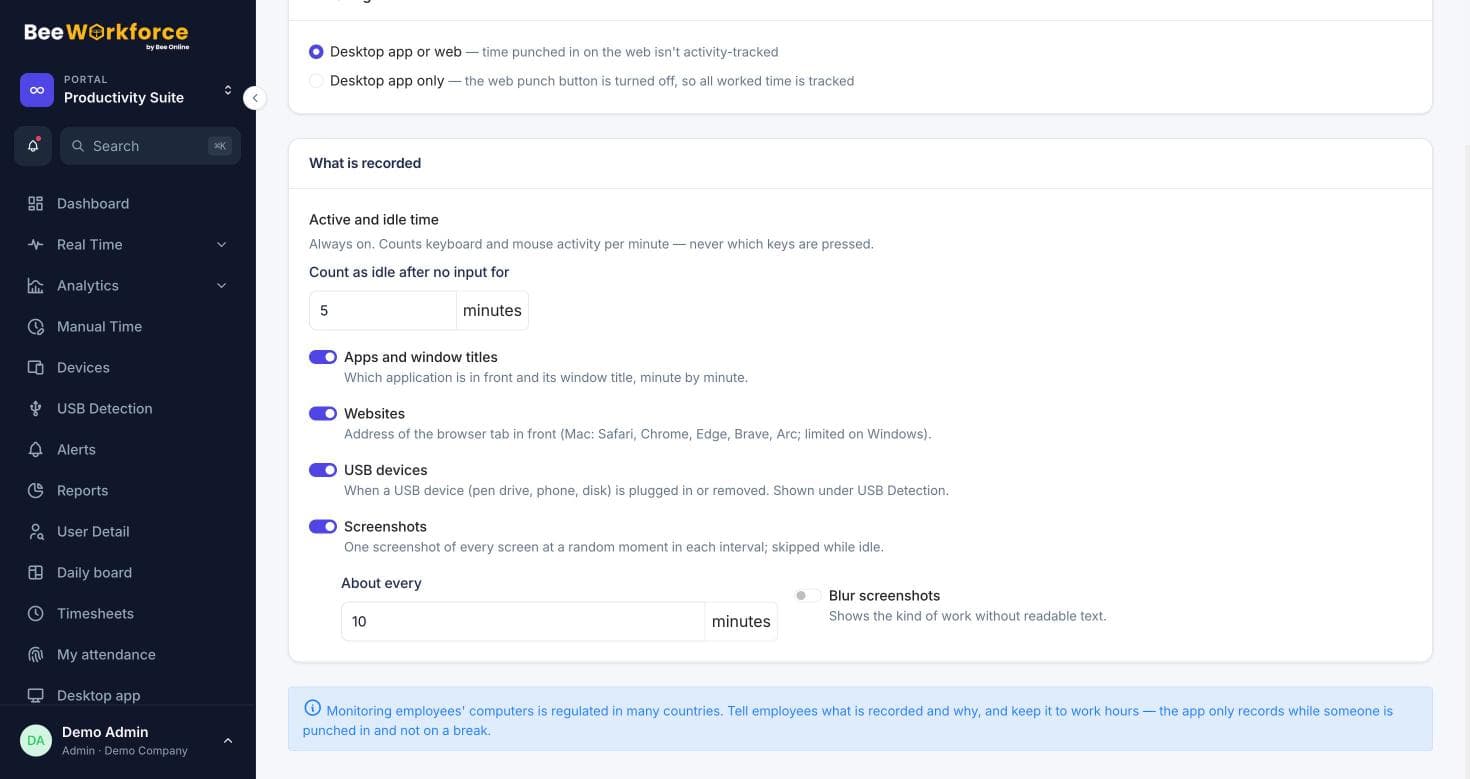
While someone is punched in, the desktop app records active and idle time and the applications and websites in use, minute by minute. Keyboard and mouse activity is only counted; what people type is never recorded.
- Active and idle time per person and team
- Apps and websites, classified as productive or not by your rules
- A timeline of each person's day
Proof of work when you need it
Turn on periodic screenshots, optionally blurred, choose how often they're taken, and let managers view a screen live while someone is punched in. Every view is logged.
- Screenshots at an interval you set, with blur
- Livestream of who's online and what they're working on
- Flag screenshots to review later
Track remote employees fairly
The desktop app works wherever people work, on Windows, macOS and Linux. If you turn it on, location is recorded at punch in and out and when a manager asks, and shown on one map.
- Desktop app for Windows, macOS and Linux
- Location at punch in/out and on request, on a map
- USB device and system events log
From tracking data to decisions
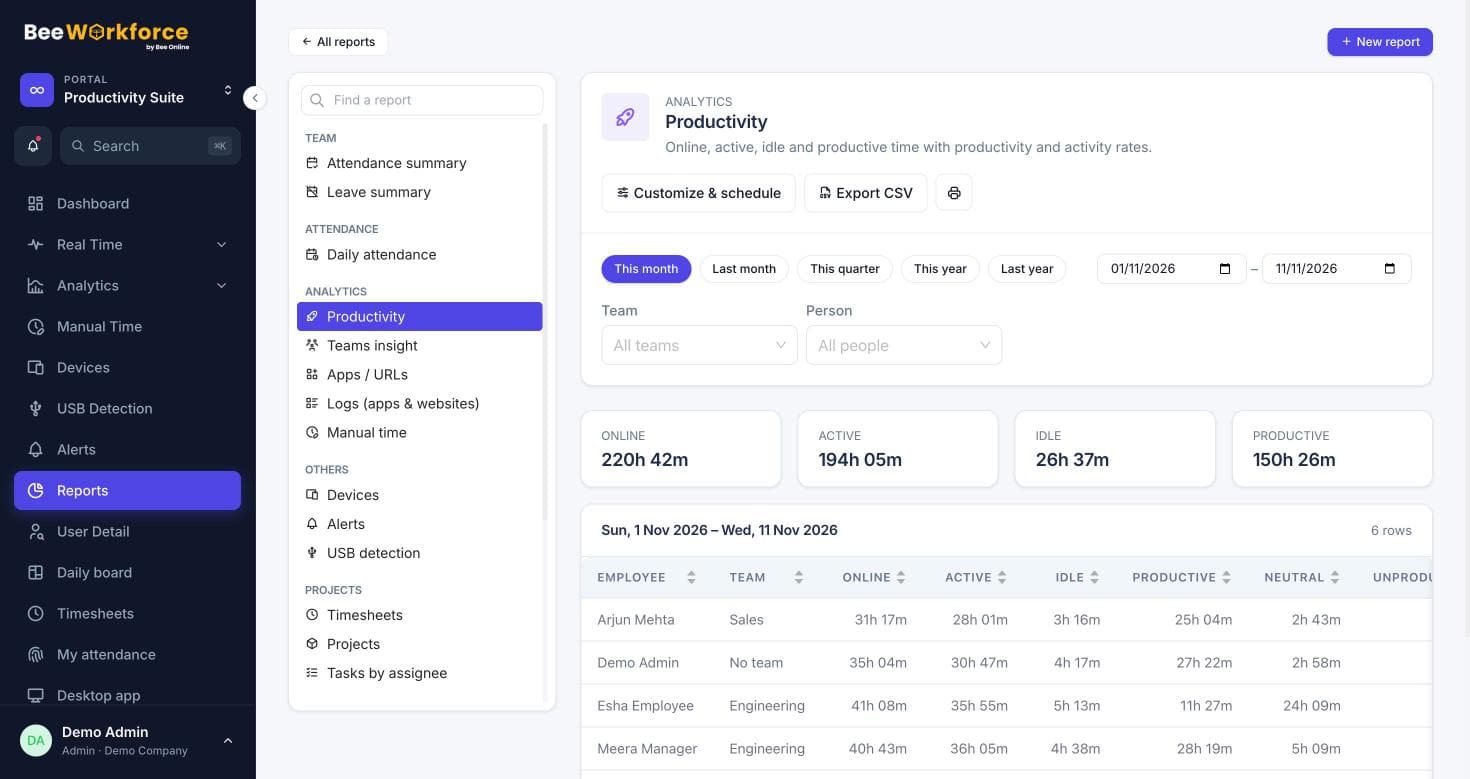
Attendance, productivity, timesheet and activity reports, exported to CSV or emailed on a schedule, plus alerts for long idle time, absence, long breaks and overtime, and an AI summary of each period.
- Ready-made and custom reports, scheduled by email
- Alerts for idle time, absence and overtime
- AI summary of each period
Employee tracking people can accept
Tracking only runs during work hours. Require a monitoring notice before tracking starts, limit monitoring data to admins and managers, mask window titles, and delete old data automatically.
- Consent notice and audit log
- Data retention rules
- Employees see their own attendance and time
Features that help
Attendance insights
Punches, breaks, late marks and worked hours, calculated from your shift rules.
Activity tracking
Active and idle time, apps and websites, recorded only while people are punched in.
Apps and websites
Time spent in every app and website, classified by your own productivity rules.
Screenshots
Periodic screenshots while punched in, at your interval, blurred if you prefer.
Livestream
A live wall of who's working, on what app, with their latest screenshot.
Timeline
Every person's day as coloured blocks of productive, neutral, unproductive and idle time.
Productivity tracking
Productive, neutral and unproductive time, with productivity and activity rates.
Timesheets
Log time on projects and tasks with a timer or manual entries, and send it to Jira.
Alerts
Rules that notify managers about distractions, long breaks, idling and absence.
Reports
Ready-made reports, your own report builder, and scheduled CSV emails.
 By Himanshu Verma, Head TechnologiesPublished Updated
Frequently asked questions
What is employee tracking software?
Software that records when employees work and what they work on: attendance (punch in and out), working hours, breaks, and work activity such as active and idle time and the apps and websites in use. Managers use it to run payroll-ready attendance, understand workload and manage remote teams.
What does BeeWorkforce track?
Attendance and breaks for everyone. With the desktop app, while someone is punched in: active and idle time, apps and websites, keyboard and mouse activity counts (never keystrokes), and screenshots, live view, USB devices and location if you turn them on.
Does it track employees outside working hours?
No. Activity tracking only runs while someone is punched in and stops during breaks and after punch-out.
Can I track remote and work-from-home employees?
Yes. The desktop app works on any internet connection on Windows, macOS and Linux, and records attendance and activity wherever people work.
Does it record keystrokes or passwords?
No. Keyboard and mouse activity is counted to work out active time; what people type is never recorded.
Is employee tracking legal?
In most places it is when employees are told about it and it is proportionate to a work purpose, but laws differ by country. Check your local requirements; BeeWorkforce provides a consent notice, retention rules and an audit log to help.
How much does it cost?
Plans are priced per user per month; see the pricing page. Every feature is free for 7 days for up to 10 users, with no card needed.
How quickly can we start?
Most teams start the same day: add employees (one by one or from Excel), choose your tracking and privacy settings, and share the desktop app download link.
See BeeWorkforce with your own team
Book a 30-minute walkthrough. We'll set it up around how your team works and answer your questions.