
What is office productivity software? The features that matter
What office productivity software is, the main types, which productivity features matter most for a team, and how productivity tracking tools fit in.
 By Himanshu Verma, Head TechnologiesPublished 6 min read
What is office productivity software?
Office productivity software is the set of applications people use to create, organise and share work. Classic examples are word processors, spreadsheets, presentations and email. Today it also covers calendars, chat, video calls, file sharing and project tools. Most offices use a suite from one vendor, plus a few specialist tools. Productivity features are the parts of a tool that save time or effort. For teams, the most useful are collaboration, search, templates, automation, integrations, scheduling and reporting. Productivity tracking tools are a different layer. They show how the working day is spent across all those apps. They record active and idle time and the apps in use. They then group time into productive, neutral and unproductive categories. Good ones record only during work hours, never keystrokes, and show employees their own data. BeeWorkforce is a workforce tool of this kind. It sits beside your office suite.
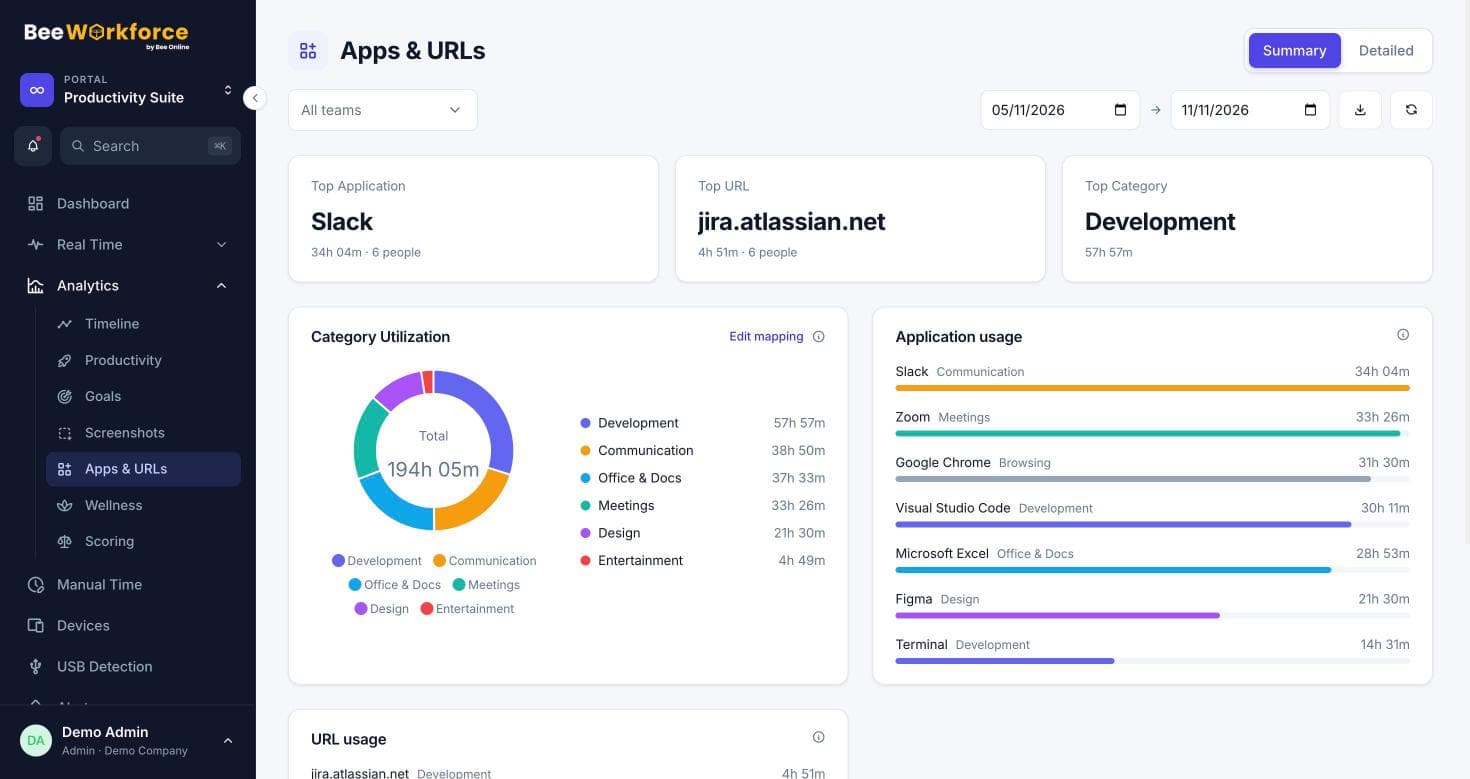
Office productivity software is the set of applications people use to create, organise and share work. The classic examples are word processors, spreadsheets, presentations and email. Today the term also covers calendars, chat, video calls, file sharing and project tools. Most offices use a suite of these from one vendor, plus a few specialist tools.
The main types of office productivity software
| Type | What it is for | Examples of the category |
|---|---|---|
| Documents and spreadsheets | Writing, numbers and analysis | Word processors, spreadsheets, presentation tools |
| Communication | Talking to colleagues and clients | Email, chat, video calls |
| Organisation | Knowing what is due and when | Calendars, to-do lists, project and task tools |
| Storage and sharing | Finding and sharing files | Cloud drives, shared folders, wikis |
| Workforce tools | Running the working day | Attendance, time tracking, leave and productivity analytics |
What are productivity features?
Productivity features are the parts of a tool that save time or reduce effort. In office software, the ones that matter most for a team are:
- Collaboration: several people working on the same file or task, with comments.
- Search: finding a document, message or task in seconds.
- Templates and automation: repeating work done once, then reused.
- Integrations: tools passing data to each other, so nobody copies it by hand.
- Scheduling: shared calendars, reminders and recurring tasks.
- Reporting: a clear view of what is done, what is late and where time goes.
How productivity tracking tools fit in
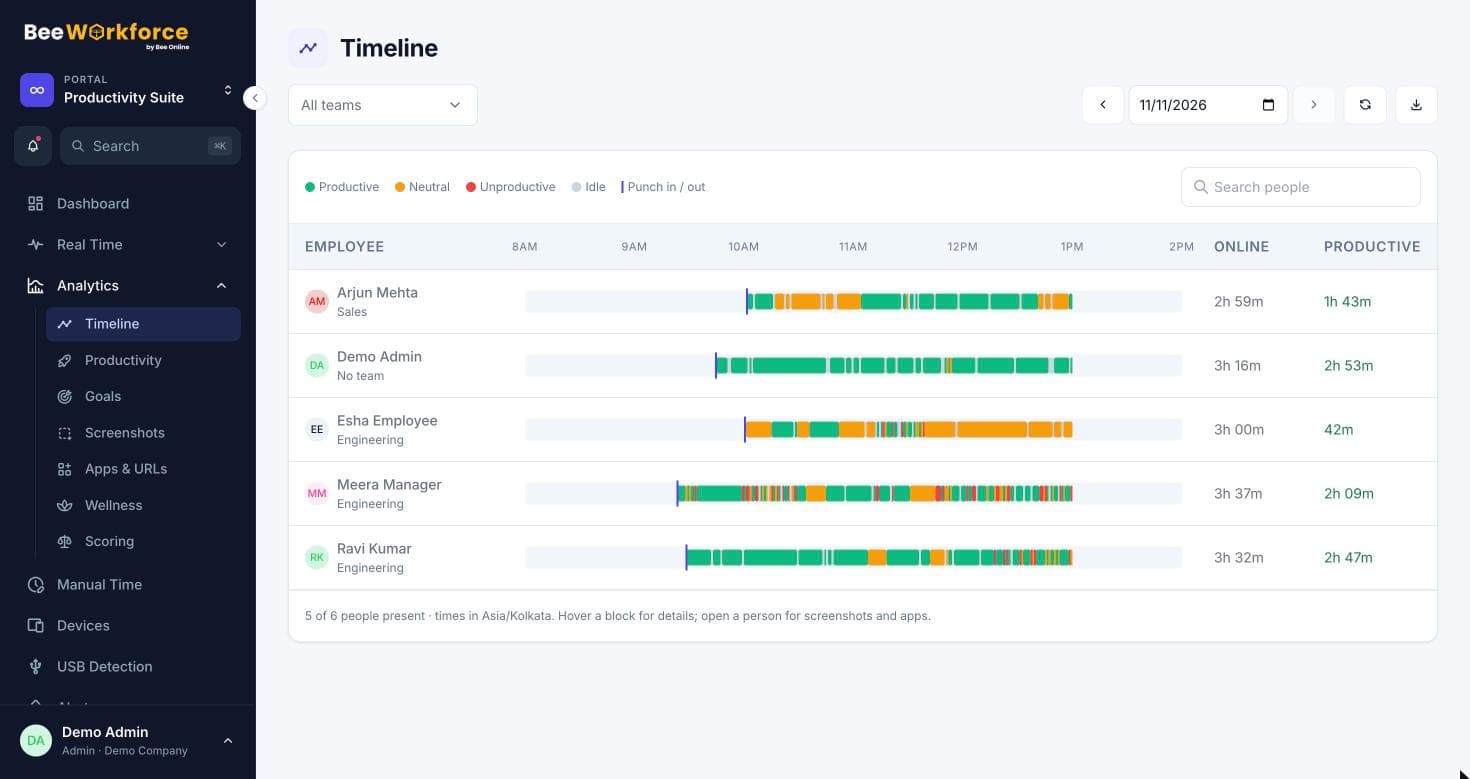
Office suites help people do the work. Productivity tracking tools show how the working day is actually spent across all of those apps. They record active and idle time and the apps and websites in use, then group the time into productive, neutral and unproductive categories. That helps a manager see whether a team has enough focused time, which tools take the most time, and who is overloaded.
The best productivity tracking tools are transparent and respectful. They record only during work hours, never what people type, and they let employees see their own data. Classification rules should be set per team, because one team's essential tool is another team's distraction.
How to choose productivity software for an office
- Start from the problem: lost files, slow approvals, unclear workload or missed deadlines.
- Prefer tools that integrate with what you already use.
- Run a short trial with the people who will use the tool every day.
- Measure before and after, so you know whether it helped.
Where BeeWorkforce fits
BeeWorkforce is a workforce tool, not an office suite. It sits beside the apps your team already uses. It records attendance, work time and activity while people are punched in, classifies apps and websites by rules you set per team, and turns that into productivity, wellness and capacity reports. It connects to Microsoft Teams, Jira, Keka, greytHR and Zoho People, and to your own systems with signed webhooks. Every feature is free for 7 days for up to 10 users.
Sources: Productivity software (Wikipedia) · Workforce management (Wikipedia)
Keep reading
The 3-3-3, 7-8-9 and 5 P's time management rules, explained
What the 3-3-3 rule, the 7-8-9 rule and the 5 P's of time management mean, how to use each one at work, and how to tell if they are working.
15 Nov 2026 · 6 min readBuilding productivity categories that fit each team
One company-wide list of productive apps rarely fits everyone. How to build categories and per-team rules so productivity numbers reflect real work.
29 Sept 2026 · 5 min read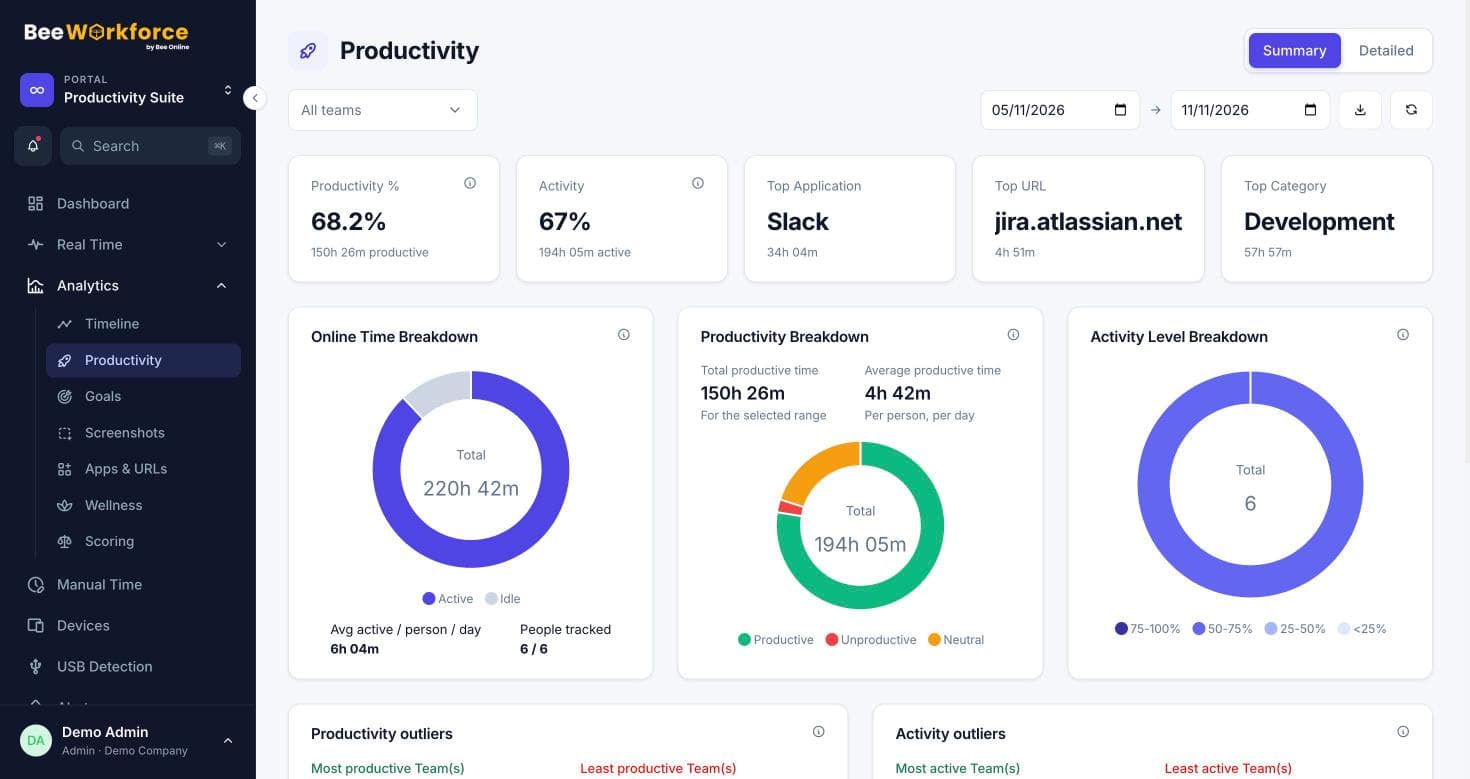
Active time vs productive time: what the numbers really mean
Online, active, idle and productive time measure different things. Here's how to read each one, where they mislead, and how to use them together.
12 Aug 2026 · 6 min readSee BeeWorkforce with your own team
Book a 30-minute walkthrough. We'll set it up around how your team works and answer your questions.