
Top 10 employee monitoring software: how to compare them
The employee monitoring tools teams shortlist most often, and a practical way to compare them on tracking, privacy, attendance, reports and price.
 By Himanshu Verma, Head TechnologiesPublished 7 min read
What are the top 10 employee monitoring software?
The employee monitoring tools teams shortlist most often include ActivTrak, DeskTime, Hubstaff, Insightful, Teramind, Time Champ, Time Doctor, We360.ai, WorkTime and BeeWorkforce. The order matters less than the fit. Compare them on seven points. First, what is recorded, such as active time, apps, websites and screenshots. Second, when it is recorded, ideally only while someone is punched in. Third, privacy controls, such as a consent notice, blurred screenshots and data retention. Fourth, whether attendance and leave are built in. Fifth, reports and payroll exports. Sixth, apps for Windows, macOS and Linux. Seventh, the price for the features you need. In India, also ask how each tool helps with notice and consent under the DPDP Act, 2023. Shortlist three tools and trial each with the same small group. Choose the one your people accept and your managers can act on.
Search for the top employee monitoring software and you will find dozens of lists. Most rank the same well-known tools in a different order. The ranking matters less than the fit. A tool that suits a 500-seat call centre can be the wrong choice for a 20-person design studio.
This article lists the tools teams in India shortlist most often, then gives you a way to compare them on what matters for your own team.
The tools teams shortlist most often
These ten names come up again and again in buyer shortlists and comparison searches. They are listed alphabetically, not ranked. Features and prices change often, so check each vendor's own website before you decide.
| Tool | Compare with BeeWorkforce |
|---|---|
| ActivTrak | ActivTrak vs BeeWorkforce |
| DeskTime | DeskTime vs BeeWorkforce |
| Hubstaff | Hubstaff vs BeeWorkforce |
| Insightful | Insightful vs BeeWorkforce |
| Teramind | Teramind vs BeeWorkforce |
| Time Champ | Time Champ vs BeeWorkforce |
| Time Doctor | Time Doctor vs BeeWorkforce |
| We360.ai | We360.ai vs BeeWorkforce |
| WorkTime | WorkTime vs BeeWorkforce |
| BeeWorkforce | All BeeWorkforce features |
What employee monitoring software does
Employee monitoring software records how work time is spent on company computers. Most tools record active and idle time and the apps and websites in use. Many add screenshots, attendance and reports. Some go further, with screen recording, live view, keystroke logging or data loss prevention. More is not always better. Every extra kind of data has to be explained to employees, stored securely and eventually deleted.
Seven things to compare
- What is recorded: active and idle time, apps and websites, screenshots, live view. Check whether keystrokes are recorded, and whether you can switch that off.
- When it is recorded: only while someone is punched in, or all the time the computer is on.
- Privacy controls: a consent notice, blurred screenshots, data retention rules and an audit log.
- Attendance and leave: whether shifts, late marks, leave and holidays are built in or need a second tool.
- Reports: productivity per team, payroll-ready exports and scheduled email reports.
- Platforms: Windows, macOS and Linux apps, and a browser option for people without the app.
- Price and trial: the per-user price for the features you need, and whether the trial includes them.
Questions specific to India
India's Digital Personal Data Protection Act, 2023 sets duties around notice, consent and purpose for personal data. Monitoring data about employees is personal data. Ask how each tool helps you give notice, limit collection to work hours and delete data on time. Ask where the data is stored, and whether invoices, support hours and payment methods suit an Indian company.
How BeeWorkforce compares on these points
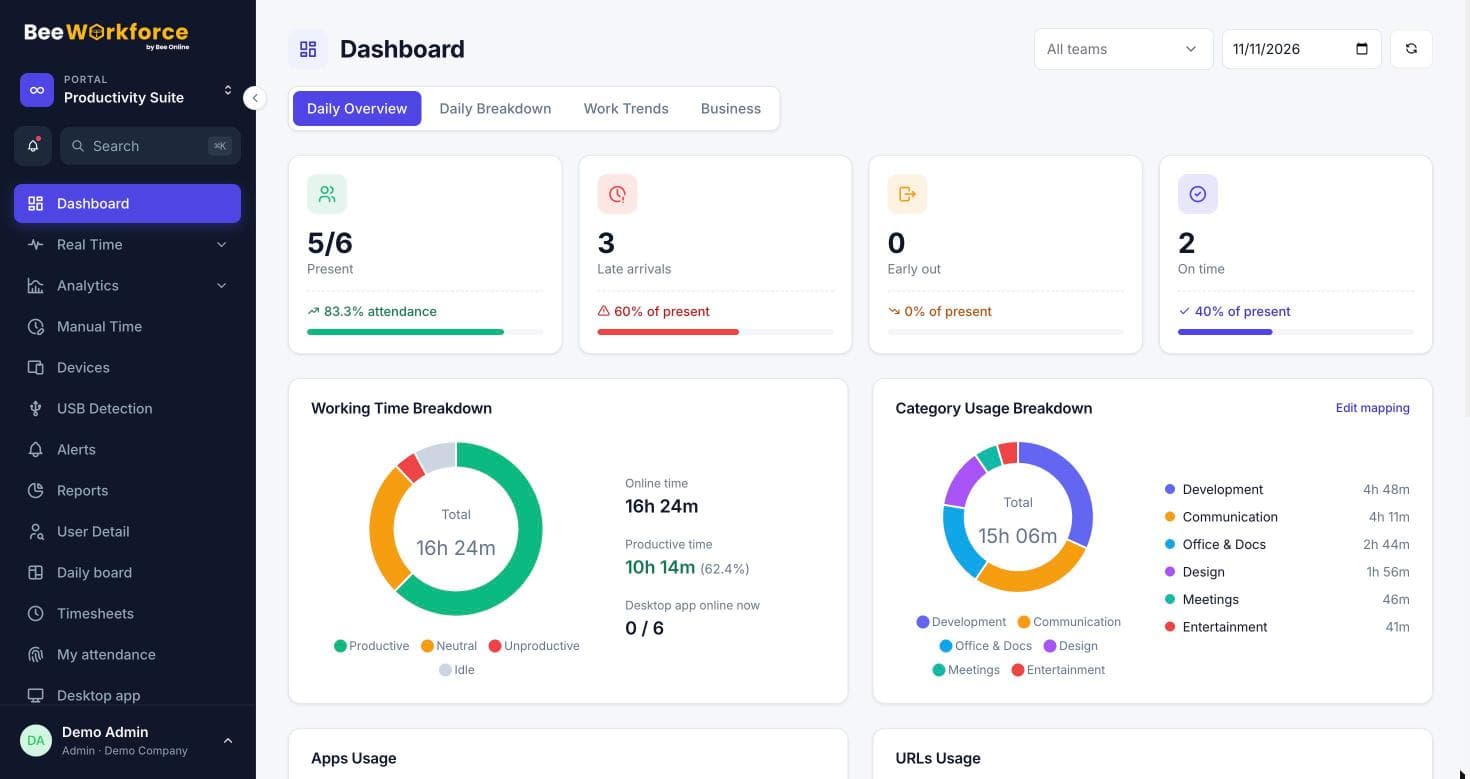
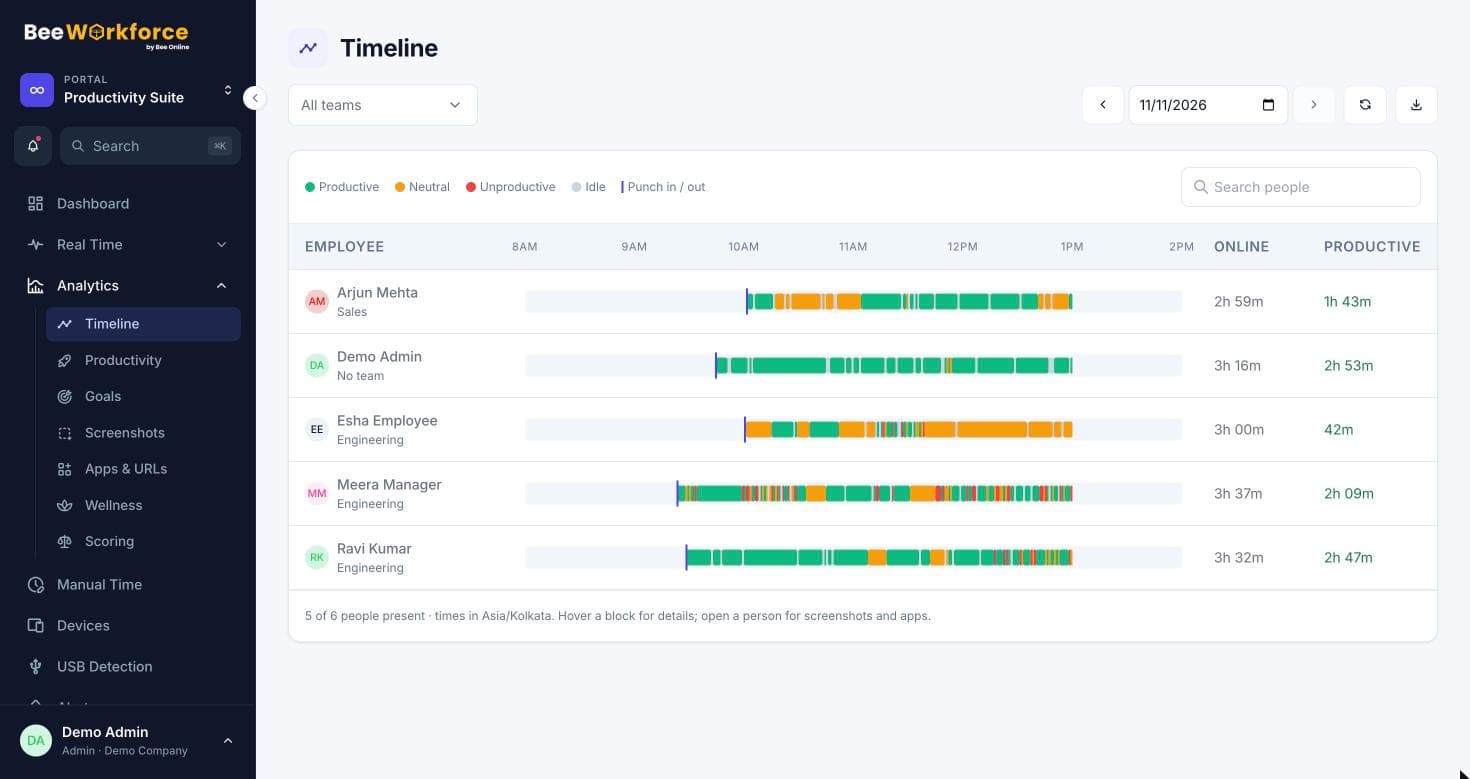
- Records active and idle time, apps and websites only while someone is punched in. Nothing after punch-out.
- Counts keyboard and mouse activity, but never records what people type.
- Screenshots, live view, USB detection and location are optional, and screenshots can be blurred.
- Consent notice, data retention rules and an audit log are built in.
- Shifts, attendance, leave, timesheets and projects are in the same product.
- Desktop apps for Windows, macOS and Linux, plus web punch-in and a Chrome extension.
- Every feature is free for 7 days for up to 10 users, with no card needed.
How to decide
Shortlist three tools. Run each with the same five to ten people for a week or two. Then ask the people who were tracked how it felt, and ask the managers whether they got answers they could act on. The tool that does both is the right one for you, wherever it sits on someone else's top ten.
Sources: Employee monitoring (Wikipedia) · Digital Personal Data Protection Act, 2023 (MeitY)
Keep reading
Employee monitoring done right: start with transparency
Monitoring works when people understand it. How to introduce activity tracking openly, decide what to collect, and keep trust intact as you roll it out.
4 Aug 2026 · 6 min read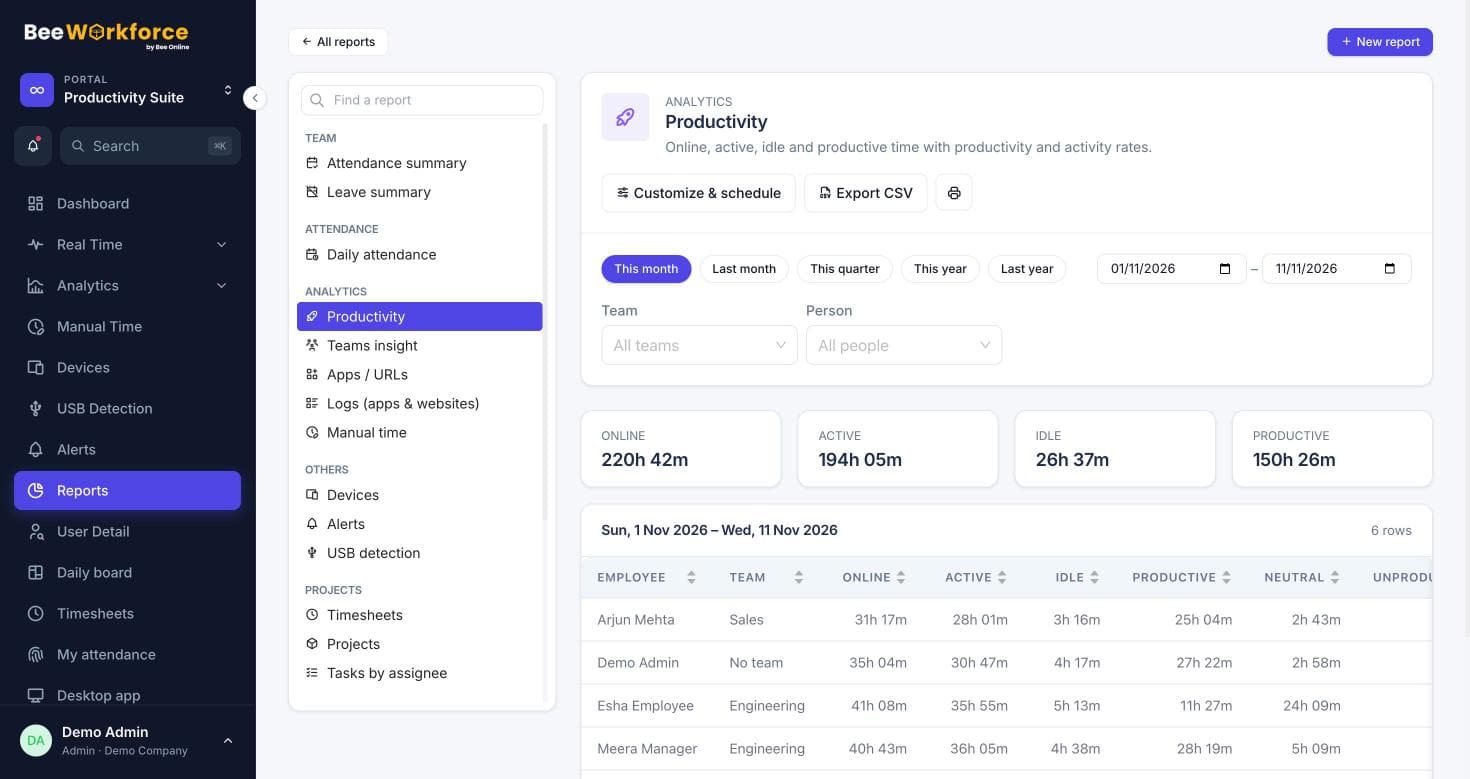
Is Clockify totally free? What the free plan covers
Is Clockify free? What its free plan includes, which features need a paid plan, and when a team needs attendance and monitoring in one tool instead.
15 Nov 2026 · 5 min readThe 3-3-3, 7-8-9 and 5 P's time management rules, explained
What the 3-3-3 rule, the 7-8-9 rule and the 5 P's of time management mean, how to use each one at work, and how to tell if they are working.
15 Nov 2026 · 6 min readSee BeeWorkforce with your own team
Book a 30-minute walkthrough. We'll set it up around how your team works and answer your questions.