
Know when sensitive data leaves a work browser
Audit or warn when Aadhaar, PAN, card numbers or secrets are pasted, uploaded or downloaded, and review every incident in one place.
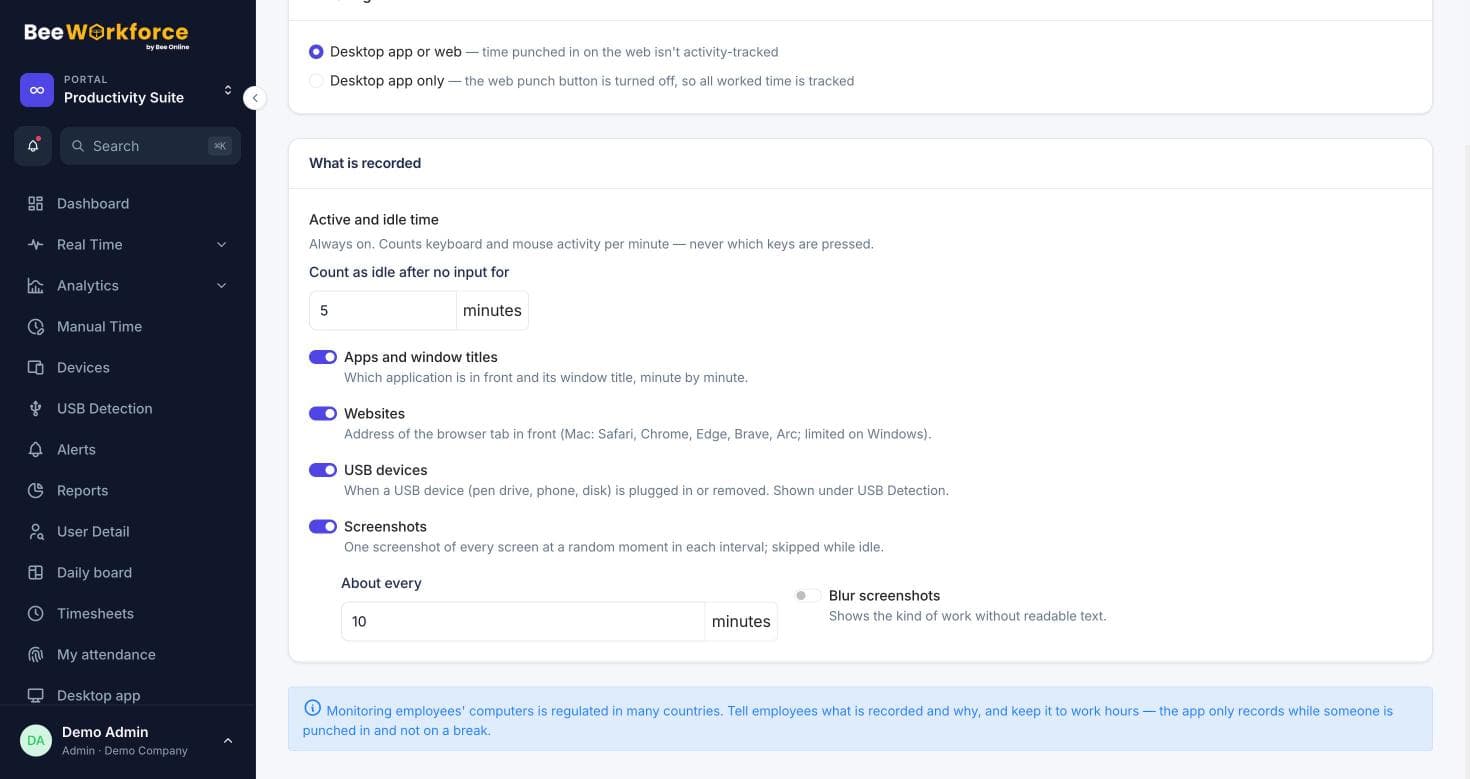
Data loss prevention (DLP) at a glance
Part of BeeWorkforce's monitoring on Windows, Mac and Linux.
Indian ID and card detection
Aadhaar (with checksum), PAN, IFSC and payment cards (with Luhn check), plus passwords, API keys and private keys.
Redacted by design
Only what was found and where it was going is recorded, never the content itself.
Review and resolve
Assign incidents, add notes, mark false positives and export the report as CSV.
Audit first, then warn
Start a policy in audit mode to see what it would catch. Switch to warn mode and employees see a short notice when a paste, upload or download matches. Warnings record the event; they don't block it.
- Audit-only and warn modes
- Scope by team and destination domain
- Pastes, file uploads and downloads in Chrome
Exports and downloads from BeeWorkforce itself
Every report export and file download from BeeWorkforce is logged. Five exports in 15 minutes raises a high-severity alert for your admins.
- CSV and report export log
- Bulk-export alerts
- USB connection and removal log on the desktop app
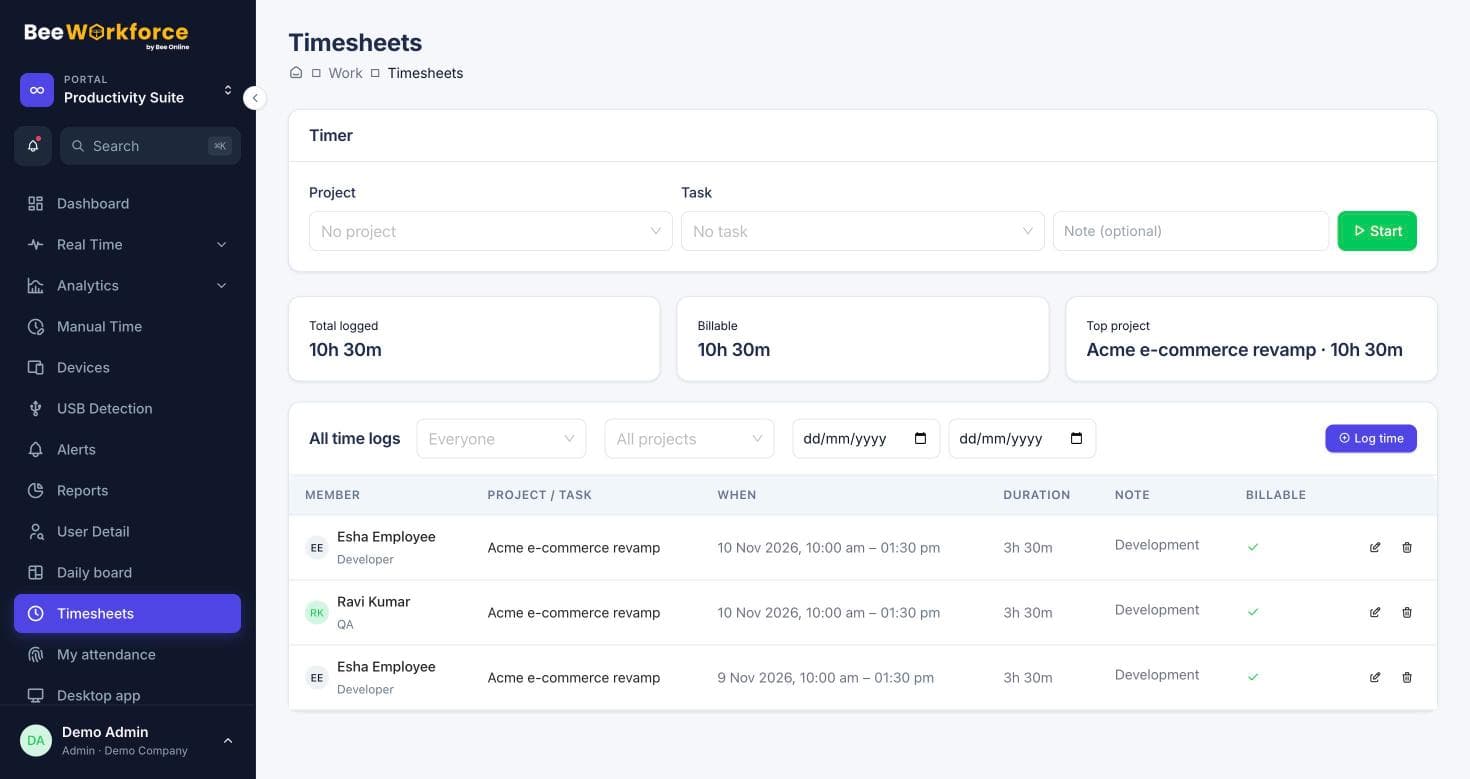
What your team sees
Mutual transparency built into every report and dashboard.
- Their own punch-in and punch-out times and worked hours
- Their breaks, leave balances and timesheets
- A notice on their computer that activity tracking is on, unless your company turns it off
- DLP checks run only while punched in, and are listed in each person's "What's tracked" panel
- A warning names the policy that matched, so nobody is left guessing
Privacy and administrative control
Designed for mutual trust, compliance, and enterprise data governance.
- Pasted text and file contents are checked locally and never uploaded
- Incidents keep only the type of data found, a count and, for ID and card numbers, the last four characters
- Passwords and keys never show any characters at all
- DLP incidents follow their own retention period in Compliance settings
Every privacy control and its plan: controls and privacy settings and the Trust Center.
Who it helps
Tailored for managers, HR teams, and distributed organisations across India.
Notice customer ID numbers pasted into outside tools
Catch passwords and keys shared by mistake
Review report exports by departing staff
Show auditors a dated incident trail
What is data loss prevention software for employees?
Data loss prevention software helps a company notice when sensitive information leaves its approved tools. In BeeWorkforce, the Chrome extension checks pasted text, files chosen for upload and downloads for Aadhaar numbers, PAN, IFSC codes, payment cards, passwords, API keys and private keys. Aadhaar and card numbers are checksum-validated to cut false alarms. The check runs on the employee's own computer, and only the type of data found, a count and file details are sent, never the text or file. Policies start in audit mode and can then warn the employee. Warnings record the event but do not block it yet. Admins and managers review incidents, assign them, add notes, mark false positives and export a CSV report. Report exports and file downloads from BeeWorkforce are logged too, and five exports in 15 minutes raises an alert. Checks run only while staff are punched in, and each person sees them in their What's tracked panel. Every feature is free for 7 days for up to 10 users, with no payment card required.
Data loss prevention questions from IT and employees
What does BeeWorkforce DLP check?
In Chrome, it checks pasted text, files chosen for upload (text formats up to 1 MB) and downloads for Aadhaar, PAN, IFSC, payment cards, passwords, API keys and private keys. It also logs exports and downloads from BeeWorkforce.
Does DLP read my personal messages?
No. While you're punched in, the Chrome extension checks pasted text and files chosen for upload for patterns your company picks, such as Aadhaar, PAN or card numbers. Checks run on your computer, the text isn't uploaded, and matches are recorded in redacted form. Downloads are logged by file name, size and website.
Which browsers does DLP cover?
Chrome today. It checks pasted text and the contents of text files chosen for upload, up to 1 MB. Other uploads and all downloads are checked and logged by file name.
Does DLP block transfers?
Not yet. Policies either audit silently or warn the employee, and both record an incident. Blocking, USB file controls and email scanning are planned, and we'll say so here when they ship.
Does DLP record what I type or paste?
No. Text and files are checked on your own computer and never uploaded. BeeWorkforce never records keystrokes, webcam footage or audio.
Which plans include data loss prevention controls?
Browser DLP policies, the incident console and export alerts are on Team and above. Domain blocking, stealth mode and the audit log are on Enterprise.
Can window titles containing passwords or client names be excluded?
Yes. Admins can enable window title masking so only the application name is saved, dropping document names and browser titles.
Visibility your team can trust. Try it free for 7 days.
Every feature, up to 10 users, no card needed. If you buy and it isn't right, get a full refund within 30 days of your first payment.


