
Keep sensitive files inside your organization
Track when removable USB drives are connected or removed on work machines. Detect file movement events and protect confidential company records.
File transfer tracking at a glance
Part of BeeWorkforce's computer monitoring software.
USB connection logs
Records device name, vendor and timestamps on Windows, Mac and Linux.
File movement audit
Identify potential data leakage points and unapproved removable drives.
Compliance-ready
Exportable CSV reports ready for IT audits and security reviews.
Audit trail for removable media
Every time a thumb drive or external disk is plugged into a work computer, the desktop app records the device info and user timestamp.
- Device name and manufacturer
- Clock-in time correlation
- Filtered reports by team or person
Prevent silent data leaks
Combine USB detection with website blocking to prevent file exfiltration through unapproved cloud storage or physical media.
- USB device reports
- Block unapproved cloud drives
- Immediate visibility for admins and managers
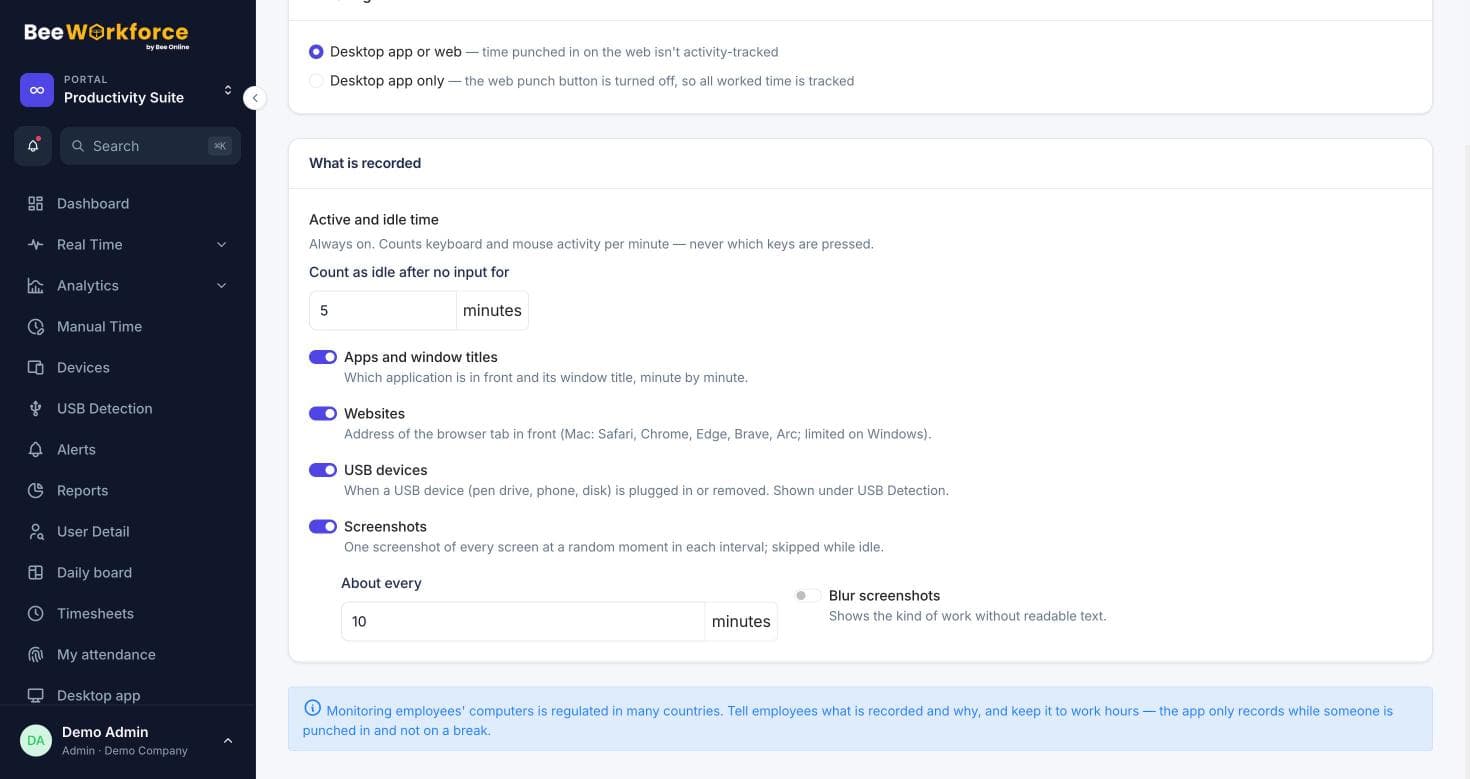
What your team sees
Mutual transparency built into every report and dashboard.
- Their own punch-in and punch-out times and worked hours
- Their breaks, leave balances and timesheets
- A notice on their computer that activity tracking is on, unless your company turns it off
- USB connection events are recorded only on company time, never outside work hours
Privacy and administrative control
Designed for mutual trust, compliance, and enterprise data governance.
- USB logging runs only while an employee is punched in
- Device name, vendor, computer and timestamp are recorded
- Files are not copied or read; transfers and connection events are logged
- Available on Team plan and above
Every privacy control and its plan: controls and privacy settings and the Trust Center.
Who it helps
Tailored for managers, HR teams, and distributed organisations across India.
Detect unapproved thumb drives on work computers
Investigate potential intellectual property leaks
Prepare security audit trails for client compliance
Safeguard remote and hybrid workstations
What is file transfer tracking in employee monitoring?
File transfer tracking records when external storage drives connect to work computers and audits file movements to removable media. BeeWorkforce logs USB flash drive and external hard disk connections through its desktop application on Windows, macOS and Linux. Each log records the employee name, device identifier, hardware manufacturer and exact timestamp. These events are recorded only while staff are punched in, ensuring personal time outside working hours remains untracked. IT administrators and managers review connected storage devices from the dashboard and export records to CSV for security reviews. USB detection operates alongside application and website rules to stop files moving to unapproved cloud drives or external thumb drives. The system captures hardware connection metadata without reading personal file contents. This provides an audit trail for intellectual property protection and compliance reviews. Every feature is free for 7 days for up to 10 users, with no payment card required.
File transfer and USB questions from IT and employees
Does file transfer tracking read the contents of files?
No. BeeWorkforce logs device connections, removals and device metadata. It never opens, scans or stores personal contents of private files.
Will my USB drive be blocked?
No. BeeWorkforce records when a device is connected or removed. It doesn't block devices or open the files on them.
Which operating systems support USB detection?
Windows, macOS and Linux work computers running the desktop app.
Who can view USB and file transfer logs?
Company Admins and designated department managers have access to device logs.
Can USB logs be exported?
Yes. Admins can export the full USB and device logs to CSV for compliance audits.
Visibility your team can trust. Try it free for 7 days.
Every feature, up to 10 users, no card needed. If you buy and it isn't right, get a full refund within 30 days of your first payment.


